If you have spent any time testing AI video tools lately, you have probably noticed the same problem: getting a model to generate a video is easy, but getting it to move the way you want is much harder. That is where motion control starts to matter.
A lot of people search for an AI video generator, but the real need is usually more specific. Creators want a product shot that glides forward instead of wobbling. They want a character to turn naturally instead of drifting off-model. They want an image-to-video workflow that feels directed, not random.
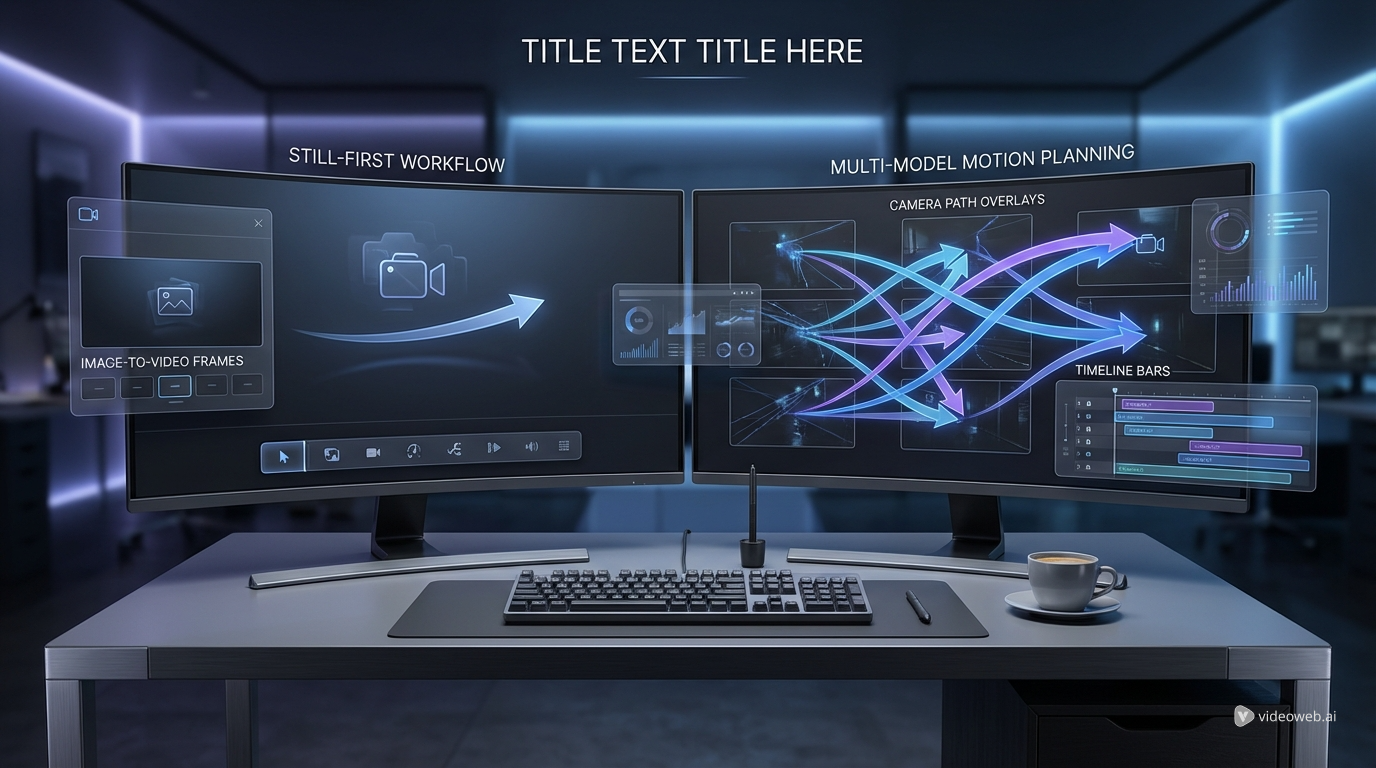
That is why comparing Zorq AI and VideoWeb AI is interesting. Both can help with motion-driven AI video, but they approach the problem from different angles. Zorq AI is built around a still-first workflow, while VideoWeb AI leans into a broader multi-model system built around tools like Higgsfield Motion Control, Kling 2.6, and Kling 3.0.
What motion control actually means
In plain terms, motion control means telling the model how the shot should move instead of just hoping the prompt gets there. That can include camera direction, subject movement, pacing, and the relationship between foreground and background. In short-form content, that difference is huge.
A normal prompt might give you a usable result after several attempts. A motion-control workflow is meant to reduce those attempts by making movement more intentional from the start. That matters whether you are creating ads, social clips, mascot animation, or cinematic tests.
Interest in terms like motion control for AI video, Kling AI, and Higgsfield AI also reflects that shift. Users are moving beyond generic video generation and looking for cleaner control.
Zorq AI: a still-first motion workflow
Zorq AI makes the most sense if your first priority is consistency. Its public workflow emphasizes generating or approving a still image first, then turning that exact visual into motion. That sounds simple, but it solves one of the most annoying problems in AI video: drift between the image you liked and the video you got.
For creators working with brand teams, clients, or internal approvals, that approach is practical. You can lock the composition first, make sure the product or character looks right, and only then animate it. That is a very different mindset from the more exploratory style of many video platforms.
Zorq AI also publicly highlights Kling-based motion control, including Kling 2.6 Motion Control and Kling 3 Motion Control. The value here is not just that it uses strong video models, but that it wraps them in a more approval-friendly process. If your workflow depends on sign-off, that matters as much as raw model quality.
VideoWeb AI: a broader motion-control playground
VideoWeb AI feels more like a creator workspace for people who want options. Instead of centering everything on a locked still, it presents a wider model ecosystem. For motion control specifically, its clearest setup is Higgsfield Motion Control for planning movement, then Kling 2.6 or Kling 3.0 for rendering the final shot.
That pairing is useful because it separates intent from output. Higgsfield helps define the move, while Kling handles the video generation itself. For creators who want to test multiple visual styles, compare model behavior, or iterate on different movement ideas, that is a strong advantage.
VideoWeb AI also has a wider model bench beyond motion control, including Veo 3.1, Vidu Q3, Runway Gen 4, and Seedance 2.0. That gives it more value as a long-term workspace if you do not want your pipeline tied to one rendering style.
The real difference: control philosophy
The easiest way to compare these platforms is not by asking which one is “better.” It is by asking what kind of creator each one serves.
Zorq AI is better when motion control is part of a production process that needs stability. If you are working on product videos, polished UGC ads, brand mascots, or client-approved short clips, a still-first flow is easier to manage. You are reducing uncertainty before you ever animate anything.
VideoWeb AI is better when motion control is part of a creative testing process. If you want to try camera paths, compare models, or experiment with different kinds of movement, its model variety becomes a real advantage. It gives you more room to explore, especially if your work is less approval-heavy and more iteration-driven.
Side-by-side comparison
| Category | Zorq AI | VideoWeb AI |
|---|---|---|
| Main motion approach | Still first, then animate | Motion planning plus multi-model rendering |
| Best fit | Brand work, approvals, product clips | Creators, testers, multi-model workflows |
| Motion-control stack | Kling-based motion control | Higgsfield plus Kling-based rendering |
| Strength | Visual consistency and review flow | Flexibility and model choice |
| Learning curve | Easier to grasp | Better for users who want more options |
| Ideal workflow | Approve frame, then add motion | Design movement, then compare outputs |
Which one feels stronger in practice?
For product ads and polished short-form content, Zorq AI has the cleaner pitch. Locking a still before animation makes sense when every revision costs time and confusion. If the product angle, lighting, or character face has to stay consistent, this workflow is reassuring.
For cinematic clips, concept exploration, and creators who like trying multiple model families, VideoWeb AI is more appealing. The combination of motion planning and model choice gives you more creative surface area. That does not always mean faster results, but it often means more room to refine the exact feel of a shot.
For dance, gesture-heavy, or performance-oriented content, the answer depends on your goal. If you need predictable brand-safe output, Zorq AI may be easier to manage. If you want to experiment with movement styles and see how different rendering engines interpret the same shot idea, VideoWeb AI has the edge.
Final verdict
If you want the shortest version, it is this: Zorq AI is the better fit for creators who want a stable still-to-motion workflow, while VideoWeb AI is the better fit for creators who want a broader motion-control toolkit.
Zorq AI feels more editorial. VideoWeb AI feels more exploratory.
That does not make one universally better than the other. It just means they solve different frustrations. If your main problem is visual consistency and approval friction, Zorq AI is easier to justify. If your main problem is finding the right motion language across multiple tools and models, VideoWeb AI gives you more room to work.
In a market full of generic AI video promises, that distinction is actually useful.
Recommended Tools on VideoWeb AI
- Higgsfield Motion Control for designing cleaner camera movement and more directed shot behavior.
- Kling 2.6 if you want motion-aware rendering for polished short clips.
- Kling 3.0 if you want a newer Kling workflow for more cinematic output.
- Veo 3.1 for realistic long-form generation and audio-aware video creation.
- Vidu Q3 for creators who want another advanced video model in the same workspace.
- Runway Gen 4 for short, polished cinematic generations with strong visual consistency.
- Seedance 2.0 for users comparing today’s leading video models in one place.
Related Article
- Motion-Control Videos Made Simple: Higgsfield + Kling 2.6 on VideoWeb AI
- Higgsfield AI Motion Control with Kling 3.0: How It Works and What It Does Well
- Vidu Q3 AI vs Kling 3.0: Which AI Video Model Should You Use?
- Which Vidu Model Is Best? Q1 vs Q2 vs Q3 Explained
- Kling 3.0 on VideoWeb AI: What’s New and How to Get Cinematic Results











