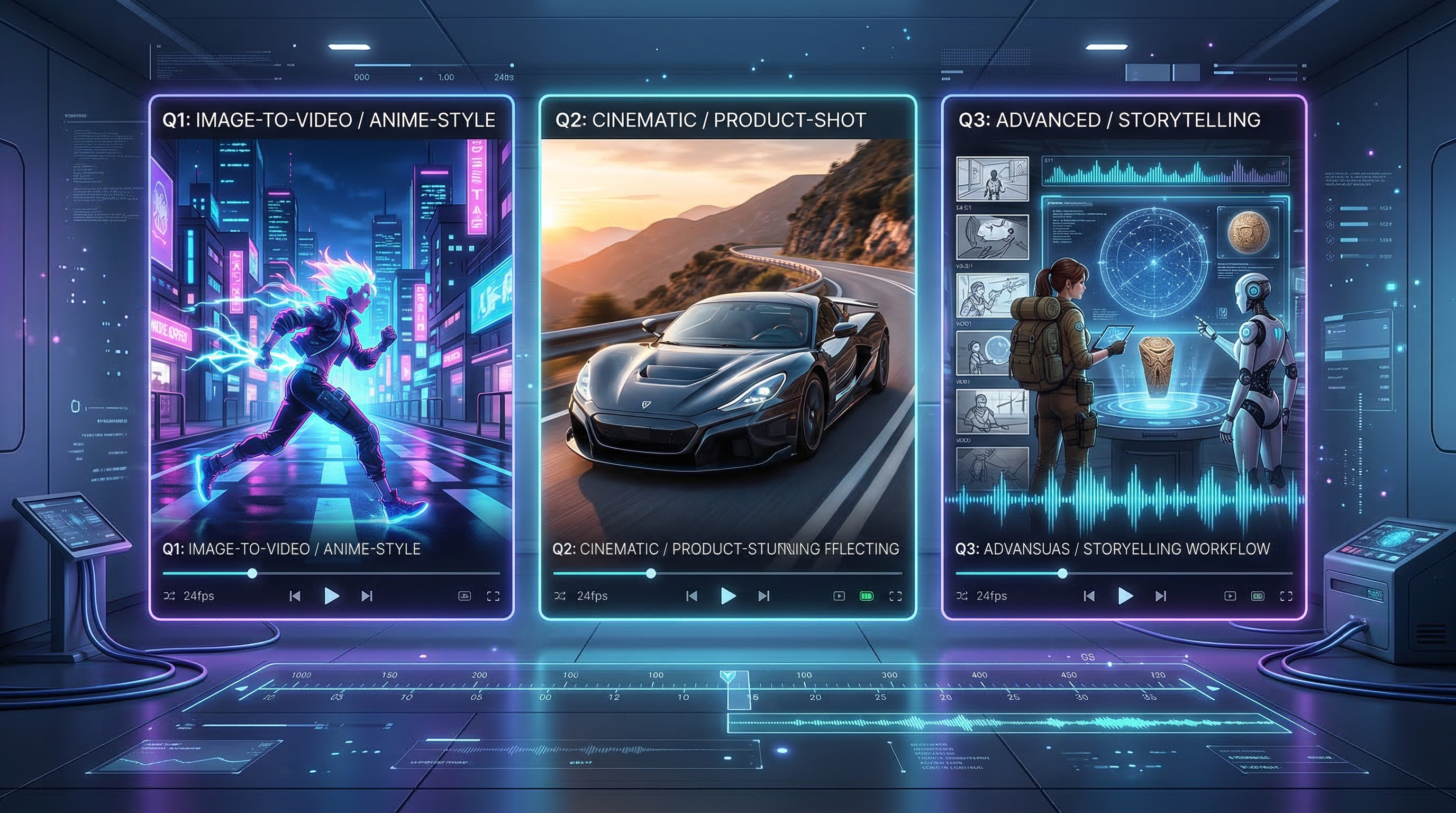
If you are trying to decide which Vidu model to use, the real question is not which one is newest. It is which one matches your workflow. Some creators want a simple image animation tool. Others want cleaner cinematic motion. Others need sound, dialogue, and multi-shot structure in the same pipeline. That is why comparing the Vidu lineup matters.
On VideoWeb AI, the three main choices are Vidu Q1, Vidu Q2, and Vidu Q3. They belong to the same family, but they do not feel identical in practice. Q1 is the easiest place to start for still-image animation. Q2 pushes the experience toward more polished, cinematic motion. Q3 goes further by adding a more production-oriented workflow with audio, voice, and shot-level control.
This guide breaks down the strengths of each model, compares them with other leading AI video tools, and shows why testing them on VideoWeb AI is the easiest way to choose the right one for your next project.
What changed from Vidu Q1 to Q3?
The easiest way to understand the lineup is to think of it as a progression from motion generation to storytelling control.
Vidu Q1 is the most accessible option for creators who want to animate a still frame, character image, poster, or product shot without building a complicated workflow. It is the model that makes the Vidu ecosystem easy to enter.
Vidu Q2 feels like the upgrade for creators who still want a straightforward process but care more about realism, consistency, and presentation quality. It is often the better choice when the goal is not just to make an image move, but to make it feel more intentional and cinematic.
Vidu Q3 shifts the focus again. It is not only about motion quality. It is about how much control you have over the whole result. If you want dialogue, sound design, voice guidance, subtitles, or a sequence of shots instead of a single animated moment, Q3 is the model that makes the most sense.
Which Vidu model is best for which user?
Choose Vidu Q1 if you mainly want fast and simple image animation. It is a strong fit for anime-style scenes, stylized visuals, social content, and creators who want to start from one frame and get a result without much setup.
Choose Vidu Q2 if you want a middle ground between ease and polish. It is the right pick when you care about better motion quality, cleaner object consistency, and a more cinematic feeling without stepping into a more advanced production workflow.
Choose Vidu Q3 if your videos need more than movement. If you want synced sound, voice reference, multi-shot planning, or a more complete short-form storytelling tool, Q3 is the most capable option in the lineup.
Model-by-model breakdown
Vidu Q1: best for simple image animation
Q1 is the most approachable entry in the family. For many users, that matters more than having the most advanced feature set. When your workflow starts with a single still image and your goal is to create short, expressive motion, Q1 is often enough.
Its biggest strength is clarity of use. You upload an image or short clip, describe the motion you want, and let the model animate the scene. That makes it especially useful for creators working on character edits, social posts, poster animation, anime-inspired visuals, and lightweight brand content.
Q1 is also a good match for users who are still learning prompt structure. It keeps the process focused on the visual transformation itself rather than on advanced sequencing or audio design.
The limitation is that Q1 is best treated as an image-first model. It can create appealing motion, but it is not the model you choose when your project depends on richer cinematic structure or integrated sound.
Vidu Q2: best for more polished cinematic output
Q2 is where the lineup starts to feel more refined. It still supports the same general idea of turning images into dynamic videos, but it aims at better visual consistency and a stronger sense of cinematic realism.
In practice, that makes Q2 a smart choice for creators who liked what Q1 could do but want their outputs to feel more premium. Product close-ups, fashion visuals, stylized advertising clips, and emotionally framed character moments are all stronger use cases here.
Q2 also feels like the safest upgrade for creators who want more quality without radically changing their workflow. You still get an image-led process, but with better polish and a clearer path toward professional-looking short content.
If Q1 feels like a fast creative sketch tool, Q2 feels more like the version you use once you care about presentation, smoothness, and replay value.
Vidu Q3: best for short-form storytelling and production control
Q3 is where the Vidu lineup stops being just an animation tool and starts behaving more like a lightweight production system. Its core appeal is not only motion quality, but the ability to coordinate sound and structure together.
That matters because many AI videos fail at the moment they need to become more than a moving picture. A short ad may need voiceover. A character clip may need speech. A promo may need background sound, captions, and a clearer sequence of shots. Q3 is designed for that kind of work.
This makes it the strongest option for branded content, cinematic shorts, creator explainers, social ads, and narrative-style AI videos. It is also the most future-facing of the three models because it turns the workflow into something closer to directing than simply animating.
The tradeoff is that Q3 is not always the fastest or simplest choice for every user. If all you need is to bring a still frame to life, Q1 or Q2 may be the more efficient path. But if your video needs structure and sound, Q3 is the model with the clearest advantage.
Comparison chart: Vidu Q1 vs Vidu Q2 vs Vidu Q3
| Model | Best for | Input style | Main strength | Audio support | Ease of use | Ideal user |
|---|---|---|---|---|---|---|
| Vidu Q1 | Quick image animation | Image or short clip | Simple, expressive motion from stills | No major focus | Easiest | Beginners, social creators, anime edits |
| Vidu Q2 | More polished cinematic clips | Image-led workflow | Better consistency and presentation | Limited emphasis | Easy | Creators who want a quality upgrade |
| Vidu Q3 | Narrative and ad-style content | Image, video, guided prompting | Audio-video workflow and shot control | Yes | Moderate | Advanced creators, marketers, storytellers |
Vidu models vs other AI video tools
The Vidu family does not exist in a vacuum. Creators usually compare it with models like Kling, Veo, Wan, Runway, and Seedance. The best comparison is not about declaring one universal winner. It is about identifying workflow fit.
| Model family | Best known for | Strongest use case | Where Vidu competes well |
|---|---|---|---|
| Kling 3.0 | Strong motion energy and visual drama | High-impact cinematic scenes | Vidu is often easier to map by workflow inside one family |
| Veo 3.1 | Premium cinematic generation | High-end prompt-driven video creation | Vidu offers a more practical progression from simple to advanced |
| Wan 2.6 | Flexible image-to-video experimentation | Stylized or controlled visual motion | Vidu feels clearer for creators choosing between tiers |
| Runway Gen-4 | Creative production ecosystem | Teams that want broader editing workflows | Vidu can be more direct for model-specific generation |
| Seedance 2.0 | Smooth short-form visual output | Social-first or style-driven clips | Vidu Q3 stands out when sound and shot structure matter |
The practical takeaway is simple. If you want one brand family that scales from easy image motion to more advanced audio-video creation, Vidu AI video generator is a very sensible path.
Where Vidu stands out for image-led creation
A lot of creators still begin with a single frame. That might be a portrait, product image, character render, poster, or thumbnail. In those cases, the most important workflow is not text-to-video. It is image-led video generation.
That is why image to video ai remains such an important category on VideoWeb AI. It helps users think from the input outward. Instead of asking which model is most famous, you ask what kind of movement, realism, and control you need from your existing image.
If your goal is quick animation, start with Vidu AI image to video. If your goal is a more polished visual result, move up to Q2. If your project needs sound, speech, or a sequence of planned shots, step into Q3.
Why use Vidu on VideoWeb AI?
The biggest advantage of using Vidu on VideoWeb AI is convenience. You do not have to jump across multiple sites just to test different creation styles. You can compare models, move between workflows, and decide based on actual project needs rather than marketing noise.
That matters for both beginners and experienced creators. Beginners get a cleaner learning path. Experienced users get a faster way to test whether Q1, Q2, or Q3 is the best fit for a product ad, character clip, social visual, or short narrative piece.
There is also a practical discovery benefit. Once you understand the Vidu lineup, you can immediately branch into adjacent tools like image-based generation, text-based generation, prompt tools, or video transformation workflows on the same site.
FAQ
Is Vidu AI free?
There are free entry points and trial-style access on many AI creation platforms, but the better question is whether the free option is enough for your intended quality and workflow. For serious use, most creators should judge the platform by results, available models, and how efficiently they can test different outputs.
Which Vidu model is best for beginners?
Q1 is the best starting point for most beginners because it is the easiest to understand and use.
Which Vidu model is best for cinematic quality?
Q2 is usually the better choice when you want more polish without moving into a more advanced audio-based workflow.
Which Vidu model is best for storytelling and ads?
Q3 is the strongest choice when you need sound, speech, subtitles, or a multi-shot structure.
Should I start with Q1, Q2, or Q3?
Start with the simplest model that matches your project. Use Q1 for basic image animation, Q2 for more polished visual storytelling, and Q3 for fuller creative control.
Recommended VideoWeb AI Tools
Related Articles
- Vidu Q3 AI vs Kling 3.0: Which AI Video Model Should You Use on VideoWeb AI?
- Vidu Q2 AI Video Generator: Next-Gen Cinematic Realism on VideoWeb AI
- Image to Video with Vidu Q1 AI: Turn Still Frames into Cinematic Motion on VideoWeb
- VideoWeb AI Video Generator 2026: One Hub, Every AI Video Workflow
- Unlocking the Future of Video Creation with Vidu AI: Q1 and 2.0
People Also Read
- Veo 3.1 Guide on HeyDream: Better Prompts, Settings, Fixes
- Seedance 2.0 vs 1.0: What’s Better for AI Video?
- Veo 3.1 vs Luma Ray2 on DreamMachine AI
- WAN 2.6 vs WAN 2.5: What’s New, What’s Better, and Which One to Use
- Veo 3.1 AI Video Generator vs Top Models on FluxProWeb
- Wan 2.6 vs Kling 2.6: The Editor’s Guide to Realism vs Motion Control
- Flux AI Video Generator Guide for 2026: Best Models Compared & Ranked
- Vidu Q3 vs Veo 3.1 vs Seedance 2.0: Which AI Video Model Fits Your Workflow in 2026?
- The 2026 Image-to-Video Guide for Sea Imagine AI: Best Models & Prompts
- Kling 3.0 Review: Is It the Best AI Video Generator Yet in 2026?











