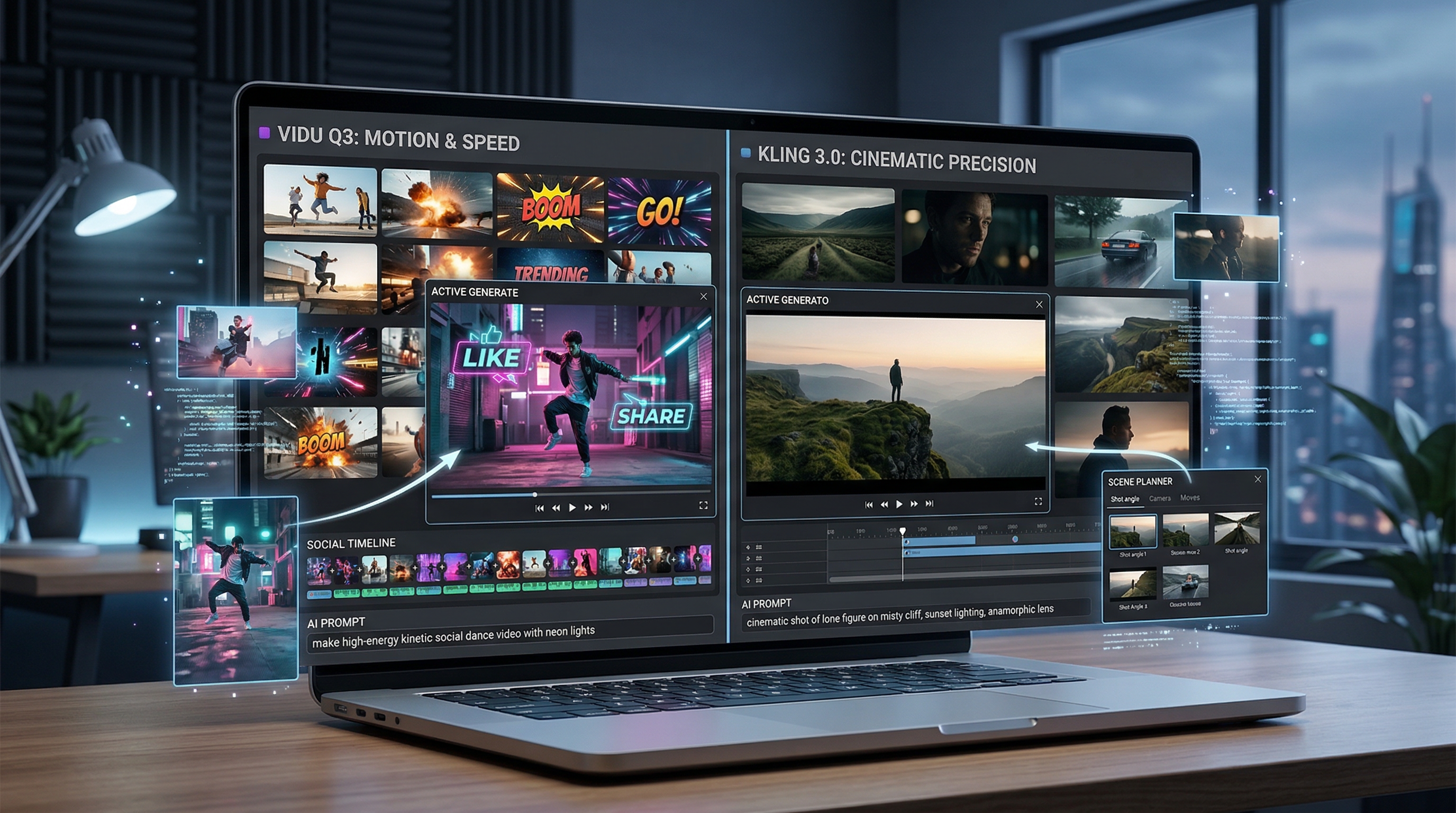
When two top-tier AI video models start getting attention at the same time, creators usually ask the same question: which one is better? But with Vidu Q3 and Kling 3.0, that question is a little too simple. These models are both strong, but they do not feel optimized for exactly the same kind of work.
The more useful comparison is practical. Which one gives you the right result for your actual workflow? If you care about animated motion from still images, social-friendly energy, and fast visual impact, one answer starts to emerge. If you care more about cinematic framing, continuity, and a more directed feel, a different answer makes more sense.
That is why VideoWeb AI is a useful place to compare them. Instead of forcing you to commit to one ecosystem, it lets you test both in one environment and move from one workflow to another more easily. For many creators, the smartest move is not choosing one model forever. It is knowing when to use each one.
What Vidu Q3 AI is best at
Vidu Q3 AI feels strongest when the job is to bring visuals to life quickly and cleanly. It is especially appealing for creators who start from still images, characters, product visuals, or mood frames and want motion that feels lively without becoming chaotic.
One reason it stands out is the way it is framed around a more complete short-form result. Vidu’s own positioning emphasizes longer clip length than many earlier AI video generators and native audio support, which matters if you care about more self-contained outputs instead of building everything in post.
In practical terms, Vidu Q3 often feels like the better choice when the goal is motion-first creation. If you want to animate a character, turn a product shot into something more dynamic, or create a visually engaging short clip for social content, it fits naturally. It has the kind of energy that works well for creators, marketers, and editors who want something that feels alive right away.
This is also why it pairs so well with AI Video Generator. If your workflow starts from a reference image, product still, concept frame, or character portrait, that hub gives you the easiest way to test how Vidu behaves with your source material.
What Kling 3.0 is best at
Kling 3.0 feels more like a model for creators who want a stronger sense of control and cinematic intent. It is less about “make this move beautifully” and more about “shape this shot the way I mean it.”
That difference matters. A lot of AI video clips look exciting for a second or two, but fall apart when you want more deliberate camera behavior, stronger scene continuity, or a more directed tone. Kling 3.0 is appealing because it is framed around a more complete video-creation mindset, including audio-visual generation and more structured shot logic.
In practice, Kling 3.0 makes the most sense when your project needs more than surface-level motion. If you are creating a product hero shot, a story moment, a branded short, or a more cinematic teaser, Kling 3.0 often feels like the stronger fit. It is the model you reach for when you want the clip to feel designed rather than simply animated.
That makes it especially useful alongside Text to Video, where you can start from a more deliberate description of camera movement, lighting, tone, and scene structure instead of relying only on a source image.
Vidu Q3 AI vs Kling 3.0 in plain English
The simplest way to explain the difference is this: Vidu Q3 is often the motion-first choice, while Kling 3.0 is often the shot-first choice.
If your question is “How do I make this still image, product, or character come alive fast?” Vidu Q3 usually feels like the more natural answer. If your question is “How do I get a cleaner, more cinematic, more intentionally directed clip?” Kling 3.0 usually makes more sense.
That does not mean Vidu cannot look cinematic or that Kling cannot handle energetic motion. Both can do impressive work. The difference is what they seem to prioritize. Vidu often feels better suited to visual energy, quick short-form impact, and animated stills. Kling often feels better suited to continuity, camera language, and more controlled visual storytelling.
So the real answer is not that one is universally better. It is that each solves a different creative problem.
When to choose Vidu Q3 AI
Vidu Q3 is usually the better pick when speed, motion, and immediate visual payoff matter most. Social clips, stylized content, fast product animations, music-adjacent visuals, and creator-friendly short-form pieces all fit well here.
It is especially effective when you already have strong source imagery. A polished product still, a character portrait, or a clear visual concept can become much more engaging when you animate it through Vidu Q3 AI. That is why it also works well with Photo to Video, which is a natural entry point for creators who want to start from a still and push it into motion quickly.
If your output is meant for TikTok-style energy, fast visual storytelling, or motion-led creative testing, Vidu often feels easier to justify.
When to choose Kling 3.0
Kling 3.0 makes more sense when your clip needs to feel more directed and more intentional. It is a stronger candidate for cinematic product reveals, narrative-style shots, continuity-sensitive scenes, and branded work where tone matters as much as movement.
If you care about how the camera behaves, how a shot unfolds, or whether the visual language feels closer to a director’s decision than a generator’s flourish, Kling 3.0 is the model to test first.
This is also where supporting tools on VideoWeb AI become useful. A cinematic prompt can begin with Kling 3.0, then expand into campaign-style experiments using Video to Video when you want to modify or restyle generated footage rather than start from zero each time.
Why VideoWeb AI is a smart place to use both
The practical value of VideoWeb AI is not just that it hosts strong models. It is that it gives creators a working environment where those models can be compared and used as part of a broader pipeline.
That matters because most creators do not work in just one mode. One day the job is a product animation from a hero image. The next day it is a more cinematic short teaser. Another day it is a vertical ad, an avatar clip, or a music-driven visual. A platform that lets you shift models and formats without rebuilding your whole workflow is more useful than a single-model tool with a narrower identity.
For many users, AI Video Generator is the easiest place to start because it gives you a fast image-led testing loop. But once you know what kind of clip you want, other tools on the site become relevant too.
If your idea begins as a prompt instead of an image, use Text to Video. If your project is more about turning an existing photo into dynamic motion, Photo to Video is the better entry point. If you are building performance-led or lyric-driven visuals, AI Music Video Generator is a natural extension.
And if the project depends on a speaking face or presenter-driven format, AI Talking Avatar gives you a different kind of output that sits alongside model-based video generation rather than replacing it.
A simple workflow for comparing both models
A practical comparison workflow is surprisingly simple.
Start with one source idea. That could be a product image, character portrait, concept frame, or a tightly written prompt. Then run the same concept through Vidu Q3 and Kling 3.0 separately.
Next, compare the results using a few clear questions. Which clip handles motion more naturally? Which one keeps the subject cleaner? Which one feels more cinematic? Which one looks better for the platform you actually care about? Which one would need less fixing afterward?
This kind of side-by-side testing is usually more useful than reading feature lists. In real creative work, what matters is not only what a model claims to do, but what it actually gives you from your kind of input.
A good rule of thumb is this: test motion-heavy concepts first in Vidu and camera-language-heavy concepts first in Kling. Then choose the better result and continue building from there.
The honest takeaway
Vidu Q3 AI and Kling 3.0 are both strong models, but they are strong in different ways. Vidu Q3 is often the better fit when you want energetic motion, animated stills, and quick short-form visual payoff. Kling 3.0 is often the better fit when you want cinematic control, stronger continuity, and a more directed feel.
For most creators, the smartest choice is not to treat this like a one-time winner-take-all battle. It is to use both where they make sense and let the project decide.
That is why VideoWeb AI is such a practical recommendation. You can start with AI Video Generator for quick model testing, move into Text to Video or Photo to Video depending on your input, and expand with tools like AI Music Video Generator, AI Talking Avatar, and Video to Video when your project needs more than one format.
If you approach the comparison that way, the question becomes much easier. Use Vidu when you want vivid motion. Use Kling when you want stronger direction. Use VideoWeb AI when you want both options in one creative workflow.
Reading recommendation
If you want to go deeper into this topic, continue with these related reads on VideoWeb AI:
- Kling 3.0 on VideoWeb AI: What’s New & How to Get Cinematic Results
- VideoWeb AI Video Generator 2026: One Hub, Every AI Video Workflow
- Higgsfield AI Motion Control with Kling 3.0: How It Works, How Good It Is, and How to Get Clean Directed Movement
- Vidu Q2 AI Video Generator: Next-Gen Cinematic Realism on VideoWeb AI
- Image to Video with Vidu Q1 AI: Turn Still Frames into Cinematic Motion on VideoWeb











