AI Photo Editor: Online Image Editor with AI
Edit photos online with AI Photo Editor. Upload an image, describe the change you want, and use prompts to edit images online with AI.
Image Examples of AI Photo Editor
Explore how AI Photo Editor upgrades product shots, portraits, ecommerce images, lifestyle photos, travel pictures, ad concepts, UGC-style visuals, YouTube thumbnails, TikTok covers, Instagram posts, campaign banners, profile photos, old family images, creative posters, and brand assets with prompt-based edits, background changes, object removal, color correction, relighting, and style transformation.
Example 1
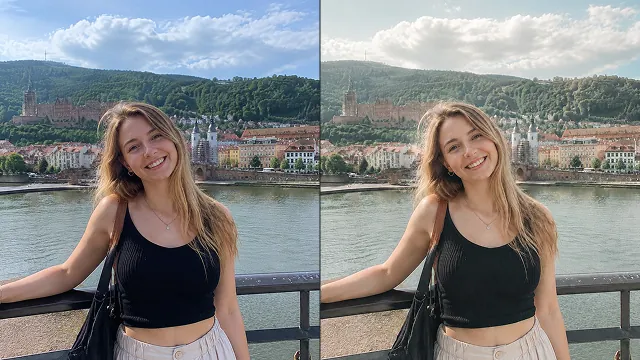
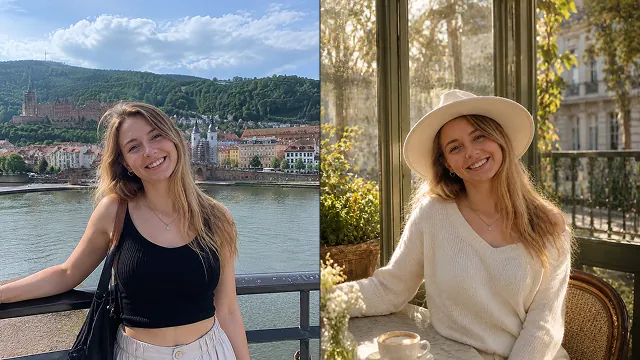
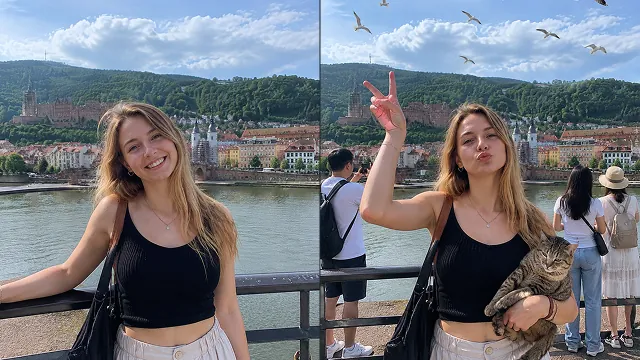
Core Features of AI Photo Editor
AI Photo Editor combines prompt-based editing, background removal, object erasing, image enhancement, lighting correction, color adjustment, style transfer, batch consistency, and practical visual production.
Prompt-Based Photo Editing
Upload a photo and describe the edit in natural language, such as remove the background, add warm lighting, erase the object, replace the sky, enhance the product, or make the image look cinematic.
Background and Object Editing
Remove backgrounds, replace scenes, erase distractions, clean product shots, swap objects, add new visual elements, and create polished cutout-style images for ecommerce and content design.
Enhance, Retouch, and Relight
Improve low-quality photos with AI enhancement, sharpening, color correction, portrait retouching, noise reduction, skin cleanup, lighting adjustments, and detail restoration.
Consistent Batch Visuals
Apply similar edits, backgrounds, lighting, colors, and brand styles across product photos, social posts, campaign assets, thumbnails, and image sets so visuals stay cohesive.
Advantages of AI Photo Editor
AI Photo Editor helps creators, ecommerce sellers, marketers, designers, video teams, photographers, and everyday users produce better visuals faster without advanced editing skills.
No Complex Editing Skills Required
Work with ideas and descriptions instead of layers, masks, brushes, and manual sliders. If you can describe the image edit, AI Photo Editor can help create the result.
Faster Creative Iteration
Generate multiple edit directions quickly, compare backgrounds, try different colors, test lighting, refine product looks, and create more image variations before publishing.
Useful for Real Content Production
Create ecommerce photos, social media images, ad creatives, profile visuals, thumbnails, posters, banners, presentation graphics, and campaign assets from ordinary uploaded photos.
Better Visual Consistency
Keep product catalogs, brand posts, ad sets, creator visuals, and social campaigns visually aligned with consistent backgrounds, lighting, color tone, and editing style.
Use Cases for AI Photo Editor
AI Photo Editor supports practical image editing workflows for ecommerce, social media, advertising, creator content, video covers, photography, brand design, personal photos, and everyday visual production.
Product and Ecommerce Photos
Clean product images, remove clutter, replace backgrounds, improve lighting, sharpen details, create catalog-ready visuals, and keep product listing images consistent across marketplaces.
Social Media and Creator Images
Edit selfies, lifestyle shots, travel photos, creator images, TikTok covers, Instagram posts, YouTube thumbnails, profile pictures, stickers, memes, and shareable social graphics.
Ads, Banners, and Campaign Assets
Turn raw images into ad creatives, poster concepts, landing page visuals, launch banners, UGC-style image ads, seasonal campaign graphics, and brand marketing materials.
Personal and Photography Edits
Retouch portraits, restore old photos, fix blur, improve color, remove unwanted objects, relight scenes, change backgrounds, and transform everyday memories into polished images.
How to Use AI Photo Editor
Edit an uploaded photo with AI in three simple steps.