
【こぼれ話】春節前にアリババよりQwen-Image-2.0がリリースされました。Nano Bananaのような画像生成・補正AIです。中国語テキストからの画像編集や漢字入り画像生成を長文で暗示的なものもしっかり読み解き、違和感がなく作り上げている、と高評価。詳しい事例は記事にて 36kr.com/p/367889498767…


Create / edit your images with Qwen Image 2.0 AI Image Generator powered by Alibaba Qwen AI. Built on a unified 7B parameter architecture, this model supports native 2K resolution output and complex typographic rendering. It emphasizes the construction of fine details and layout during the generation phase, reducing the need for post-corrections and ensuring a focused and stable creative workflow.
Focusing on high-resolution generation, native typography, and a unified editing logic, achieving deep integration of structure and detail during generation.
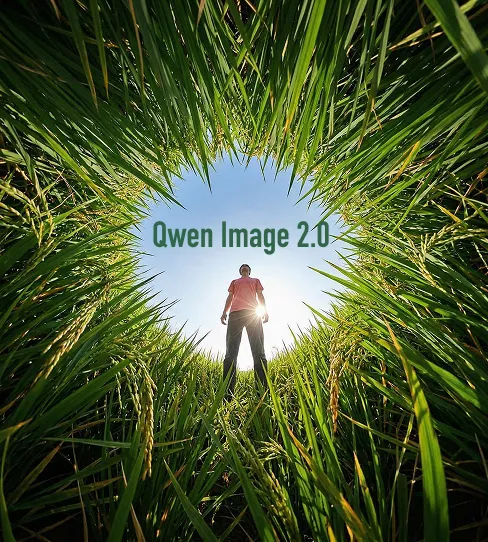
Images are generated directly at 2048 × 2048 pixels without the need for external upscaling. During generation, the model meticulously renders skin textures, fabric fibers, and architectural materials. This high-density output ensures sharp structures even when enlarged, meeting the requirements for print-grade or large-scale displays.
Supports rendering complex text content, including paragraphs, titles, and charts, during the image generation process. The model recognizes spatial perspective, allowing text to align naturally with fabric, glass, or curved surfaces while maintaining accurate proportions. This is ideal for posters, infographics, and visual scenarios requiring integrated text and imagery.
A single model handles both image generation and local editing tasks. Whether performing element replacement, style transfer, or object removal, the modified content remains visually coherent with the original image. This integrated approach eliminates the stylistic inconsistencies often caused by switching between different tools.
Features deep parsing capabilities for long text prompts, supporting structured descriptions and detail-rich scene settings. For complex requirements involving multiple layers, specific compositions, or multi-segment information, the model maintains stable content presentation and spatial distribution.
Maintains a unified structure across resolution, typography, and workflow integration, supporting the entire creative process.
High-resolution rendering is completed during the initial output, reducing reliance on external post-processing tools. This ability to construct details directly allows visual assets to move to the delivery stage faster, improving overall efficiency.
In designs involving significant text, typography is no longer a post-processed layer but is generated synchronously with the composition. This logic ensures that typography and the background remain highly unified in terms of lighting, perspective, and material feel.
By completing both generation and editing within the same model system, users avoid frequent switching between multiple tools. This maintains stylistic continuity and reduces the risk of content distortion due to environment changes.
Whether creating precise data charts, publication posters, or realistic commercial photography, the model operates under a unified logic, reducing the learning and adaptation costs for different project types.
Suitable for professional visual content production requiring high resolution and precise text layout.
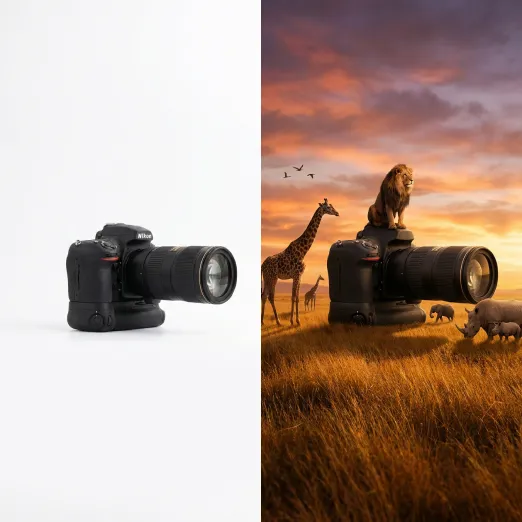
Used for creating book covers, promotional posters, or exhibition visuals. It ensures detail clarity for printing standards while directly handling complex titles and layout designs.
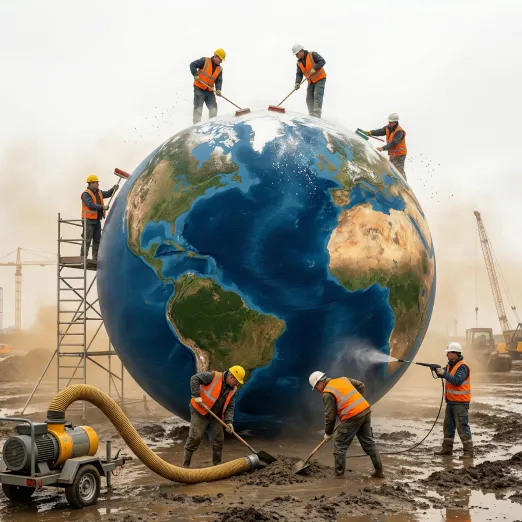
Integrates complex explanatory text and data metrics into a unified visual. Ideal for high-quality educational materials, technical diagrams, or business reports, ensuring accurate information delivery.
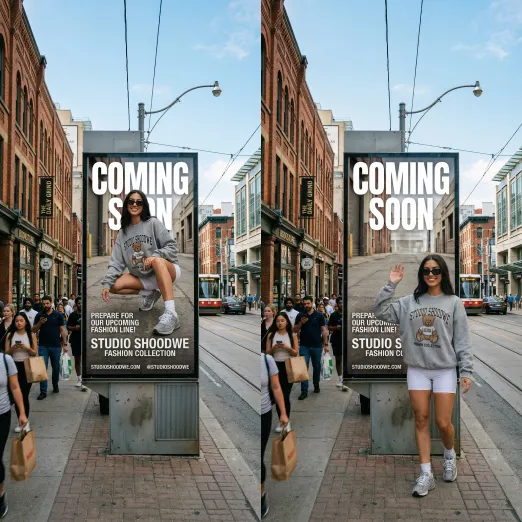
Generates series of visual assets within a consistent style and supports local modifications or version extensions. This helps maintain brand stability and recognition across various media channels.
Follow us for the latest AI image generation updates and community creations.
【こぼれ話】春節前にアリババよりQwen-Image-2.0がリリースされました。Nano Bananaのような画像生成・補正AIです。中国語テキストからの画像編集や漢字入り画像生成を長文で暗示的なものもしっかり読み解き、違和感がなく作り上げている、と高評価。詳しい事例は記事にて 36kr.com/p/367889498767…
Qwen Image 2.0 just dropped. Prompts 👇 1 - A 28 year old female sitting pose with short black hair in undercut, blue eyes, happy expression intense mood in indoors, clear . Shot as full length, mm lens with natural sunlight lighting, light from top right . realism, highly


🚀 Introducing Qwen-Image-2.0 — our next-gen image generation model! 🎨 Your imagination, unleashed. ✨ Type a paragraph → get a pro slides ✨ Describe a scene → get photoreal 2K magic ✨ Add text → it just works (no more glitchy letters!) ✨ Key upgrades: ✅ Professional

1/4 🚀We are launching Qwen-Image-2.0, a next-generation foundational image generation model. The key highlights of Qwen-Image-2.0 include: Professional Typography Rendering: Supports 1k-token instructions for direct generation of professional infographics, including PPTs,
(1/3) Chińczycy wypuścili konkurencję dla Nano Banana Pro, którą można odaplić lokalnie za darmo! Qwen-Image 2.0, nowy model od Alibaby, to prawdziwa rewolucja w świecie otwartych modeli generowania obrazów. Model łączy w jednej architekturze generowanie i edycję obrazów, coś,

Step 1 Input clear text descriptions including the subject, composition, lighting, and specific text content. Step 2 Select resolution and aspect ratio settings to generate the initial image result. Step 3 Modify local content as needed, such as adjusting typography or replacing specific elements within the scene. Step 4 Confirm final output specifications for publishing or further production extensions.
Input clear text descriptions including the subject, composition, lighting, and specific text content.
Select resolution and aspect ratio settings to generate the initial image result.
Modify local content as needed, such as adjusting typography or replacing specific elements within the scene.
Discover our full suite of AI-powered image generation and editing tools.


