If you are curious about how to use Nano Banana 2, the good news is that the workflow is much easier than it sounds. You do not need to be a designer, and you do not need to write perfect prompts on your first try. The real strength of Nano Banana 2 is that it lets you create and improve images in a natural, conversational way.
Instead of treating AI image generation like a one-shot gamble, Nano Banana 2 works best as a back-and-forth creative process. You can start with a simple idea, generate a first result, then keep refining it until it feels usable. That makes it helpful not only for art-style images, but also for blog visuals, social media graphics, product concepts, thumbnails, and image edits.
In this guide, we will walk through the basics of creating images from scratch, transforming existing images, and making cleaner edits with better prompts.
What Nano Banana 2 Is Good At
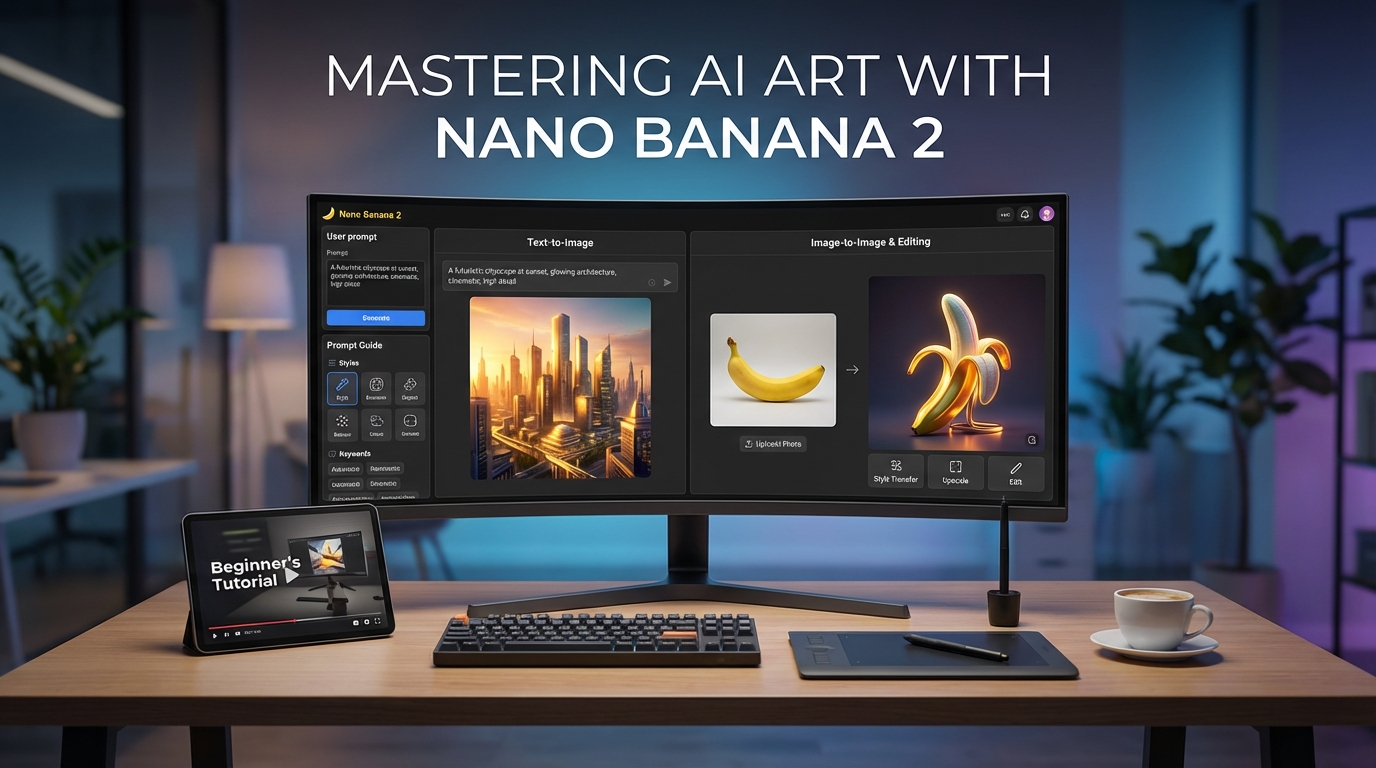
Nano Banana 2 is built for both image generation and image editing. That means you can use it in two simple ways:
- start with text and create a new image
- upload an image and ask the model to change it
This sounds basic, but it matters a lot in practice. Some tools are better at pure text-to-image creation, while others feel more useful as editing assistants. Nano Banana 2 tries to do both in one approachable workflow.
That is why so many people searching for Nano Banana 2 text to image or Nano Banana 2 image to image are really looking for the same thing: a tool that can help them move from idea to final image without too much friction.
Step 1: Start With a Clear Goal
Before you type anything, decide what kind of result you want.
Are you trying to make a brand-new image from scratch? Are you trying to improve an existing image? Are you trying to change only one detail, like the background, style, or lighting?
A clear goal makes everything easier. If your prompt is vague, the output will usually feel vague too. But if your goal is specific, Nano Banana 2 becomes much more useful.
For example, these goals are clear:
- create a skincare product ad image
- turn a selfie into a fantasy portrait
- change a room photo into a cozy café scene
- generate a travel-poster style thumbnail
The more concrete your goal is, the more likely the first output will give you something worth refining.
Step 2: Use Nano Banana 2 text to image for New Creations
If you want to create something from scratch, begin with a simple visual description.
A strong beginner prompt usually includes four things:
- the main subject
- the setting
- the visual style
- the mood or lighting
For example:
Create an image of a modern coffee shop interior, warm morning sunlight, minimalist design, soft natural colors, editorial photography style.
That already gives the model enough structure to work with. From there, you can revise.
If the image looks too dark, ask for brighter lighting. If the room feels too plain, ask for more plants and details. If the style is too realistic, ask for a more illustrated or cinematic look.
This is the best way to think about how to use Nano Banana 2 for creation: do not expect perfection in one prompt. Expect a good starting point, then improve it step by step.
Step 3: Use Nano Banana 2 image to image for Transformations
Image-to-image is where the tool becomes especially practical.
Instead of starting from nothing, you upload an existing image and tell the model what to change. This is useful when you already have a photo, a draft graphic, or an earlier AI-generated image that is close but not quite right.
Common image-to-image uses include:
- changing the background
- switching outfits or color palettes
- turning a real photo into an illustration
- making a product photo look more like an ad
- converting a portrait into a themed concept image
The key is to be clear about what should stay and what should change.
A better prompt sounds like this:
Keep the subject and pose the same, but change the background into a futuristic neon city at night, with cinematic blue and purple lighting.
That is much more effective than simply saying “make it futuristic.”
When using Nano Banana 2 image to image, think like an editor. Protect the parts you want to keep, then direct the model toward the exact changes you want.
Step 4: Follow a Simple Nano Banana 2 prompt guide
A lot of users assume good prompting means writing long, complicated descriptions. Usually, it is more about clarity than length.
A useful Nano Banana 2 prompt guide can be summarized like this:
Start simple
Describe the core image first before adding extra style or detail.
Be specific
Mention the subject, the environment, the style, the mood, and any important visual elements.
Avoid stacking too many ideas
If your prompt asks for five different aesthetics at once, the result may feel messy.
Revise one thing at a time
If the first result is close, do not rewrite everything. Change one aspect and keep going.
Say what should remain unchanged
This matters a lot for editing. If you want the face, pose, or composition preserved, say so directly.
Here are a few useful prompt starters:
- Create an image of...
- Turn this photo into...
- Keep the subject the same, but change...
- Make the lighting more...
- Redesign this as a...
Prompting gets easier once you stop trying to impress the model and start trying to direct it clearly.
Step 5: Use Nano Banana 2 image editing for Practical Revisions
For many users, Nano Banana 2 image editing is actually more useful than generation alone.
That is because real creative work is full of revisions. You may already have an image that is 70 percent right. The background works, but the mood does not. The subject looks good, but the colors feel flat. The overall design is close, but it still needs polish.
This is where prompt-based editing becomes powerful.
Good edits to try include:
- remove distracting background elements
- make the image brighter and cleaner
- change the color palette to warmer tones
- add props or decorative elements
- turn a realistic image into a poster or fantasy style
- simplify the composition for a more professional look
The best habit here is to make one edit at a time. If you try to change everything at once, the result may drift too far from the original image.
Common Mistakes Beginners Make
The biggest mistake is being too vague.
If you type something like “make a cool image,” the output may look random because the request does not tell the model what “cool” means. You need to define the subject and direction.
Another common mistake is trying to fix everything in one giant prompt. It is usually better to generate, inspect, and revise in smaller steps.
A third mistake is forgetting to say what should stay the same. This matters most for image editing. If you want to preserve the pose, face, outfit, or layout, say it clearly.
A Simple Workflow That Actually Works
If you want the easiest method, use this five-step routine:
- Decide whether you are creating or editing.
- Write a clear first prompt.
- Generate the first version.
- Identify what is wrong or missing.
- Revise one detail at a time.
This workflow is simple, but it makes how to use Nano Banana 2 much less intimidating. You are not trying to “win” in one try. You are guiding the image toward a better result.
Related VideoWeb AI Tools and Models Worth Trying
Once you are comfortable with Nano Banana 2, there are several related tools on VideoWeb AI worth exploring.
- Nano Banana Pro AI is the closest related option if you want a more premium Nano Banana-style image workflow.
- Nano Banana AI is useful if you want to explore another Nano Banana-family experience on the same platform.
- Flux AI Image Generator is helpful for comparing different image models in one place.
- Seedream 4.5 is worth trying if you want another image model known for strong detail and consistency.
- Flux Kontext AI is a strong choice if prompt-based image editing is your main priority.
- Image to Video is a natural next step when you want to animate your still images.
- Veo 3.1 AI Video Generator is a good option if you want to turn visual ideas into more cinematic video outputs.
Final Thoughts
If you are learning how to use Nano Banana 2, the most important thing to remember is that it works best as a creative conversation, not a one-shot command.
Start with a clear idea. Use Nano Banana 2 text to image when you want to create from scratch. Use Nano Banana 2 image to image when you want to transform something existing. Follow a simple Nano Banana 2 prompt guide, and approach Nano Banana 2 image editing as a series of small improvements rather than one perfect command.
Once you work that way, the tool starts to feel much more intuitive, and the results usually get better much faster.