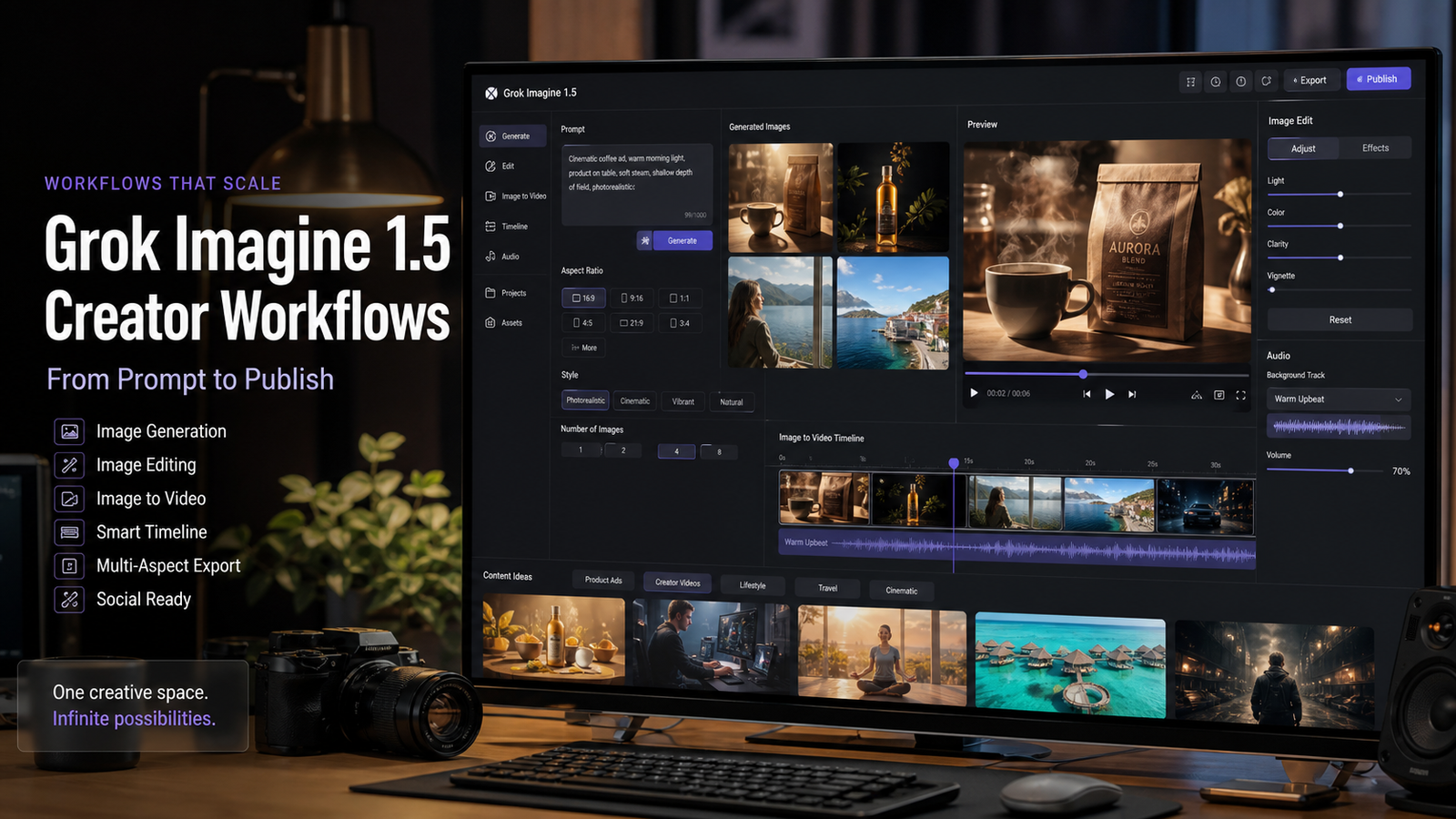
Grok Imagine 1.5 is useful to creators because it sits close to the messy middle of modern AI content creation: image generation, image editing, and image-to-video experimentation. For TikTok videos, YouTube Shorts, UGC ads, product visuals, lifestyle clips, and marketing assets, the real value is not a single perfect prompt. It is a repeatable AI video workflow that helps you test ideas, review outputs, and move the strongest versions into production.

This guide focuses on practical use rather than benchmark speculation. It explains what Grok Imagine 1.5 is, how creators can think about prompts, where image-to-video AI fits, what limitations to review before publishing, and why a multi-model workspace such as VideoWeb AI can be a useful companion for testing creator-focused video workflows.
What Is Grok Imagine 1.5?
Grok Imagine 1.5 is best understood as part of xAI's Imagine media-generation family, with official xAI documentation listing grok-imagine-video-1.5-preview as an image-to-video model. In practical terms, that means creators should treat it as a tool for turning a visual starting point into motion, not as a guaranteed replacement for every stage of video production.
The wider xAI Imagine documentation describes media workflows across image generation, image editing, image-to-video generation, reference-to-video generation, video editing, and video extension. That matters because creator work rarely follows a straight line. A social post may start as a product image, move through an edit pass, become a short animated clip, and then need a second pass for aspect ratio, captions, or platform-specific pacing.
For SEO and creator planning, the safest way to describe Grok Imagine 1.5 is as a preview-era AI video model focused on image-driven motion workflows. Its appeal comes from creative flexibility, prompt adherence, and multimodal production experiments, while its risk comes from the same thing that affects most generative systems: outputs can contain inaccurate details, visual artifacts, inconsistent subjects, or text that needs correction.
Useful starting points:
- Official xAI Imagine guide: docs.x.ai/docs/guides/image-generations
- xAI image-to-video capability page: docs.x.ai/docs/capabilities/image-to-video
- VideoWeb AI homepage: videoweb.ai

Grok Imagine 1.5 Image Generation Features
Grok Imagine 1.5 prompts work best when the creator describes the subject, scene, movement, camera, lighting, style, mood, duration, and aspect ratio in one clear instruction. This does not guarantee perfect output, but it gives the model more useful constraints than a short aesthetic phrase such as "make it cinematic."
For image generation and image editing, start with the still frame. A product marketer may need a clean bottle shot with studio lighting. A travel creator may need a realistic sunrise scene. A YouTube Shorts creator may need a thumbnail-like visual that can later become a vertical clip. The stronger the visual foundation, the easier the image-to-video step becomes.
Use this reusable prompt formula:
Subject: [main subject]. Environment: [location]. Action: [movement]. Camera: [close-up / tracking shot / handheld / orbit / push-in]. Lighting: [daylight / studio / cinematic / neon / sunset]. Style: [photorealistic / commercial / documentary / social media / cinematic]. Mood: [luxury / educational / casual / emotional / energetic]. Duration: [length]. Aspect ratio: [9:16 / 16:9 / 1:1]. Keep motion smooth, subject consistent, camera movement natural, and composition clear.
The formula is especially useful for image generation because it forces you to separate the subject from the camera behavior. If the still image already has a clear subject, realistic lighting, and a simple background, the later video prompt can focus on motion instead of trying to fix composition.
Before publishing, review image outputs for distorted anatomy, incorrect product details, fake text, copyright-sensitive material, and visual elements that could imply a real brand or person without permission.

Grok Imagine 1.5 Image-to-Video Workflow
The strongest Grok Imagine 1.5 video generation workflow starts with a controlled image, then adds modest motion. This is especially important for image to video AI because aggressive camera moves, complex action, and crowded scenes increase the chance of inconsistency.
A practical workflow looks like this:
- Generate or upload a clean source image.
- Define the purpose of the clip: product ad, UGC hook, educational visual, lifestyle scene, or social teaser.
- Add one primary motion direction, such as a slow push-in, handheld reveal, orbit, or tracking shot.
- Specify the intended aspect ratio, usually 9:16 for TikTok and Shorts, 16:9 for YouTube or website video, and 1:1 for square social posts.
- Review the output for subject consistency, natural movement, artifacts, and text accuracy.
- Regenerate with smaller changes instead of rewriting the whole prompt after every failed attempt.
For example, a skincare brand could upload a product image and ask for a six-second premium commercial with subtle reflections, water droplets, and a slow camera push-in. A creator could upload a portrait and ask for natural eye movement, light hair motion, and soft background depth, while explicitly asking the model to preserve facial consistency.
When you need broader testing across models, use VideoWeb AI image-to-video as a workflow hub. It is a practical place to compare how different models handle motion, style, prompt structure, and image animation AI without forcing every test into one model's behavior.

Best Use Cases for Social Media Creators
Grok Imagine 1.5 is most useful when the creator has a short, repeatable content format rather than a vague request for "a cool video." Short-form platforms reward clear subjects, fast comprehension, and controlled motion, which makes AI short video generation a good fit for product clips, hooks, transitions, and visual explainers.
Good creator use cases include:
- TikTok product ads: turn a product photo into a vertical commercial with realistic lighting changes and a clear hero object.
- YouTube Shorts explainers: animate educational visuals, desk setups, app concepts, or simple scene-based examples.
- UGC-style videos: create unboxing, product reaction, lifestyle, or creator desk scenes without pretending the output is real footage.
- Marketing videos: build concept clips for landing pages, product launches, paid social tests, and campaign moodboards.
- Lifestyle content: generate cafe, travel, wellness, fashion, study, or fitness visuals that match a channel's aesthetic.
- Educational videos: visualize processes, simple demonstrations, and concept scenes that need motion but not exact real-world proof.
The best creators also build a review habit. Before posting AI social media videos, check whether the subject changes, whether limbs or product shapes drift, whether text is readable, and whether the result could mislead viewers about a real event, person, or product claim.

Best 12+ Grok Imagine 1.5 Prompts
The best Grok Imagine 1.5 prompts are specific enough to guide the model, but not so overloaded that they compete with themselves. Use one main subject, one main action, one camera direction, and one style target. Then iterate.
Try these prompt examples as starting points:
- A luxury skincare bottle on a marble countertop, morning sunlight through a bathroom window, slow camera push-in, water droplets on the glass bottle, premium beauty commercial, 9:16 vertical video.
- A creator unboxing a wireless microphone on a clean desk, natural handheld camera movement, realistic reactions, UGC advertisement style, bright home-office lighting.
- A modern cafe scene with coffee being poured into a ceramic cup, rising steam, cinematic slow motion, warm lifestyle content aesthetic.
- A travel creator standing beside a mountain lake at sunrise, gentle wind moving clothing and hair, slow cinematic tracking shot, emotional storytelling style.
- A fitness coach demonstrating a simple home workout, natural room lighting, social media tutorial format, realistic motion and body movement.
- A perfume bottle surrounded by floating flower petals, elegant studio lighting, luxury commercial style, subtle camera orbit movement.
- A fashion creator walking through a modern city street, natural movement, magazine-quality cinematography, soft sunlight reflections.
- A desk productivity setup showing notebook, coffee, laptop, and planner, overhead camera movement, cozy study content style.
- A restaurant chef preparing sushi, realistic cooking motions, documentary food-video style, cinematic kitchen lighting.
- A futuristic sports car driving through a neon-lit city, dynamic camera movement, realistic reflections, cinematic science-fiction aesthetic.
- A tropical beach resort at sunset, slow drone-style aerial shot, realistic ocean waves, luxury travel campaign style.
- Turn this uploaded product image into a 6-second commercial video. Add realistic lighting changes, subtle reflections, slow camera push-in, premium advertising quality.
- Turn this portrait image into a social media video. Preserve facial consistency, natural eye movement, realistic hair motion, soft background depth, creator content style.
- Animate this product photo into a TikTok advertisement with quick transitions, realistic camera movement, product focus, social commerce energy.
For social platforms, make one version for 9:16, one for 1:1, and one for 16:9 if you plan to reuse the asset across TikTok, Instagram, YouTube Shorts, product pages, and email campaigns.

Grok Imagine 1.5 vs Other AI Video Models
Grok Imagine 1.5 should be compared by workflow fit, not by vague claims about which AI video generator is "best." The useful question is whether a model handles your source image, camera motion, subject consistency, platform format, and review process well enough for the content you need to publish.
Use these comparison criteria:
| Criteria | What to Check | Why It Matters |
|---|---|---|
| Source image control | Does the output preserve the uploaded subject? | Product ads and portraits need consistency. |
| Motion quality | Does the camera movement feel natural? | Short clips fail quickly when movement feels unstable. |
| Prompt adherence | Does the model follow action, style, and aspect ratio instructions? | Better adherence reduces regeneration time. |
| Editing workflow | Can you revise the image or video without starting over? | Creator workflows need iteration. |
| Social format support | Can you create 9:16, 16:9, and 1:1 assets? | Different platforms need different framing. |
| Review risk | Are artifacts, text issues, or hallucinated details easy to catch? | Publishing requires human review. |
By this logic, Grok Imagine 1.5 may be a strong option when you want image-driven motion tests, while other AI video models may be better for different motion styles, prompt controls, or production pipelines. If you are comparing Grok Imagine with Seedance, Veo, Kling, Runway, or other models, keep the test prompt, source image, duration, and aspect ratio consistent. Change one variable at a time so the comparison is actually useful.
VideoWeb's Seedance 2.0 model page and related prompt guides are useful references for creators who want to compare model behavior through practical workflows rather than marketing claims.

Why Creators Use VideoWeb AI for AI Video Generation
Creators use VideoWeb AI when they want a practical AI video creation workspace around multiple models, image-to-video workflows, and prompt education. The value is less about replacing every creative decision and more about making testing easier: one place to try video generation, learn prompting patterns, and compare outputs against the needs of a real campaign or channel.
For users researching Grok Imagine 1.5 prompts, VideoWeb AI can support the surrounding workflow:
- Use VideoWeb AI video generator when you want to test AI video creation and model options in one creator-focused flow.
- Use VideoWeb AI image-to-video when you already have product photos, portraits, thumbnails, or concept images to animate.
- Use the VideoWeb AI blog for prompt guides, model comparisons, and creator workflow tutorials.
- Use model-specific pages such as Seedance 2.0 when you want to understand how another model fits short-form content, product marketing, or UGC-style generation.
This is also where workflow testing beats speculation. A creator can take one product image, run several prompt variations, compare motion, review artifacts, and choose the model that creates the most usable asset for the next campaign.
Related VideoWeb guides worth reading:
- Gemini Omni vs Seedance 2.0 for Video Generation
- YouTube UGC Video Generation with Seedance 2.0
- Seedance 2.0 Video Generation Guide
- TikTok UGC Video Generation Guide
- AI Image-to-Video Guide
- Best AI Video Generator for Product Marketing in 2026

Final Thoughts
Grok Imagine 1.5 is worth testing if your creative workflow starts with images and moves toward short, reviewable video assets. It can help with AI content creation, AI marketing videos, social media clips, product visuals, and image animation experiments, but it still needs human judgment before anything goes live.
Use the model as part of a disciplined workflow: begin with a clean image, write a focused prompt, keep motion simple, review the output, and compare results across tools when the project matters. For many creators, the practical next step is to test Grok Imagine-style prompts alongside other models through VideoWeb AI so you can choose the best fit by actual output, not assumptions.
FAQ
Is Grok Imagine 1.5 only for video generation?
The official xAI documentation currently lists grok-imagine-video-1.5-preview for image-to-video generation, while the broader Imagine documentation covers image generation, editing, video generation, reference-to-video, video editing, and extension workflows. Availability and naming can change, so verify the current xAI docs before building a production workflow.
What is the best prompt style for Grok Imagine 1.5?
Use a structured prompt that includes subject, environment, action, camera, lighting, style, mood, duration, and aspect ratio. For image-to-video AI, keep the movement modest and specific so the model has fewer chances to drift.
Can Grok Imagine 1.5 create TikTok videos and YouTube Shorts?
It can support short-form creative workflows when you generate or upload a suitable image and request a vertical video treatment. Always review the clip for artifacts, subject consistency, platform policy issues, and any misleading visual claims before publishing.
How should creators compare Grok Imagine 1.5 with other AI video models?
Use the same source image, prompt, duration, aspect ratio, and review checklist across models. Compare practical outcomes such as motion quality, subject consistency, prompt adherence, editing flexibility, and how much cleanup the final asset needs.
Why use VideoWeb AI with Grok Imagine-style workflows?
VideoWeb AI is useful when you want one creator-focused place for AI video generation, image-to-video testing, prompt guides, model comparisons, and social media workflow tutorials. That makes it easier to test outputs instead of relying on general model claims.












