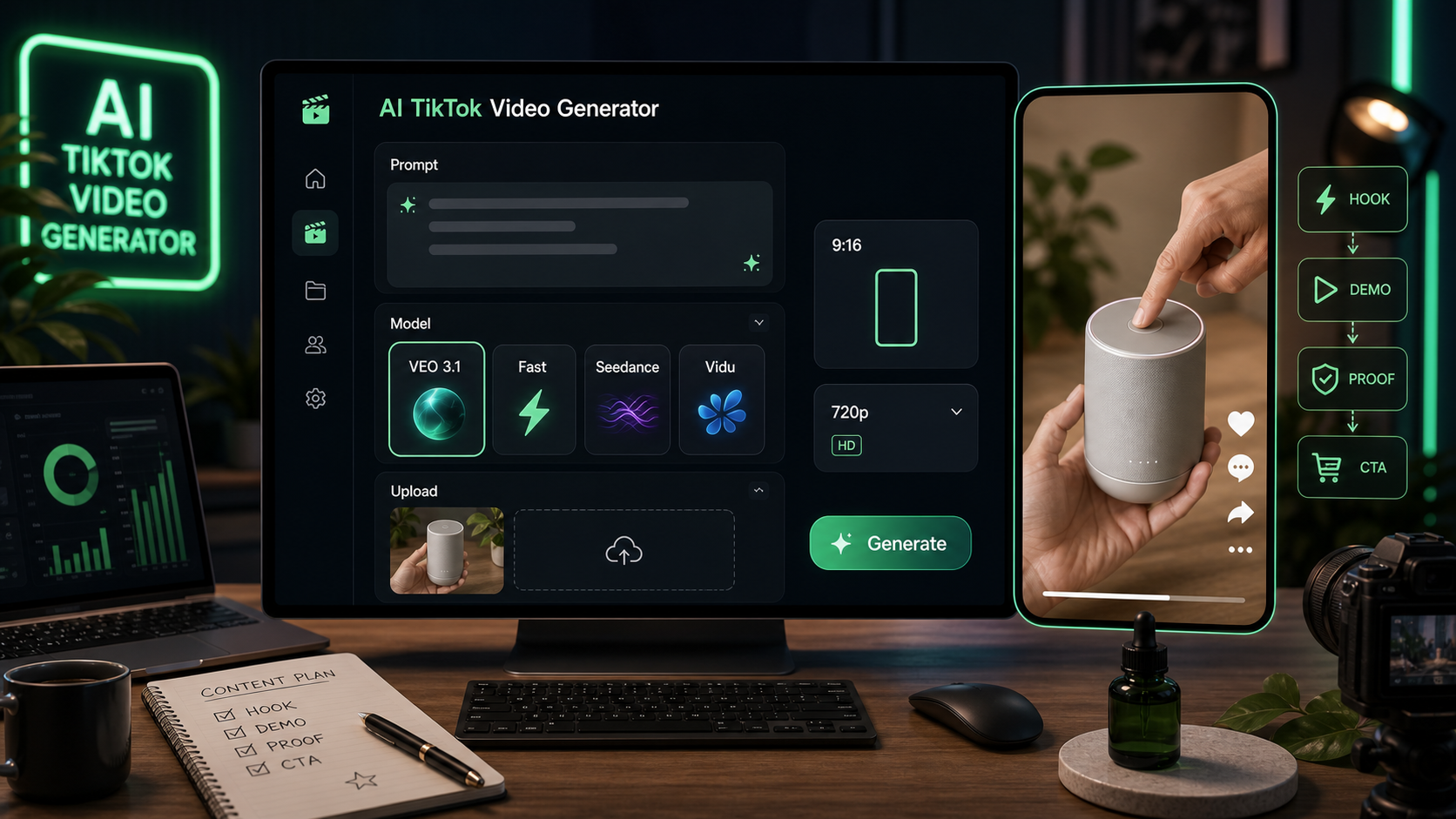
Creators and small teams use a TikTok video generator when they need fast vertical ad concepts, product demos, creator reactions, and short hook tests without filming every draft from scratch. VideoWeb AI is useful for this because the TikTok tool is built around a simple AI Generation panel: choose a model, add an optional Start Frame image, write a prompt, set a vertical format, and generate a short-form video concept.
This guide shows how to use VideoWeb AI's AI TikTok video generator for UGC-style drafts, then gives copy-ready prompts for product demos, creator reactions, unboxings, testimonials, before/after-style concepts, and short ad variations. Treat the outputs as creative drafts or ad concepts. Before publishing or running paid ads, verify product claims, commercial music rights, platform ad rules, disclosure needs, and rights for uploaded assets.
Quick Tool Workflow on VideoWeb AI
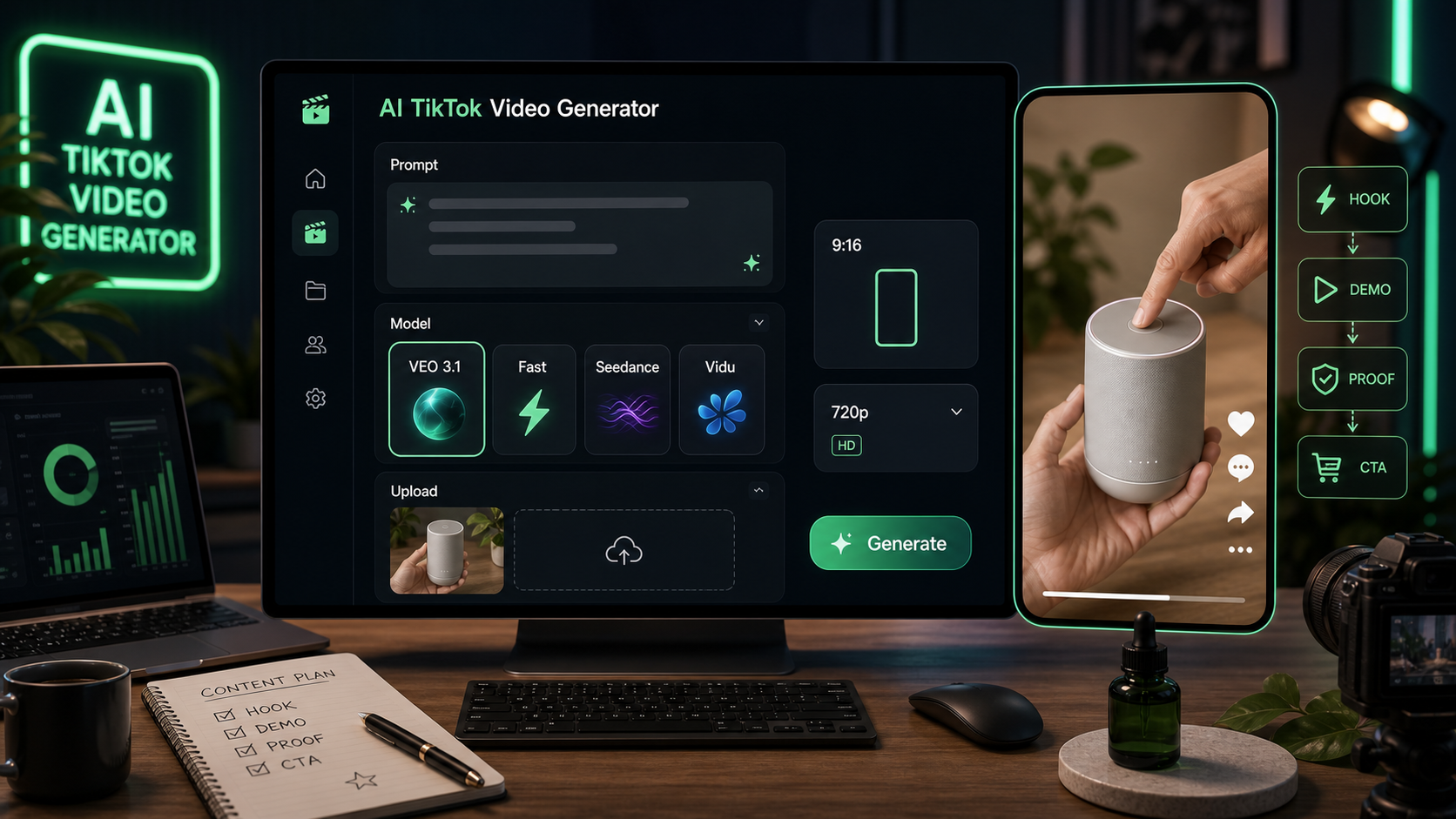
The fastest workflow is to start with a clear product angle, then use the VideoWeb AI TikTok tool to turn that idea into a vertical draft. On the tool page, the visible controls include model selection, VEO 3.1, a VEO 3.1 Fast version, optional image upload as a Start Frame, an AI Generation panel, a prompt box, a Translate toggle, an Optimize Prompt option, 9:16 vertical ratio, 720p output, a Public toggle, and a Generate button.
For model choice, you may see options such as VEO 3.1, Seedance 1.5 Pro, Seedance 2.0, and Vidu Q3. Use VEO 3.1 AI video generator when you want to test detailed product scenes, creator movement, and polished short-form video ideas. Use Seedance 2.0 video generator when you want another strong short-video workflow for TikTok-style ad concepts.
Basic steps:
- Open the VideoWeb AI TikTok UGC video generator.
- Pick a model, such as VEO 3.1, VEO 3.1 Fast, Seedance 2.0, Seedance 1.5 Pro, or Vidu Q3.
- Upload a product image as the optional Start Frame if product consistency matters.
- Paste a structured prompt into the prompt box.
- Use Optimize Prompt if you want the tool to expand or polish the idea.
- Keep the ratio at 9:16 for TikTok, Reels, and Shorts.
- Choose 720p if you want a lightweight draft output.
- Review the Public toggle based on your privacy preference.
- Click Generate, then revise the prompt for hook, camera style, CTA, or product visibility.
This makes VideoWeb AI a practical AI tool for TikTok short videos when you need quick drafts for creative review, not final claims-ready ads.
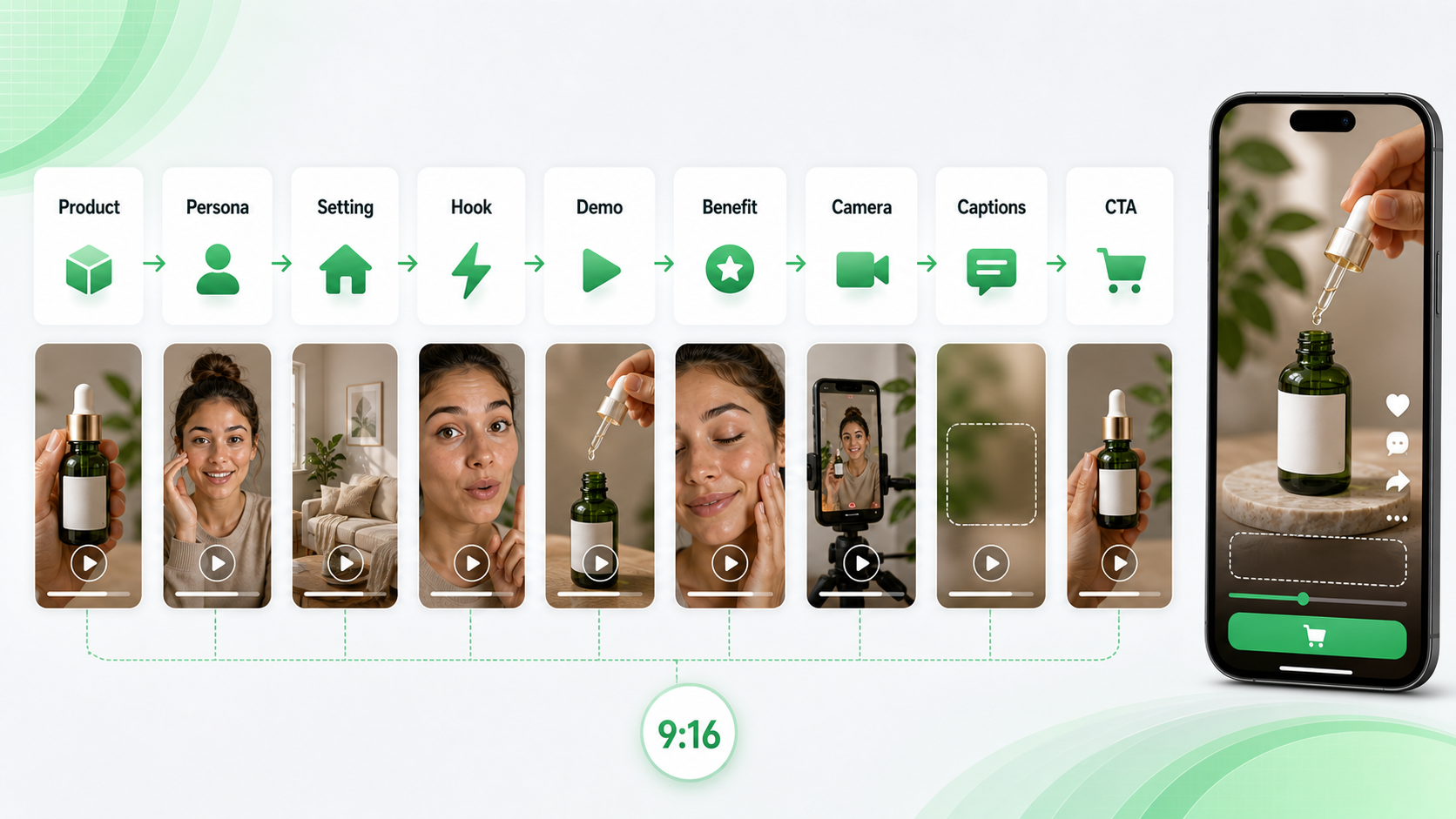
Reusable TikTok UGC Prompt Formula
Use this formula when you want to generate TikTok videos with AI that feel casual and product-led:
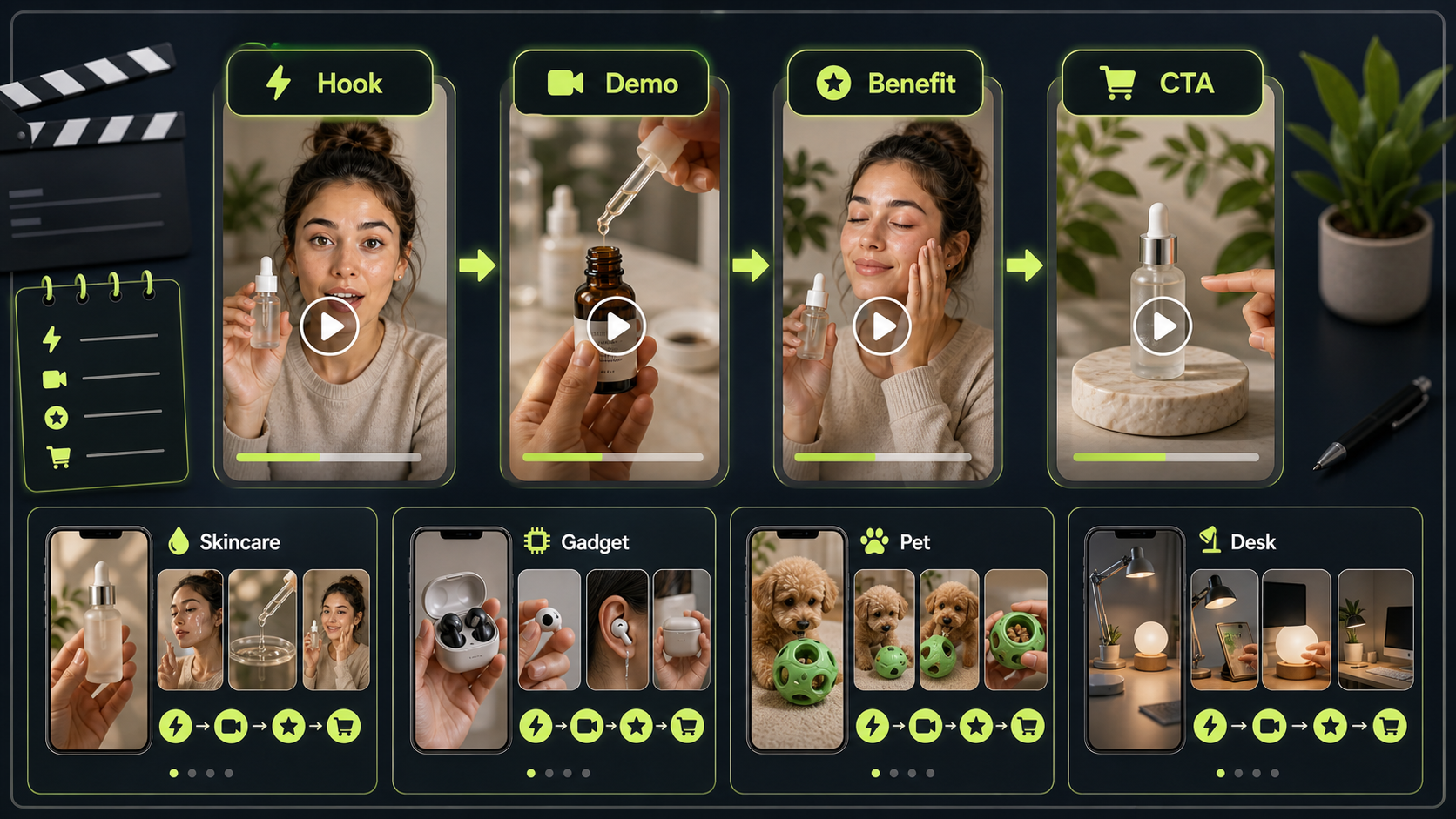
Create a 9:16 TikTok-style UGC video for [product/service]. Scene: [creator/persona] films in [realistic setting] using a casual phone-camera style. Hook: [first 2-second attention grabber]. Show [main product action/demo]. Emphasize [benefit] without exaggerated claims. Mood: authentic, natural, conversational. Camera: handheld, slight movement, close-up product visibility. Add space for short captions. End with [CTA]. Duration: [8-15 seconds].
This structure works because it tells the generator what happens in the opening seconds, what the product does, how the footage should feel, and where the call to action belongs. A TikTok video prompt generator is only as useful as the creative brief you give it, so avoid vague prompts like "make a viral ad." Ask for a hook, a demo, a simple benefit, and a believable ending.
When to Use AI UGC Video Tools
Use an AI UGC video generator when you need creator-style concepts before spending time on live production. It is especially useful for rough ad angles, UGC scripts, product demo ideas, and mobile-first storyboard drafts.
For paid social, a UGC video ads generator can help you explore more variations around one product. A brand might test a problem hook, curiosity hook, creator reaction, and demo-first version before briefing a real creator or editor. An AI UGC ad video maker can also help e-commerce teams turn a product detail into a simple creator-style scene.
Use a creator-style UGC video generator for talking-to-camera prompts, testimonials, and personal reaction formats. Use an AI product demo video generator when the product action matters more than the creator's face. The prompts below are written as UGC video prompt examples for creative drafting, not as guaranteed ad performance formulas.
12 Copy-to-Use TikTok UGC Video Prompts
Paste these into VideoWeb AI, then replace product details, setting, duration, and CTA as needed. For VEO 3.1 TikTok video prompts, keep the scene specific and ask for vertical framing, product close-ups, and short caption space. For Seedance 2.0 TikTok prompts, keep motion clear and the ad idea easy to read in a few seconds.
1. Skincare Serum Demo
Create a 9:16 TikTok-style UGC video for a skincare serum. A young creator films in a bathroom mirror with soft morning light. Hook: "I didn't expect this texture." Show the serum dropper, apply one drop on the hand, then smile naturally. Keep it casual, realistic, and product-focused. End with: "Try it in your morning routine."
Use this for soft beauty demos where the claim is sensory or routine-based, not medical.
2. Wireless Mini Microphone
Create a vertical UGC video for a wireless mini microphone. A creator records in a bedroom desk setup. Hook: "Your phone audio probably sounds like this." Show the microphone clipped on, then a quick before-and-after recording moment. Natural handheld camera, clear product close-up, simple captions, friendly tone.
This is a good fit for VEO 3.1 product ad video prompts because the prompt needs product close-ups and a before/after-style concept without overstating performance.
3. Portable Blender
Generate a TikTok UGC ad for a portable blender. Scene: kitchen counter, creator adds fruit and milk, blends quickly, then pours into a cup. Hook: "I made this smoothie in under one minute." Keep the video casual, bright, and realistic. Product should stay visible in every key shot.
Use this when the product action is visually simple and satisfying.
4. Desk Organizer
Create a 12-second TikTok product demo for a desk organizer. A creator shows a messy desk, places items into the organizer, then reveals a cleaner workspace. Hook: "This fixed my desk chaos." Handheld phone camera, natural daylight, quick cuts, satisfying transformation, no exaggerated claims.
This is a safe before/after-style concept because it shows an organizing action rather than a sensitive or unrealistic result.
5. Fitness Water Bottle
Create a TikTok-style UGC video for a fitness water bottle. Scene: gym locker room and treadmill area. Hook: "This is the bottle I actually remember to bring." Show the handle, straw lid, and bottle fitting into a gym bag. Energetic but authentic, vertical framing, simple caption space.
Keep fitness claims practical. Focus on use, portability, and routine fit.
6. Phone Stand
Generate a creator-style UGC video for a phone stand. Scene: student desk, laptop open, phone on stand during a video call. Hook: "Tiny thing, huge desk upgrade." Show setup, angle adjustment, and hands-free use. Keep it practical, relatable, and clean.
This is a strong prompt for an AI tool for UGC ad creatives because the benefit is visible in one short scene.
7. Travel Backpack
Create a TikTok UGC video for a travel backpack. Scene: creator packing clothes, laptop, charger, and small pouch. Hook: "I packed three days into one bag." Show compartments clearly, natural home lighting, fast but readable cuts, final mirror shot with backpack on.
Ask for readable cuts so the compartments are actually visible.
8. AI Writing Tool
Generate a vertical UGC ad for an AI writing tool. Scene: creator at a laptop, frustrated with a blank document, then uses the tool to generate ideas. Hook: "When your brain has zero ideas..." Show screen-like visual without readable real UI text. End with: "Start with a better draft."
This keeps the SaaS workflow clear while avoiding fake interface details.
9. Coffee Subscription
Create a UGC-style TikTok video for a coffee subscription. Scene: morning kitchen, creator opens the box, smells the beans, makes coffee, and takes the first sip. Hook: "This made my Monday feel expensive." Warm lighting, cozy mood, product packaging visible, authentic reaction.
For food and beverage prompts, focus on sensory moments and avoid health claims.
10. Pet Grooming Brush
Generate a short TikTok ad for a pet grooming brush. Scene: dog owner brushing a calm dog on the floor. Hook: "Pet hair was everywhere until I tried this." Show gentle brushing, collected hair, and happy pet moment. Avoid medical claims. Keep the video warm and natural.
Use calm handling and avoid implying a veterinary result.
11. Budget Planner Notebook
Create a TikTok UGC video for a budget planner notebook. Scene: creator at a cafe table with coffee, pen, and notebook. Hook: "I needed a simpler way to track spending." Show writing categories, flipping pages, and a neat monthly layout. Calm, relatable, lifestyle-focused.
For financial-adjacent products, avoid guaranteed savings or financial outcomes.
12. Portable LED Lamp
Generate a 9:16 UGC video for a portable LED lamp. Scene: creator reading at night, turns on the lamp, adjusts brightness, then places it beside a bed. Hook: "This little lamp saved my night routine." Cozy lighting, realistic bedroom, product close-ups, soft ending CTA.
This is a good simple product demo because the lighting change can carry the whole ad.
Model Tips: VEO 3.1 and Seedance 2.0
Use VEO 3.1 UGC video workflow prompts when the video needs detailed camera behavior, hands-on product movement, or a polished creator-ad concept. A VEO 3.1 vertical video generator workflow works best when you specify 9:16, close-up product visibility, handheld motion, caption space, and an 8-15 second duration. You can also use VEO 3.1 short-form video ideas to draft several angles before selecting one for editing.
Use Seedance 2.0 UGC video prompts when you want clear short-form motion and ad variations. A Seedance 2.0 product video workflow can work well for unboxings, product close-ups, and creator-style demonstrations. For ad ideation, try Seedance 2.0 AI ad video ideas with the same product but different hooks, then compare which draft is easiest to understand.
For every model, the prompt should protect the basics: 9:16 format, product visible early, natural light, casual phone-camera framing, short captions, and a clear CTA.
Short Ad Variation Prompts
Use these smaller variations when you want a TikTok ad video generator workflow for fast testing:
- Problem hook: "Create a 9:16 UGC video for [product]. Start with [specific problem], then show the product solving one simple moment. Use handheld phone camera, natural light, product close-up, and end with [CTA]."
- Creator reaction: "Create a 10-second creator reaction video for [product]. The creator tries it for the first time, reacts naturally, shows one product detail, and says [experience-based line]. Keep it casual and believable."
- Testimonial-style draft: "Create a testimonial-style UGC concept for [product]. The creator says, 'I've been using this for [time period], and here's what I noticed.' Show product close-up, simple demo, natural lighting, and a soft CTA."
- Unboxing: "Create a 9:16 unboxing video for [product]. Show opening the package, first product close-up, one useful detail, and a short reaction. Keep cuts fast but readable."
- CTA test: "Create three CTA endings for the same TikTok UGC product demo: save for later, try it today, and see how it works. Keep product visible in the final shot."
These can also support Seedance 2.0 short video generator tests or VEO 3.1 AI video ad prompts when you need multiple drafts from the same core concept.
Safety Checks Before Publishing
AI-generated UGC videos are best treated as drafts. Before you publish or run paid media, check the parts that can create risk:
- Product claims: Do not imply medical, financial, body-image, or performance outcomes that you cannot substantiate.
- Music and sound: Verify commercial music rights before using audio in ads.
- Disclosure: Follow platform and local rules for AI-generated content, ads, endorsements, and sponsored claims.
- Visual rights: Confirm you can use any uploaded product images, Start Frame assets, logos, or packaging.
- Platform rules: Review ad policies for TikTok, Instagram, YouTube Shorts, and any paid social platform.
- Testimonials: Do not present a fictional AI-generated creator as a real customer.
This keeps your Seedance 2.0 vertical video prompts and VideoWeb AI drafts useful while reducing the chance of misleading creative.
Related Articles
- How to Create Better TikTok Videos with Google Veo 3.1 on VideoWeb
- VideoWeb AI Video Generator 2026: One Hub, Every AI Video Workflow
- Seedance 2.0 Video Generation Guide: Tutorial + Prompts
- From GPT Image 2 Posters to AI Video Ads: A Practical Campaign Workflow
- Veo 3.1 vs Sora 2: Which AI Video Model Performs Better?
- Kling 3.0 AI Video Generator Guide: How to Create Cinematic Clips on VideoWeb AI
People Also Read
- UGC Video Ads Guide: How to Make UGC Ad Videos With UGC Maker AI
- Seedance 2.0 for TikTok Videos: How Creators Can Turn Ideas Into Scroll-Stopping Clips
- UGC Prompts for Seedance 2: How to Create Native AI Video Ads
- How to Create TikTok Videos with HeyDream AI That Actually Feel Native to the Feed
- How to Make TikTok UGC Videos with AI Talking Avatar Generator
- Wan 2.7 Prompt Tips: How to Make AI Videos Feel More Human and Realistic
FAQ
What is the best prompt structure for TikTok UGC videos?
Use product, creator persona, realistic setting, two-second hook, demo action, benefit, camera style, caption space, CTA, duration, and 9:16 format. This gives the video generator both the story and the production style.
Should I upload a product image as a Start Frame?
Use an image upload as a Start Frame when product consistency matters, such as packaging, color, shape, or a specific hero product angle. If you only need an early concept, a text prompt may be enough.
Which model should I try first on VideoWeb AI?
Start with VEO 3.1 or VEO 3.1 Fast for detailed TikTok-style drafts, then test alternatives such as Seedance 2.0, Seedance 1.5 Pro, or Vidu Q3 if you want a different motion style or faster variation testing.
Can AI-generated TikTok UGC videos be used as paid ads?
They can be useful for paid ad concepts, but review product claims, music rights, platform rules, disclosures, and commercial-use terms before publishing or running spend.
Conclusion
VideoWeb AI gives creators and marketers a practical AI TikTok video generator workflow: choose a model, add an optional Start Frame, paste a structured prompt, keep the ratio vertical, and generate a short UGC-style draft. The best prompts are specific but not overproduced. They name the product, creator, setting, hook, demo, benefit, camera style, caption space, CTA, and duration.
Use these templates as starting points, then test VEO 3.1, Seedance 2.0, and other available models against the same product idea. Keep the strongest draft, verify the claims, and finish the video according to the ad platform where it will run.