AI video tools are moving so quickly that a platform can feel outdated within a few months. A good update is no longer just about adding one more model or changing the homepage design. For creators, marketers, designers, musicians, and social media teams, the real question is simpler: can the platform help them move from idea to finished content faster?
That is why the latest VideoWeb AI experience deserves a fresh look. The platform now feels less like a single-purpose generator and more like a connected creative workspace for video, image, and music production. Instead of forcing users to jump between different pages, tools, and model interfaces, it brings more of the creative process into one environment.
A More Complete Creative Workspace
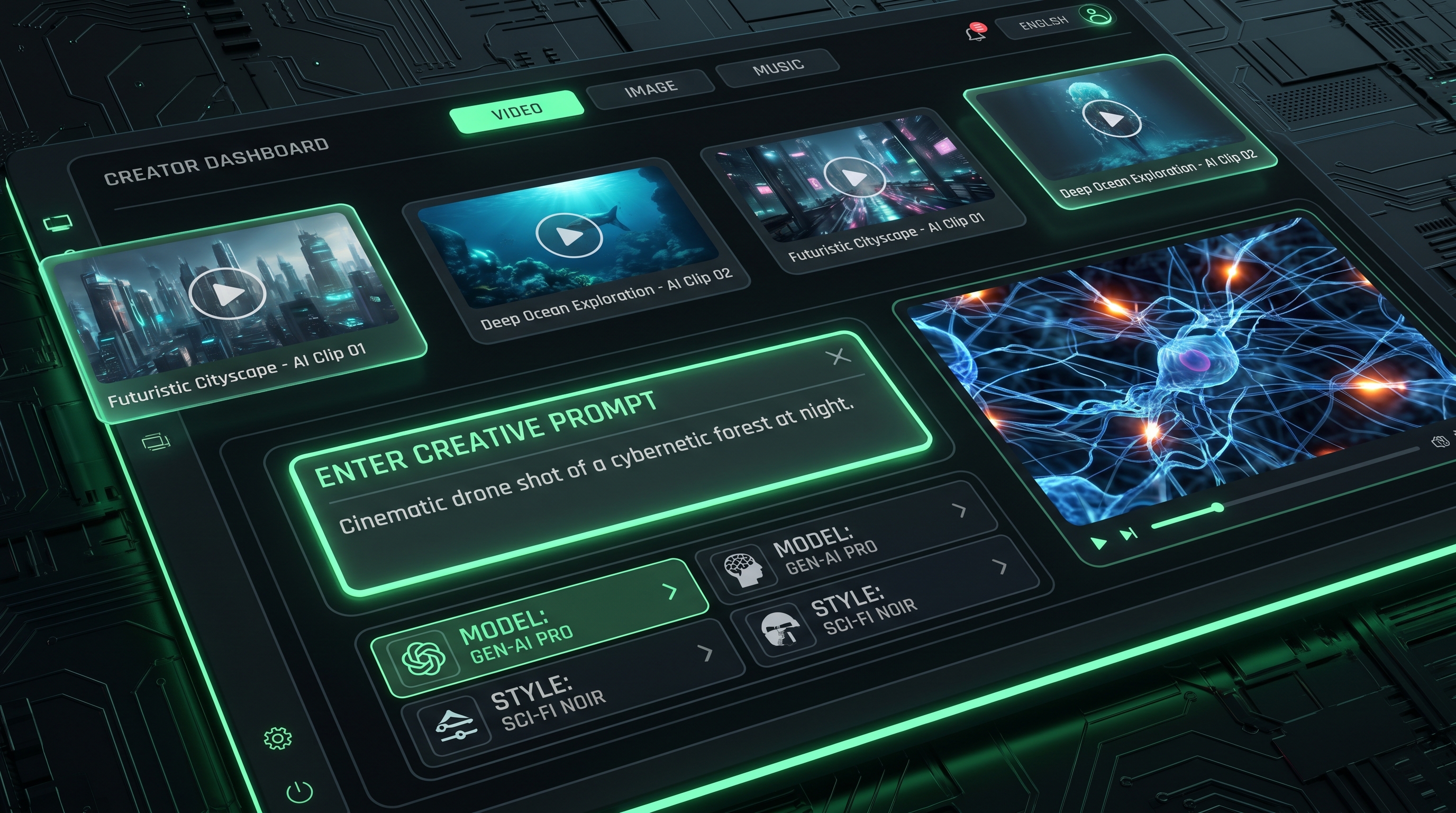
The most noticeable change is the platform’s broader workflow structure. The updated interface presents Video, Image, and Music creation as connected tabs, while the left sidebar organizes major creation paths such as Video AI, Image AI, Music AI, Video Effects, and Free AI Tools. This makes the homepage feel more like a practical creation desk than a one-function generator.
For many users, the AI video generator will still be the natural starting point. It is the place where creators can upload images, enter ideas, test models, and turn concepts into visual output. But the surrounding interface now makes it easier to think beyond one clip. You can begin with a video idea, browse image tools, create music, or explore free utilities without feeling like you have left the main production environment.
The “Discover Video & Image AI Tools” section also makes the platform easier to explore. Instead of asking every user to know the exact tool name before they start, VideoWeb AI lets creators browse by category. That matters for beginners, but it also helps experienced users compare workflows quickly.
A Cleaner Interface for Faster First Drafts
A strong AI tool should reduce friction, not add more decisions at the start. The newer VideoWeb AI interface is clearly built around that idea. The creation panel makes the main choices visible: model selection, prompt input, upload area, generation options, and output controls. Users can start with a simple description, then refine settings after the first result.
This is especially useful for creators who work under deadlines. A social media editor may only need a few seconds of motion for a product post. A small business owner may want a fast ad concept. A designer may want to test whether a poster can become a short video. In those situations, a clean interface is not a minor design detail; it directly affects whether the tool feels usable in real production.
Prompt optimization is another practical improvement. Many users know what they want visually, but they do not always know how to describe camera movement, lighting, motion, pacing, or atmosphere. Built-in prompt support helps bridge that gap and makes the platform friendlier to non-technical creators.
Text-to-Video Becomes Easier to Test
For idea-first creators, the text-to-video AI generator is one of the most important tools on the platform. It lets users move from a written concept to a video draft without needing a source image or editing software. That makes it useful for storyboard drafts, ad scenes, product explainers, cinematic micro-scenes, YouTube Shorts concepts, and TikTok hooks.
The key advantage is speed. A creator can test several versions of the same concept before committing to a polished final clip. For example, a prompt for a futuristic skincare commercial, a fantasy trailer shot, or a fast-moving tech product demo can become a visual draft in minutes. Even when the first result is not final, it gives the creator something concrete to evaluate.
This is where the upgraded workflow feels more modern. AI video creation is not only about one perfect prompt. It is about iteration. VideoWeb AI’s cleaner structure makes that process more approachable.
Image-to-Video Fits Today’s Creator Habits
Many creators do not begin with a blank text prompt. They begin with an image: a poster, a product shot, a thumbnail, a character design, a meme, a campaign keyframe, or a social graphic. That is why the image-to-video AI tool is central to the updated platform experience.
Image-to-video workflows are especially useful for brands and creators who already have visual assets. A still product photo can become a moving ad. A character portrait can become a short animated scene. A poster can become a teaser clip. A thumbnail can become a social video. This makes AI video generation feel more connected to real marketing and content production.
For more personal use cases, photo-to-video AI gives users a simpler way to animate portraits, memory clips, profile visuals, or lifestyle images. It is not only a technical workflow; it is also an emotional one. A still photo can feel more alive when it gains motion, atmosphere, and direction.
Stronger Model Access for Different Creative Goals
One of the biggest reasons to revisit VideoWeb AI is its growing model lineup. Different AI video models have different strengths, and a good platform should help creators choose the right one for the task.
The Veo 3.1 AI video generator is positioned for realistic video generation, cinematic scenes, natural lighting, and audio-ready storytelling. It is a good fit when the creator wants a polished scene rather than a quick visual experiment.
The Kling 3.0 AI video generator is useful for creators who care about camera movement, multi-shot direction, motion control, and more ambitious visual structure. It fits scenes where the camera, subject, and environment all need to feel coordinated.
The Seedance 2.0 AI video generator works well for flexible testing, reference-based creation, stylized motion, and short-form creative production. For creators comparing different looks and motion styles, having this kind of model access inside the same platform can save time.
Editing and Transformation Are Becoming More Important
Not every creator wants to generate a video from zero. Sometimes the goal is to refresh an existing idea. The Happy Horse 1.0 AI video generator fits that need by supporting more transformation-focused workflows, including background replacement, subject changes, style transfer, scene transfer, and multi-element editing.
This matters because creators often have imperfect materials. A good product shot may need a better environment. A social clip may need a new style. A campaign visual may need to be repurposed for another audience. Editing-focused AI tools help turn existing assets into new variations without restarting the whole production process.
Image Creation Now Supports the Video Pipeline
The updated VideoWeb AI experience is not only about video. Image generation has become part of the pre-production process. Before a creator animates anything, they often need a strong keyframe, poster, thumbnail, product scene, or character image.
The GPT Image 2 AI image generator can support ad visuals, social graphics, brand assets, and text-friendly campaign images. The Seedream 5.0 AI image generator is useful for polished concept art, visual storytelling assets, and consistent creative direction. The Nano Banana Pro AI image generator fits faster social image tests, playful edits, and design experiments.
Together, these tools make the platform more useful for creators who think in campaigns, not isolated outputs. You can generate an image, refine it, then animate it into a video asset.
Music and Short-Form Creation Get More Space
VideoWeb AI also gives more attention to music-led and short-form workflows. The AI music video generator is useful for creators working with songs, beats, lyric clips, visual loops, or mood-based music content. Instead of treating audio as an afterthought, it allows music to become the starting point of the visual idea.
For social creators, the AI TikTok video generator fits trend-led production, vertical formats, hooks, and fast experimentation. This is important because many creators are not making long films. They are making short, repeatable, platform-ready clips.
Better Service for Everyday Use
A platform update is only valuable if people can use it repeatedly. VideoWeb AI’s service layer supports that goal with free entry points, daily check-in credits, mobile app access, pricing options, private generations, fast generation queues, history retention, and commercial-use positioning.
For creators, these details matter. AI generation is rarely a one-click miracle. It usually involves testing, revising, comparing, and trying again. Better service design makes the platform more practical for everyday work, especially for users who need consistent output for ads, social posts, brand visuals, and creative experiments.
Which Tool Should You Try First?
Start with the text-to-video workflow if your idea begins as a written scene. Start with image-to-video if you already have a strong visual. Try Veo 3.1 for cinematic realism, Kling 3.0 for camera control, Seedance 2.0 for flexible creative testing, and Happy Horse 1.0 when you want editing or transformation.
The strongest reason to try the latest AI video tools on VideoWeb AI is not that one model solves everything. It is that the platform makes it easier to choose the right tool for each stage of creation. For modern creators, that kind of flexible workflow is often more valuable than any single feature.
Related Article
- AI Video Generator 2026: One Hub, Every AI Video Workflow
- From GPT Image 2 Posters to AI Video Ads: A Practical Campaign Workflow
- HappyHorse Video Editing Guide: Change Scenes, Styles, and Backgrounds With AI
- Kling 3.0: What’s New and How to Get Cinematic Results
- Seedance 2.0 Video Generation Guide: Tutorial + Proven Prompts
- Veo 3.1 vs Sora 2: Which AI Video Model Performs Better?
People Also Read
- GPT Image 2 OpenAI API: What It Offers and How to Try It
- How to Build a Brand Kit with ChatGPT Image 2
- Seedance 2.0 Video Generation Guide: How to Create Better AI Videos
- Veo 3.1 vs Luma Ray2: Which AI Video Model Fits Your Workflow?
- The 2026 Image-to-Video Guide: Best Models & Prompts
- SeaImagine AI Text-to-Video Guide: How to Choose Models and Create Better Clips
- GPT Image 2 Photo Editing Guide: Better Headshots, Backgrounds, Action Figures, and Social Avatars
- What Is Nano Banana 2 and How Does It Work?
- Creating 4K High-Quality Images with Nano Banana Pro AI











