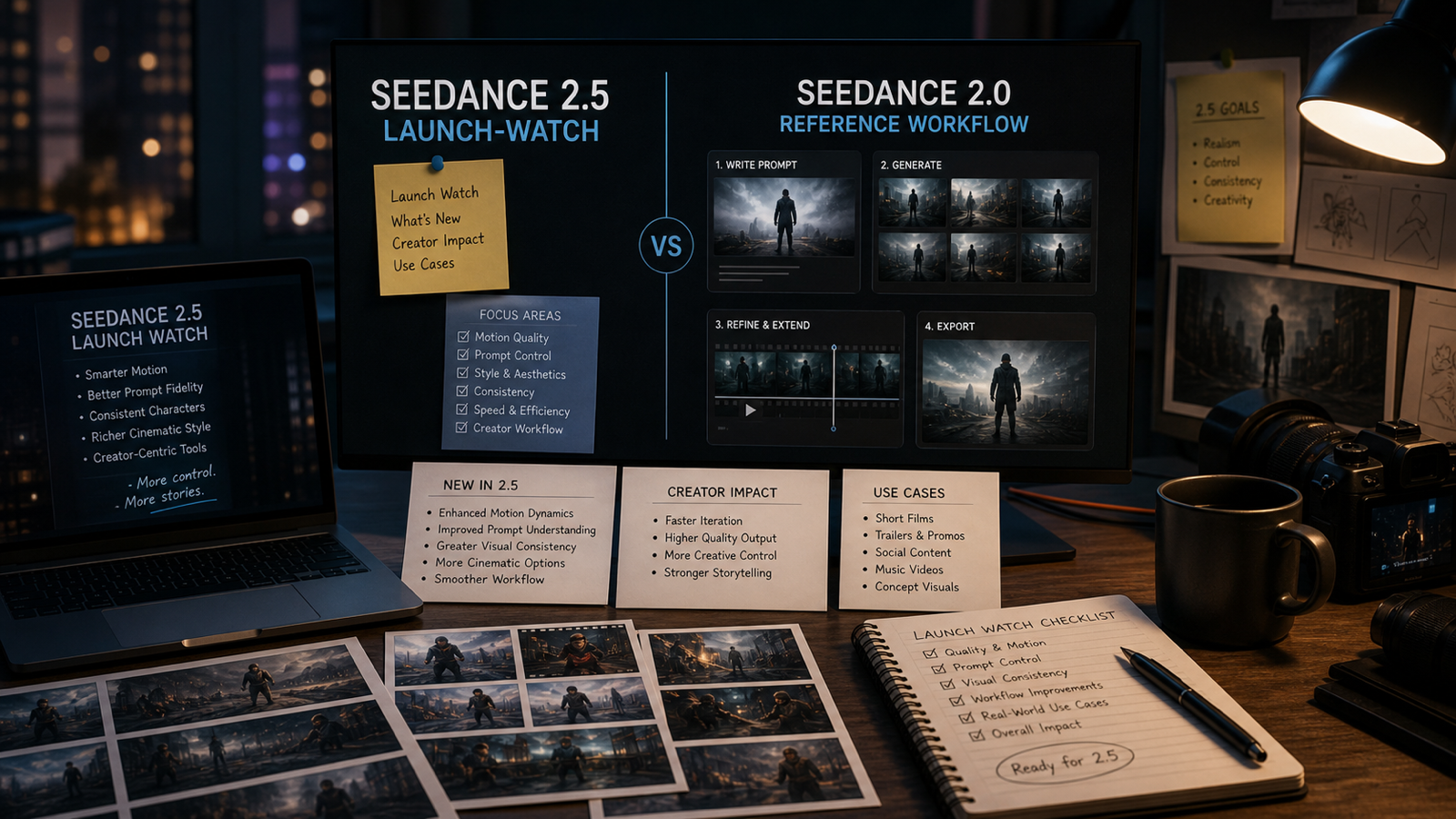
The Seedance 2.5 release is one of the most interesting AI video model updates for creators watching the next wave of text-to-video and image-to-video tools. For now, Seedance 2.0 remains the clearest public baseline, with the Seedance 2.0 research paper and the live Seedance 2.0 AI Video Generator on VideoWeb AI giving creators a practical place to build repeatable workflows.
This launch-watch guide looks at what Seedance 2.5 may change, how to compare it with Seedance 2.0, and how to prepare useful tests on VideoWeb AI. The goal is simple: give AI video creators, short-form editors, ecommerce marketers, UGC advertisers, filmmakers, prompt testers, and social media teams a clean way to prepare before the next Seedance-style workflow becomes widely available.
Quick Summary: Seedance 2.5 Release and What Creators Should Watch
Seedance 2.5 is worth watching because each new AI video model release can affect the everyday details that creators care about: motion quality, prompt following, reference-image control, subject consistency, duration options, export quality, and workflow cost. Those details decide whether a model is useful for real campaigns, not just demos.
VideoWeb AI is a practical platform for preparing those tests now. Start with Seedance 2.0 AI Video Generator as the baseline, then organize comparison prompts across AI Video Generator, Image to Video, Text to Video, Photo to Video, AI Music Video Generator, and 4K Video Generator.
The best preparation is a small test library. Save one cinematic prompt, one product prompt, one UGC ad prompt, one image-to-video reference, one short-form vertical concept, and one multi-shot storyboard. When Seedance 2.5 becomes available in a workflow, these tests make the comparison with Seedance 2.0 fast and clear.

Seedance 2.5 vs Seedance 2.0: What Can Be Compared Now
The most useful Seedance 2.5 vs Seedance 2.0 comparison starts with creator outcomes. A newer model is valuable when it improves the clips people actually make: product videos, UGC ads, cinematic scenes, social shorts, character tests, and image-to-video animations.
Use Seedance 2.0 as the control version. Run a prompt on the current Seedance 2.0 VideoWeb AI workflow, save the output, then reuse the same prompt and source assets when Seedance 2.5 can be tested. This gives you a clean A/B comparison instead of a loose impression.
Focus on these comparison areas:
- Prompt following: Does the model respect subject, camera, scene, mood, pacing, and aspect ratio?
- Motion quality: Are camera moves, gestures, object motion, and transitions smoother?
- Subject consistency: Do characters, products, outfits, and scenes stay stable across frames?
- Image-to-video control: Does the model preserve uploaded images, start frames, and important visual details?
- Social formats: Does it handle vertical clips, square posts, and 16:9 previews cleanly?
- Production fit: Are export quality, review speed, credits, and project workflow better for your use case?
This keeps the comparison practical. Seedance 2.5 does not need to win every category to be useful; it only needs to improve the workflows your team repeats most often.

VideoWeb AI Workflows to Prepare Before Seedance 2.5 Arrives
VideoWeb AI is useful for Seedance-style preparation because it covers several common AI video workflows in one ecosystem. Instead of waiting for a new model page and then starting from scratch, creators can build a baseline workflow today.
For prompt-first ideas, use Text to Video to test scene writing, pacing, and camera instructions. For image-first ideas, use Image to Video or Photo to Video to test reference preservation, product shape, character consistency, and poster animation. For broader creative experiments, use AI Video Generator to compare video generation options.
Music and high-resolution workflows can also be part of the test library. AI Music Video Generator helps creators think about rhythm, mood, and beat-driven edits, while 4K Video Generator is useful for teams planning sharper campaign previews or high-detail creative reviews. Together, these pages make VideoWeb AI a practical launch-prep hub for Seedance AI video workflow testing.

What Seedance 2.5 May Change for Creators, Marketers, and Filmmakers
Seedance 2.5 may matter most where AI video work still feels hard to control. Creators want fewer broken frames, cleaner motion, stronger identity preservation, more predictable camera moves, and outputs that need less repair before editing.
For filmmakers and cinematic creators, the big question is motion language. A better model should understand push-ins, tracking shots, close-ups, reveals, and transitions with less prompt wrestling. For ecommerce marketers, the key is product stability: shape, label area, material, lighting, and scale should stay believable. For UGC advertisers, the strongest tests are hand movement, product close-ups, casual room lighting, creator realism, and short-form pacing.
Social media teams should test vertical hooks, first-frame clarity, caption space, meme timing, and loop-friendly motion. Prompt testers should compare how Seedance 2.0 and Seedance 2.5 respond to the same scene brief, especially when the prompt includes camera direction, lighting, action, and output format.
For baseline learning, VideoWeb’s related articles are useful context: the Seedance 2.0 video generation guide, Seedance 2.0 Mini launch article, Gemini Omni vs Seedance 2.0 comparison, and YouTube UGC Video Generation with Seedance 2.0.

Seedance Video Generation Workflow: A Practical Test Plan
A strong Seedance video generation workflow starts with repeatable prompts and consistent review notes. That makes the Seedance 2.5 compare with Seedance 2.0 process much easier when both outputs can be judged side by side.
Use this baseline test plan on VideoWeb AI:
- Text-to-video test: create a short cinematic scene with a clear subject, camera move, lighting style, and mood.
- Image-to-video test: animate a product, character, poster, or still image where reference preservation matters.
- UGC ad test: create a casual creator-style clip with hands, product close-up, and social pacing.
- Product video test: show a product reveal, rotating object, tabletop setup, or ecommerce scene.
- Character consistency test: keep one fictional person, outfit, or mascot stable across motion.
- Multi-shot test: build a three-beat storyboard with a clear beginning, middle, and end.
For each test, save the prompt, input image, chosen workflow, aspect ratio, duration, credit use, output notes, and final edit decision. The notes do not need to be complex. A simple table with “motion,” “consistency,” “camera,” “prompt following,” and “ready to edit” is enough to make the comparison useful.

FAQ and Launch Notes for Seedance 2.5 on VideoWeb AI
What is Seedance 2.5?
Seedance 2.5 is the expected next point of interest for creators following Seedance-style AI video generation. The current practical baseline for comparison is Seedance 2.0, especially through the live VideoWeb AI Seedance 2.0 workflow.
How should creators compare Seedance 2.5 with Seedance 2.0?
Use the same prompts, images, aspect ratios, and review criteria. Compare motion, prompt following, subject consistency, image-to-video control, export quality, and editing effort.
Why use VideoWeb AI for Seedance workflow preparation?
VideoWeb AI gives creators several relevant workflow pages: Seedance 2.0, AI Video Generator, Image to Video, Text to Video, Photo to Video, AI Music Video Generator, and 4K Video Generator. That makes it a useful hub for building test prompts before a new model workflow arrives.
What kind of prompts should teams save?
Save prompts for product ads, UGC clips, cinematic scenes, social shorts, image-to-video animations, character consistency tests, and multi-shot storyboards. These cover the most common creator and marketing workflows.
Should creators move from Seedance 2.0 to Seedance 2.5 immediately?
The best approach is to compare outputs on your own creative tasks first. If Seedance 2.5 improves the clips you publish most often, it becomes a strong candidate for your workflow. If Seedance 2.0 is already stable for a given campaign, it can remain the baseline.
The Seedance 2.5 release is worth tracking because even small improvements in motion, prompt following, reference control, and export quality can change how creators build AI video campaigns. VideoWeb AI gives teams a practical place to prepare now with Seedance 2.0, image-to-video, text-to-video, photo-to-video, music-video, and 4K video workflows.












