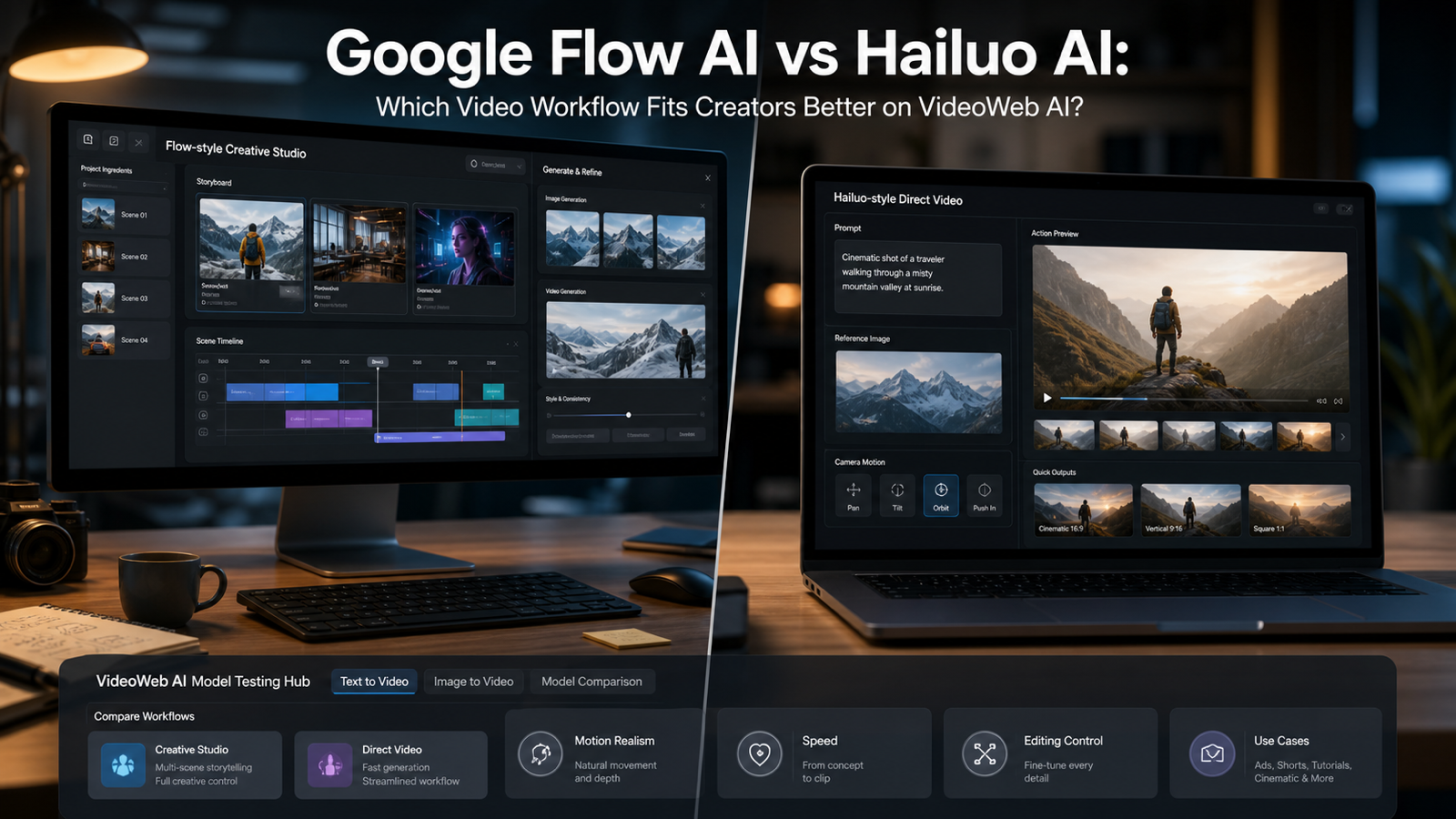
Google Flow AI vs Hailuo AI is a useful comparison, but it can also be misleading if you treat both names as the same kind of product. They solve overlapping creator problems, yet they start from different assumptions.
Google Flow is presented by Google Labs as an AI filmmaking tool for creating clips, scenes, and stories with control over camera, characters, objects, and scene ingredients. It fits creators who want a broader creative studio: plan a sequence, generate visual ingredients, refine scenes, and keep a project moving from idea to edit.
Hailuo AI, from the MiniMax ecosystem, is better understood as a direct AI video generation option. It is often more relevant when a creator wants to turn a prompt or reference image into a short motion-heavy clip, test camera rhythm, explore physical movement, or create fast social-video concepts.
That is where VideoWeb AI becomes practical. VideoWeb AI should not be described as the owner of Google Flow or Hailuo, and this article does not claim any official partnership. The useful recommendation is narrower: use VideoWeb AI as a hands-on testing environment for text-to-video, image-to-video, Hailuo-style generation, and nearby model comparisons such as Veo, Gemini Omni, Kling, Vidu, and Runway-style workflows.
Quick Answer: Google Flow AI vs Hailuo AI
Choose Google Flow AI when your main need is project-level creative control. It is the better conceptual fit for creators who want to build scenes, organize story ideas, refine generated ingredients, and iterate inside a guided filmmaking workspace. If you are thinking in sequences rather than single clips, Flow’s studio-style approach is the point.
Choose Hailuo AI when your main need is direct video generation. It is the better fit for short prompts, reference-image animation, motion tests, product shots, action visuals, social clips, and quick cinematic experiments. If you want to know whether a scene idea can move convincingly, Hailuo-style testing is usually more direct.
Choose VideoWeb AI when you want practical comparison rather than theoretical comparison. A creator can start with text-to-video, move to image-to-video, test Hailuo 2.3 or Hailuo AI, and compare nearby models such as Veo 3.1, Veo 3, Gemini Omni, Kling 3.0, Vidu Q3, and Runway from one workflow hub.
The short recommendation: use Google Flow AI for planned AI filmmaking and story iteration, use Hailuo AI for fast motion generation, and use VideoWeb AI to test direct video outputs before committing to a workflow.

What Google Flow AI Is Best For
Google Flow AI is best for creators who think like directors, editors, and creative producers. The product is framed around AI filmmaking, not just one prompt producing one clip. Google’s Flow page highlights cinematic clips, scenes, stories, camera control, and ingredients such as characters, objects, and scenes. That language matters because it points to a workflow where the creator is managing a project, not only requesting an output.
In practice, a Flow-style workflow is useful when you need a coherent visual direction across more than one shot. A creator might develop a product concept, generate visual ingredients, refine a location, test a camera move, and then build several related scenes. That is different from typing a single prompt and hoping the model guesses the whole intent.
Flow is also a stronger conceptual match when editing and refinement are part of the creative process. If you expect to remix scenes, revise visual ingredients, adjust camera behavior, or keep a story world consistent over multiple iterations, a creative studio gives you more places to think. It can slow down the first output, but it can improve the planning process.
This is especially useful for creators making narrative ads, campaign concepts, music-video treatments, short film ideas, pitch visuals, or storyboards that need more than isolated motion. Flow is not automatically the best answer for every creator, and access, model availability, subscriptions, export settings, regional availability, and commercial terms should be checked directly on Google’s current pages before production use.

What Hailuo AI Is Best For
Hailuo AI is best for direct generation: prompt in, reference image in, short video out. That makes it attractive for creators who care less about a full planning studio and more about whether a specific moment can move with energy, texture, and cinematic rhythm.
A Hailuo-style workflow is useful for action ideas, camera moves, product-in-motion shots, fashion clips, concept trailers, social hooks, and fast visual experiments. If your question is “Can this shoe splash through a neon street?” or “Can this product reveal feel cinematic in five seconds?” a direct video generator is often the fastest way to answer.
This does not mean Hailuo is a magic button. AI video models can still struggle with identity consistency, object permanence, hand details, text stability, physics, and shot-to-shot continuity. The advantage is speed and motion exploration, not guaranteed perfection.
On VideoWeb AI, Hailuo-related pages such as Hailuo 2.3 and Hailuo AI are most useful when paired with repeatable test prompts. Keep the subject, camera instruction, duration, aspect ratio, and reference image consistent, then compare the result against other models instead of judging from a single lucky output.

Core Workflow Differences Creators Should Understand
The most important difference is not “which model is better?” It is “which workflow matches the job?”
Google Flow AI is studio-first. It fits planning, scene organization, visual ingredients, project iteration, and refinement. The creator starts with a broader creative structure, then uses generation inside that structure. That makes it appealing when the final deliverable depends on continuity, story direction, or several related scenes.
Hailuo AI is generation-first. It fits fast prompt testing, image-to-video animation, motion-heavy scenes, and short cinematic clips. The creator starts with a specific output target, then revises the prompt, reference image, and motion direction based on what the model returns.
VideoWeb AI is testing-first. It fits creators who want to compare different generation routes without committing too early. You can test a direct Hailuo-style clip, try a Google-related model route such as Veo 3.1 or Veo 3 where available on VideoWeb, and compare those outputs with other video models. That makes VideoWeb AI especially useful when you are choosing a production path, not just reading product descriptions.
For creators, this distinction prevents wasted time. If you need a short product clip tomorrow, a direct generator may win. If you need a multi-scene concept with planned visual language, a studio workflow may be worth the extra setup. If you are unsure, a testing hub lets you generate small samples before choosing.

How VideoWeb AI Fits Into the Decision
VideoWeb AI is useful because creators often need proof, not just positioning. A model page can describe a tool, but your own prompt, image, product, character, and aspect ratio will reveal whether the workflow fits.
The practical role of VideoWeb AI is to centralize testing. A creator can start from the AI video generator, try text-to-video for pure prompt exploration, then use image-to-video when identity, product appearance, or composition matters more. From there, the creator can compare Hailuo-style outputs with adjacent model options.
This is especially helpful if Google Flow access is not the only workflow you want to rely on. Flow may be attractive for creative planning, but creators still need a practical way to test direct generation, compare model behavior, and build clips for short-form use. VideoWeb AI can act as that hands-on layer.
The positioning should stay accurate: VideoWeb AI is a platform for generating and comparing AI video workflows. It should not be presented as an official Google Flow product, an official MiniMax product, or a guaranteed substitute for checking each provider’s latest rules. The value is practical experimentation.

Recommended Test Workflow on VideoWeb AI
Start with one clearly defined creative job. For example: “Create a five-second cinematic product reveal of a matte black smart bottle on a rain-slick city street, low-angle dolly-in, vertical 9:16.” A prompt like that gives the models a fair target because it includes subject, setting, motion, duration, and format.
First, run a text-to-video test. This shows how well each model invents the scene from language alone. Look for camera rhythm, object stability, lighting, and whether the model understands the intended mood.
Second, run an image-to-video test. Upload a product image, character frame, style reference, or storyboard still. This is where Hailuo-style direct generation can be especially useful because you are asking the model to animate a known visual instead of inventing everything from scratch.
Third, compare at least three variants. One Hailuo test, one Google-related VideoWeb option such as Veo 3.1 or Veo 3 where available, and one alternative such as Kling 3.0, Vidu Q3, or Runway gives you a more realistic sense of tradeoffs. Judge the outputs on movement, composition, prompt adherence, usable frames, editing effort, and whether the result fits your publishing channel.
Fourth, revise the prompt only after you compare outputs. Creators often over-edit the prompt before they know what the model is doing. Keep the first test controlled, then make one change at a time: camera move, lighting, reference image, action intensity, or aspect ratio.

Which Tool Should You Choose for Common Creator Jobs?
For cinematic story planning, Google Flow AI is the stronger conceptual fit. It gives you a studio-style way to think through scenes, ingredients, and iterations. Use it when continuity and creative direction matter more than instant output.
For quick social video hooks, Hailuo AI is often the better starting point. A creator can test motion, camera pace, and visual impact quickly, then decide whether the clip is worth editing further. This is useful for TikTok concepts, Reels, Shorts, teaser shots, and rapid campaign ideation.
For product videos, the answer depends on the product. If you need a polished multi-scene campaign concept, use a Flow-style studio process. If you need a product-in-motion test, use Hailuo-style image-to-video. If you need to decide which model handles your object best, use VideoWeb AI and test several models with the same reference image.
For creator agencies and small teams, VideoWeb AI may be the most practical daily workspace because it supports comparison. Teams can create a prompt library, run model tests, save examples, and develop internal guidelines for which models handle specific client needs.
For long-form filmmaking, none of these tools should be treated as a complete replacement for production planning, editing, rights review, or human direction. Use AI video generation for ideation, shots, clips, previsualization, and visual exploration, then build a real workflow around review and editing.

Cautions Before You Publish AI Video Outputs
Before publishing, check the latest access rules, subscriptions, export options, commercial terms, watermark behavior, duration limits, privacy settings, and model availability for every platform involved. These details can change, and they matter more than a comparison article when a real client or channel is involved.
For Google Flow AI, verify the current Google Labs availability, region support, plan requirements, export behavior, Veo model access, audio support, and usage terms. Google’s Flow page currently presents Flow as an AI filmmaking tool and references premium features through Google AI plans, but production use still requires checking the latest terms directly.
For Hailuo AI and MiniMax-related tools, check current availability, account requirements, output rights, privacy behavior, resolution, duration, audio, watermark status, and commercial terms. Do not assume every generated clip is legally safe for ads just because it looks polished.
For VideoWeb AI, check the current credit system, supported models, aspect ratios, resolution, clip length, audio options, watermarks, privacy settings, and commercial-use rules. Also remember that VideoWeb AI can provide access to model workflows without making it the official owner or partner of every model name it lists.
Finally, review outputs like an editor. Look for identity drift, unstable faces, warped product details, strange physics, unreadable text, incorrect brand marks, sensitive content, and misleading claims. AI video can look convincing at a glance and still fail under a frame-by-frame review.

Final Recommendation: Use the Workflow That Matches the Job
Google Flow AI vs Hailuo AI is not a simple winner-takes-all comparison. Google Flow AI is better when the work needs a creative studio: planning, scenes, ingredients, iteration, refinement, and a more guided AI filmmaking process. Hailuo AI is better when the work needs direct motion generation: prompts, reference images, quick clips, cinematic action, product movement, and social-video testing.
VideoWeb AI is the practical recommendation when the creator wants to test before choosing. Use it to run the same idea through text-to-video, image-to-video, Hailuo-style generation, and nearby model options. Then choose based on the output you can actually use, not the product category that sounds best.
If you are a solo creator, start with VideoWeb AI and Hailuo-style tests for fast clips, then use a Flow-style studio when you need a more planned visual story. If you are a brand team or agency, build a repeatable comparison workflow: one prompt, one reference image, multiple model tests, one review checklist, and a final editing pass.
The best workflow is the one that gives you repeatable creative control. For some jobs, that means Google Flow AI. For others, it means Hailuo AI. For most creators still deciding, it means using VideoWeb AI as the hands-on test bench before turning an idea into a publishable clip.
Reviewed source links include the Google Flow official page, the Google Flow updates from Google Labs, the MiniMax official site, and VideoWeb AI pages for the AI video generator, Hailuo 2.3, Hailuo AI, image-to-video, and text-to-video.