AI creators have been waiting for this moment—the official Seedream 4.5 release for image editor workflows, and it’s easily one of the most significant upgrades ByteDance has delivered in its entire Seedream lineup. If you work with visuals, design professionally, or rely on AI editing for creative production, this update isn’t just “nice to have.” It fundamentally changes what’s possible with an AI image editor in 2025.
In this deep dive, I’ll walk you through everything new, why it matters, and how the Seedream 4.5 AI image editor stands apart from every version before it. Think of this as a creator-to-creator breakdown—no corporate jargon, no vague promises. Just real talk about why this model is already reshaping creative workflows.
1. A New Standard for AI Image Editing Has Arrived
The AI tools we use today evolve at breakneck speed. Every model seems to promise sharper details, smarter logic, or faster generation. But the bytedance seedream 4.5 image editor isn’t just another incremental release—it’s a direct answer to the needs of real working creators.
This release focuses on the hardest problems in AI editing:
- Maintaining clean detail after edits
- Keeping structure intact when modifying a reference
- Preserving identity across multiple image variations
- Rendering text and layout elements without distortion
- Ensuring consistent style across multi-image projects
It's clear ByteDance didn’t want Seedream 4.5 to simply compete—they wanted it to lead.
**2. What Is Seedream 4.5?
The Most Capable ByteDance Image Editor to Date**
Seedream 4.5 builds on everything the Seedream line has learned so far. Earlier versions were powerful but sometimes unpredictable—great for stylization, but not always reliable for precise editing or multi-image consistency.
This is the first time the Seedream engine truly feels “complete.”
The Seedream 4.5 image editor is designed for creators who need:
- High-stability editing
- Seamless detail preservation
- Smart stylistic transformation
- Multi-image project coherence
- Fast iteration for creative refinement
Where other models guess, Seedream 4.5 understands.
Where older models approximate, Seedream 4.5 controls.
If you ever used image editors that made faces warp or colors shift unpredictably during edits, this upgrade feels like taking a weight off your workflow.
3. Key Features of the Seedream 4.5 AI Image Editor
These are the upgrades creators are already talking about.
3.1 Sharper, Smarter Editing Accuracy
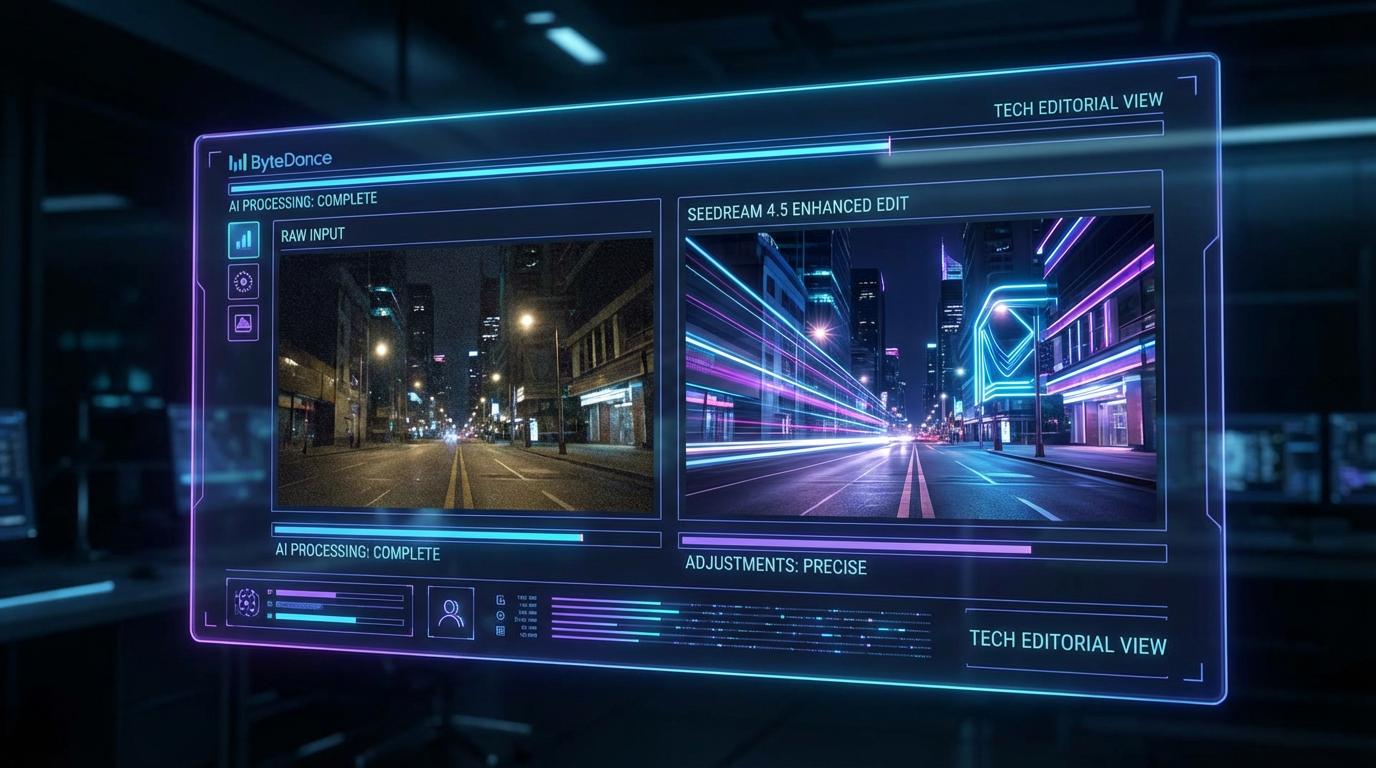
Seedream 4.5 brings a huge leap in fidelity. When you make changes—whether that’s removing objects, adjusting lighting, or editing characters—the model holds onto structure beautifully.
- Eyes stay symmetrical
- Clothing keeps shape
- Faces don’t drift off-model
- Fine textures stay crisp
The result? Edits that feel intentional, not “AI-ish.”
3.2 Enhanced Stylistic Control
Seedream 4.5 doesn’t just edit images—it interprets style like a seasoned designer.
You can shift:
- lighting mood
- color palettes
- artistic tone
- cinematic atmosphere
- rendering style (e.g., semi-realistic, painterly, anime-like)
And it does it without smudging or bending important visual elements.
3.3 Multi-Image Consistency That Finally Works
This is a massive upgrade.
Creators who produce:
- branded visuals
- campaign series
- character variations
- chapter-by-chapter art
- product line photos
…have always wanted an AI editor that could maintain style and subject identity across many outputs.
Seedream 4.5 achieves this in a way earlier models simply couldn’t.
Faces stay the same.
Color tones stay the same.
The “look” stays the same.
It feels like working with an actual art direction assistant.
3.4 Reliable Typography and Design Elements
AI models traditionally struggle with text—even the good ones.
Seedream 4.5 handles typography far more cleanly:
- Labels
- Logos
- Headlines
- Layouts
- Packaging mockups
Still not perfect (no AI is), but miles ahead of earlier Seedream versions.
This makes it a real contender in design workflows—not just illustration workflows.
3.5 Faster Rendering + Higher Resolution Output
Creators want speed.
Teams want speed.
Agencies require it.
Seedream 4.5 delivers noticeably faster response times, especially during:
- regional edits
- multi-step refinement
- complex artistic transformations
And the output?
Higher fidelity, sharper detail, less noise, more clarity.
4. What’s New in the Seedream 4.5 Release for Image Editor Workflows?
Let’s focus on the practical upgrades—what you can actually do now that you couldn’t before.
New editing tools include:
- More accurate region-based editing
- Cleaner mask refinement
- Better multi-reference transformations
- Improved creative restyling
- Stronger human identity retention
- Richer cinematic lighting adjustments
This version is no longer “experimental.”
It’s ready for real production.
5. Seedream 4.5 vs Previous Versions: A True Upgrade
If you’ve used Seedream 4.0 or earlier, here’s what you’ll immediately notice:
| Feature | Older Seedream Versions | Seedream 4.5 |
|---|---|---|
| Identity Consistency | Medium | High |
| Detail Preservation | Good | Exceptional |
| Text Rendering | Weak | Much stronger |
| Stylization | Good | More precise and stable |
| Editing Tools | Limited | Full creative control |
| Visual Stability | Unpredictable | Reliable |
| Multi-Image Coherence | Low | Excellent |
This is the first time Seedream truly feels like a professional-grade editor.
6. Who Should Use the ByteDance Seedream 4.5 Image Editor?
This release isn’t just for “artists.” It’s for anyone producing visual content at scale.
Perfect for:
- Graphic designers
- Social media creators
- Marketing teams
- Brand identity developers
- E-commerce sellers
- Illustration and poster artists
- Product designers
- Anime/concept art creators
- Independent creators who need stylized editing
No matter your field, if your work involves style, mood, and detail—Seedream 4.5 delivers.
7. Real Editing Scenarios: What Seedream 4.5 Can Do
These are examples of the kinds of edits you can make with confidence now:
- Remove unwanted objects without warping background texture
- Re-light characters with cinematic shadows
- Change outfits while preserving character identity
- Transform entire scenes into different artistic styles
- Edit faces without losing structure
- Adjust color grades across an entire campaign
- Create branded templates with consistent styling
These are edits that older models often broke.
Seedream 4.5 handles them gracefully.
8. How to Get Started with Seedream 4.5
It’s easier than previous versions:
- Upload your base image
- Choose Edit mode (region, full-image, style, etc.)
- Add your editing prompt
- Apply or refine masks
- Generate variations
- Save or continue editing for consistency
You get control without complication—the sweet spot creators love.
9. Final Thoughts: Why Seedream 4.5 Is a Breakthrough
The seedream 4.5 release for image editor workflows marks a genuine turning point.
Not just a model upgrade, but a refinement of AI editing philosophy.
Seedream 4.5 is:
- precise
- stable
- stylistically flexible
- multi-image consistent
- creator-friendly
- production-ready
ByteDance didn’t just release an updated model—they released a tool that feels designed with real creative pain points in mind.
And for anyone working visually in 2025, that’s exactly the kind of evolution we needed.