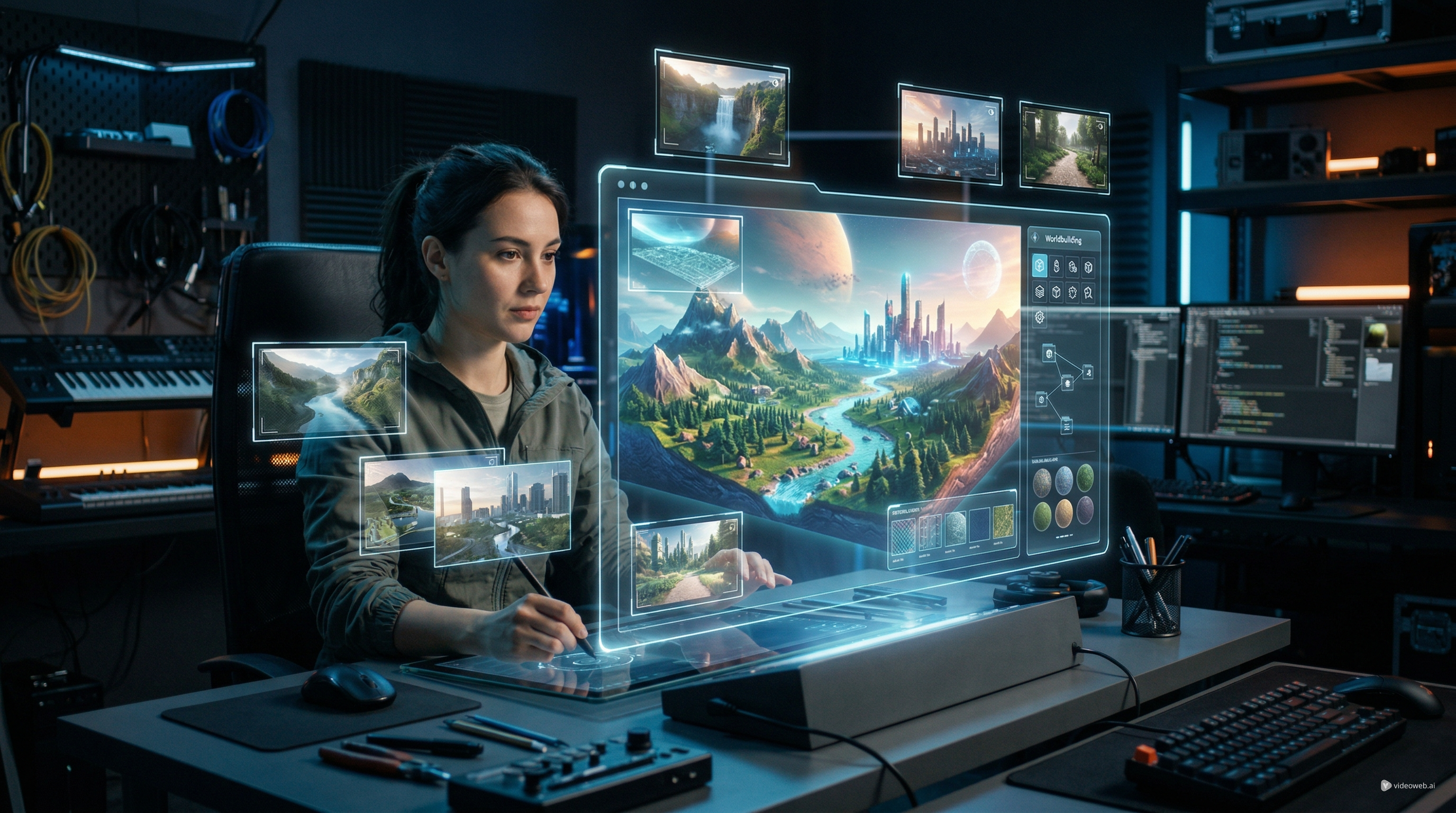
OpenArt World is one of the more interesting recent attempts to move beyond single-frame image generation. Instead of creating only one polished picture, it aims to build an explorable environment that creators can revisit, reframe, and develop into multiple shots. That makes it relevant to filmmakers, concept artists, game designers, and content creators who want more control over scene continuity.
This review looks at what OpenArt World actually does, how strong the quality appears right now, where it is most useful, and how to use it in a practical workflow. The short version is that it is promising not because it replaces traditional 3D software, but because it makes spatial scene creation faster and easier for people who want a reusable visual environment.
What OpenArt World Is Trying to Do
Most image models are built around one output at a time. You write a prompt, generate a frame, and then try again when you want a different angle. That often causes a familiar problem: the scene changes every time. OpenArt World tries to solve that by turning a prompt or source image into a navigable space.
In other words, this is not just another image model with cinematic samples. It is positioned more like an AI 3D world generator that lets you move through a scene, test different perspectives, and keep using the same environment instead of rebuilding it from scratch.
That change matters. A single great frame can be enough for posters, thumbnails, or concept stills. But if your goal is storytelling, previsualization, or shot planning, an AI 3D world has a clear advantage over isolated images. It gives you continuity.
What the Quality Looks Like So Far
The strongest part of OpenArt World is not tiny detail fidelity. It is scene persistence. That may sound less exciting than sharp textures or dramatic lighting, but it is actually the feature that gives the tool its value.
When an AI 3D world generator works well, it allows you to think in terms of space rather than just surface beauty. You are no longer asking only whether one output looks impressive. You are asking whether the world remains useful when you move the camera, test composition, or return later to create another shot.
On that front, OpenArt World looks genuinely promising. The biggest strength is spatial coherence. The tool is built around the idea that the environment should feel explorable, which already makes it more practical than many standard text-to-image workflows. If you need a moody alley, a fantasy ruin, a futuristic corridor, or a stylized city block that can support several camera positions, the format itself is appealing.
Another strong point is creative control. A normal image workflow often forces the user to regenerate dozens of times just to get the right angle. Here, the camera becomes part of the process. That makes the AI 3D world more useful for creators who think in sequences, not just hero shots.
The atmosphere also appears to be one of its better qualities. Tools like this tend to work best when they lean into cinematic environments, stylized lighting, and mood-heavy compositions, and OpenArt World fits that pattern. For storyboarding, worldbuilding, or visual development, that is a real advantage.
Where the Tool Still Has Limits
The quality question needs a balanced answer. OpenArt World looks impressive in concept and promising in output, but it should not be treated like a full replacement for professional 3D production.
The first limit is fine detail. As with many AI-generated environments, broad composition may look stronger than close inspection. Small props, structural precision, and dense scene logic may not always hold up when you push too far into realism.
The second limit is control depth. An AI 3D world generator is valuable because it is fast, but that speed usually comes with tradeoffs. You get easier scene creation, but not the same granular control you would have in a manual pipeline built in a traditional 3D tool.
The third limit is use-case fit. This kind of AI 3D world works best when you want concepting, previsualization, stylized worldbuilding, or content creation support. It is less convincing if your goal is exact production geometry, engineering accuracy, or high-end asset construction.
So the fairest conclusion is this: OpenArt World is strongest as a scene-building and framing tool. It is weaker when judged by the standards of precise manual 3D production.
Who Should Use It
OpenArt World makes the most sense for creators who need speed and continuity.
Filmmakers and video creators can use it to block scenes and test visual ideas before moving into motion workflows. Concept artists can use it to build a reusable environment instead of generating disconnected stills. Game designers may find it helpful for rapid world mood exploration. Solo creators can use an AI 3D world generator like this to get a more dimensional result without learning a full 3D software stack.
It is also useful for content teams that want visual consistency across multiple assets. If you want several posts, scenes, or story beats to feel like they belong to the same place, an AI 3D world offers a better foundation than regenerating unrelated frames.
How to Use OpenArt World
The easiest way to use the tool is to think like a director rather than a prompt chaser.
1. Start with a strong environment idea
Begin with either a prompt or a source image. Keep the prompt spatial and environmental. Instead of overloading it with action, focus first on place, mood, and structure. Describe the world clearly: location, style, era, lighting, scale, and atmosphere.
A good starting prompt is more useful than a crowded one. If you want better results from an AI 3D world generator, define the environment before you worry about extra details.
2. Generate the world first
Once the scene is created, do not rush into capture mode. Treat the initial output as your set. Explore it. Move through it. Test whether the layout actually supports the kind of shots you want.
This is where the value of an AI 3D world becomes clear. You are not only judging beauty. You are judging whether the space works.
3. Experiment with camera angles
This step is where OpenArt World has a practical advantage. Shift the camera to find your best compositions. Try wide establishing shots, medium framing, and more dramatic angles. A world that looks average from one angle may become much stronger from another.
4. Add scene elements carefully
If the workflow includes adding objects, characters, or lights, do it after the environment feels right. This usually produces a cleaner process than trying to define everything at once. Build the stage first, then direct the scene.
5. Capture with reuse in mind
The smart way to use an AI 3D world generator is not to treat it as a one-off novelty. Treat it as a reusable creative asset. Save shots from the same environment for different moments, edits, or content pieces. That is where the tool becomes more efficient than repeated image generation.
Tips for Better Results
First, choose environments that benefit from atmosphere. Fantasy streets, sci-fi interiors, ruins, surreal landscapes, and cinematic urban scenes are likely to be more rewarding than subjects that depend on strict real-world precision.
Second, keep prompts clear and visual. Strong environmental language usually helps more than long descriptive clutter.
Third, evaluate results based on workflow value, not only on screenshot beauty. The real test of an AI 3D world is whether it helps you create multiple usable views.
Fourth, use the tool for planning and visual development, then extend the result into image or video workflows when you need motion, polish, or presentation-ready assets.
Final Verdict
OpenArt World is an intriguing new creative tool because it addresses a real weakness in normal image generation: inconsistency across shots. Its biggest win is not perfect detail, but the ability to turn a prompt into a reusable space.
As an AI 3D world generator, it looks most valuable for creators who care about continuity, composition, and visual storytelling. As a pure quality showcase, it still has limits. But as a fast way to create an explorable AI 3D world for planning, concepting, and scene-building, it already feels more useful than many standard one-frame workflows.
The most accurate verdict is that OpenArt World is not a replacement for traditional 3D production. It is a practical bridge between image generation and spatial creation. For many creators, that may be exactly why it is worth trying.
Recommended Workflow Extension
After building your scene in OpenArt World, you can continue the workflow on VideoWeb AI if you want to turn selected frames into motion content or generate supporting assets.
- Use the AI Video Generator to explore multi-model video creation from your scene concepts.
- Use Image to Video to animate captured world frames into short cinematic clips.
- Use the AI Image Generator to create extra references, mood boards, or matching visual assets around the same project.
Related Articles
- VideoWeb AI Video Generator 2026: One Hub, Every AI Video Workflow
- VideoWeb AI Image Generator 2026: The Creator Switchboard for Fast-to-Final Images
- Image to Video with Vidu Q1 AI: Turn Still Frames into Cinematic Motion
People Also Read
- Veo 3.1 Video Generation Guide: How to Create Cinematic Clips
- Try Veo 3.1 in Dream Machine AI: A Practical Guide to Text-to-Video and Image-to-Video Creation
- SeaImagine AI Text-to-Video Guide: How to Choose Models and Create Better Clips
- The 2026 Image-to-Video Guide for Sea Imagine AI: Best Models & Prompts