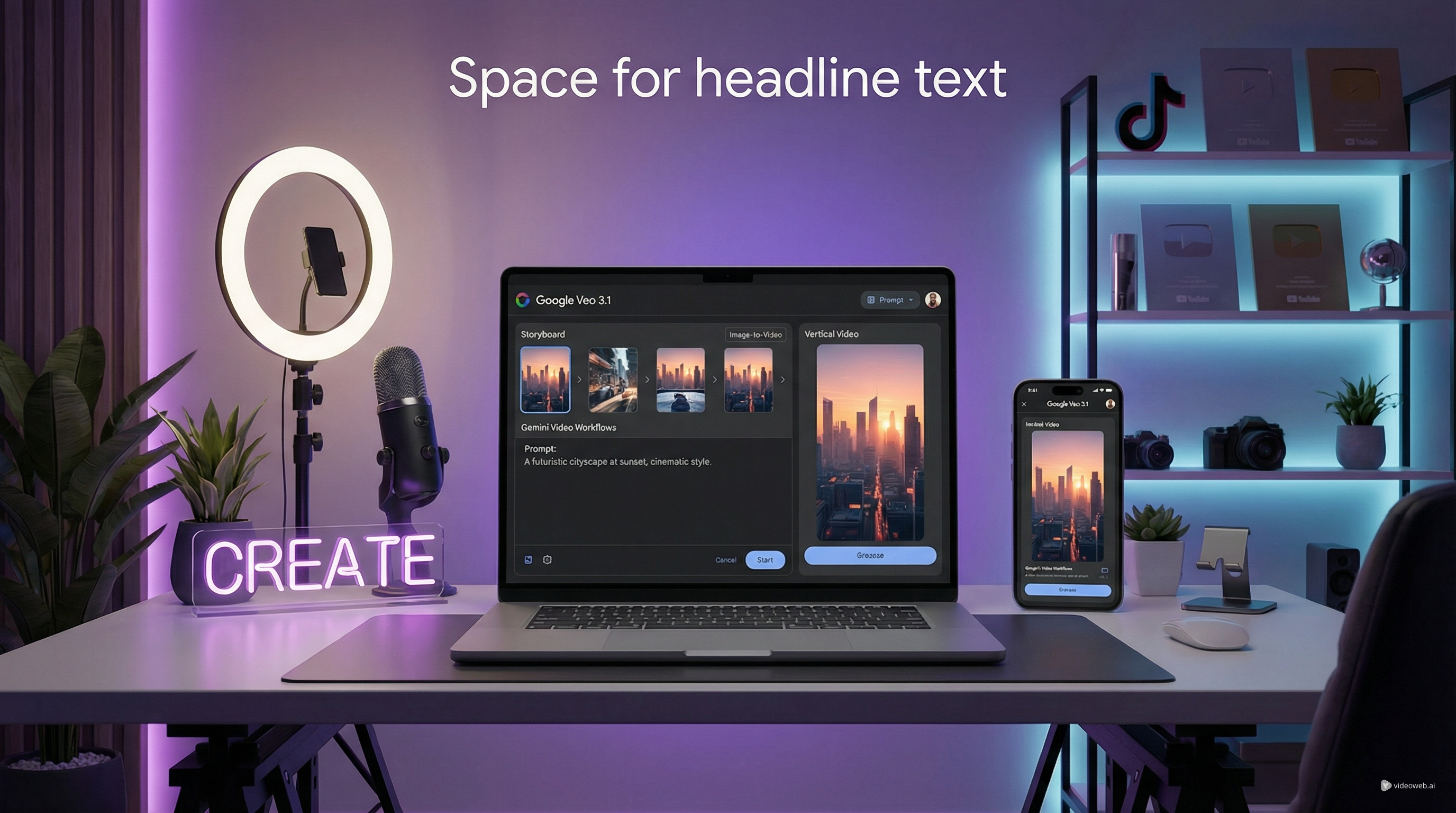
TikTok 節奏很快,但優質的短影片依然離不開幾個永恆的基本功:強而有力的第一秒、清晰的視覺概念、情緒上的回饋,以及一種能讓人願意看到最後的觀看格式。這就是為什麼愈來愈多創作者,開始使用進階 AI 工具來進行 TikTok 影片創作,而不是只依賴模板或隨機特效。
如果你想要電影級運鏡、更強的寫實效果,並保有彈性的視覺控制,Google Veo 3.1 是目前最值得測試的選項之一。在 VideoWeb 上,它不再只是模型名稱,而是變得更容易作為實際創作工具來使用。你可以用它把一個想法變成風格化的社群短片、打造情緒氛圍的片段組合,或是為直式短片建立 image-to-video 概念。
本指南將說明如何用 Google video AI 來思考 TikTok 內容、目前哪些流行趨勢特別適合轉化為 AI 生成視覺,以及如何透過 VideoWeb 的工作流程,產出更貼近 TikTok 原生感,而不是看起來像「一般 AI 作品」的短片。
為什麼 Veo 3.1 特別適合 TikTok
對 TikTok 創作者來說,Google Veo 3.1 最大的優勢,是它非常適合短而強烈的畫面段落。TikTok 很少會獎勵慢熱鋪陳,除非故事本身就非常有張力。大多數創作者需要的是:能在短時間內,直接傳達情緒、轉變、產品感受,或是一小段個性切片的片段。這正是更強大的 AI 影片生成器 派上用場的地方。
與其拍一支長片,然後祈禱中段不要變無聊,不如把 TikTok 影片拆解成一連串短視覺片刻:勾人開頭、細節特寫、反應鏡頭、揭露畫面,再加上一個最後的行動呼籲。這種結構特別適合搭配 Gemini video 的工作流程,因為你可以專注生成「有明確用途」的片段。
VideoWeb 也讓流程變得更簡單。不需要面對複雜的實驗環境,你只要在單一乾淨介面中選模型、上傳畫面、填寫提示詞、選解析度與比例,然後生成即可。這很重要,因為大部分創作者並不需要技術展示,他們需要的是能快速測試想法的創作流程。
適合作為 AI 影片主題的 TikTok 趨勢
最好的 TikTok 點子不一定是最大場面。很多表現最好的貼文,往往帶有個人感、好奇心,或是情緒上的實用價值。這比單純追求「爆紅」更能幫你指引 AI 生成方向。
其中一個很好用的類型,是精緻版的日常時刻。像是淋浴日常畫面、桌面重置片段、靜奢風的美食鏡頭、下班療癒時刻,或是「這週讓我心情變好的小事」。這些主題相當熟悉,但仍然能玩出戲劇化光影、細節特寫與順暢運鏡。
另一個強勢類型是「好奇驅動」內容。包括隱藏版咖啡廳、被遺忘的小巷、意想不到的物件、旅行中的小細節、微型套房改造,或是被拍得很美的小眾興趣。這類題材之所以有效,是因為它們讓人覺得「可以被發現」,會引導觀眾留下來等待揭曉。
第三種類型是「證據式敘事」。與其丟出一個寬泛的生活幻想,愈來愈多創作者會圍繞某種結果來構圖:有什麼改變了?什麼變好了?什麼感覺比較舒服?什麼真的值得?這類影片讓 AI 片段在產品行銷、前後對比剪輯、美妝影片,以及務實的生活敘事中,變得特別有用。
對使用 Veo 3.1 on Gemini 的創作者而言,結論很簡單:選擇能在幾秒內就被「看懂」的主題。TikTok 比起複雜說明,更在意的是「即時的視覺意義」。
如何使用 VideoWeb 進行 TikTok 影片創作
-
在 VideoWeb 上選擇 Google Veo 3.1。若想加快測試流程,可以把它當成快速的 Google Veo 3.1 Lite 風格實驗。
-
選擇起始格式。若要發想點子可以用文字提示;如果已經有主體、產品或場景,可以改用 image-to-video。
-
撰寫以 TikTok 為導向的提示詞。描述主體、動作、場景、鏡頭運動、光線、情緒,以及社群風格。
-
設定直式比例,並一次生成多個版本。Google video AI 在比較多個變化時效果最好,不要只靠單一結果。
-
選出最強的片段,再用字幕、更緊湊的剪輯、易讀文字,以及符合觀眾的聲音與音樂來為 TikTok 做後製。
用 AI 製作 TikTok 時,更聰明的影片結構
許多 AI 影片在 TikTok 上效果不佳,是因為它看起來比較像「技術展示」,而不是一則真正的貼文,差別就在於結構。
好的 TikTok 結構通常會從一個能讓人停下滑動的「勾子畫面」開始。那可能是一個極度美感的物件、一個奇特但漂亮的視覺、一個好看的臉部特寫,或是一個出乎意料地有電影感的場景。中段則要提供回饋:動態、細節、反差或轉變。結尾要嘛收束這個小故事,要嘛引導觀眾做出反應。
這就是 Gemini video 思維能幫上忙的地方。把每一個短片段都看成「序列的一部分」,而不是孤立的炫技。一個片段可以負責建立氛圍,另一個負責揭露日常或產品,再一個負責呈現結果。一旦你開始用「序列」來思考,TikTok 影片創作就會變得更容易複製與擴張。
使用 Veo 3.1 能打造的常見 TikTok 內容類型
最簡單的內容類型之一,是情緒氛圍短片(mood reel)。非常適合美妝、美食、時尚、旅遊或身心健康領域。重點不是深度解說,而是「讓人有感覺」。
另一個有效格式是「迷你轉變」。可以是房間改造、穿搭切換、護膚過程、情緒重啟,或是「從混亂到平靜」的敘事。這些概念很好懂,也天然適合用視覺來說故事。
你也可以用 Google Veo 3.1 打造創作者風格的廣告概念。例如,與其硬性推銷,不如圍繞產品在日常生活中的存在,建立一段柔和、寫實的視覺序列。強大的 AI 影片生成器 在這裡特別有用,因為你可以不用每次都從零拍攝,就測試多種品牌氛圍。
如果你想展現更多個人風格,「日記式視覺敘事」也是不錯方向。像是「我的這一週是這樣的」、「讓今天變更好的那些事」、「soft life 早晨」,或是「我不小心發現了這個」。這些主題符合現在短影音的觀看行為——既親密,又帶點風格化。
用 VideoWeb 更快測試、學習與擴大規模
使用 VideoWeb 的真正優勢,不只是能用到 Google Veo 3.1,而是可以快速測試短影音點子,並針對你的受眾,持續優化有效做法。TikTok 鼓勵的是不斷迭代。一個成功概念,如果保留結構,改變場景、產品、情緒或旁白,就能變成整個系列。
因此,對想做的不只是「一次性實驗」的創作者來說,VideoWeb 是很實際的選擇。你可以用 Google video AI 生成勾子畫面、產品 cutaway、美感轉場與視覺敘事片段,然後把表現最好的概念轉化為可重複運用的內容。
如果你的目標是更認真的 TikTok 影片創作,VideoWeb 能讓你更輕鬆地測試 Google Veo 3.1、嘗試 Veo 3.1 on Gemini 式的提示詞寫法,並創作精緻的 image-to-video 內容,而不讓工作流程變得過於複雜。
TikTok 影片創作詳細提示詞庫
1. 奢華淋浴日常/日常儀式 提示詞
提示詞(Prompt):
Create a vertical TikTok-style cinematic video of a modern luxury shower routine in a softly lit apartment bathroom at sunrise. Begin with a close-up of warm steam on a glass shower door, then cut to detailed shots of water droplets running across chrome fixtures, hands reaching for elegant skincare bottles, and a relaxed woman with wet hair stepping into the frame naturally. Use soft golden morning light, realistic reflections, subtle camera push-ins, shallow depth of field, and premium lifestyle-ad composition without feeling overly commercial. The mood should feel intimate, calming, and aspirational, like a realistic self-care moment someone would save for inspiration. Include smooth transitions between details, gentle body movement, and a believable sense of warmth and moisture in the room. Design the sequence as a strong TikTok opener for beauty, wellness, or soft-life content.
2. 高度專注讀書/工作重啟 提示詞
提示詞(Prompt):
Generate a vertical social video showing a highly focused study or work reset routine in a stylish but realistic desk setup. Start with clutter on the desk, an unfinished coffee, dim ambient room light, and a tired mood. Then transition into a clean reset: notebook aligned, laptop opened, task list written, headphones on, lamp switched on, and a more energized atmosphere. Use cinematic close-ups of keyboard typing, pen movement, desk accessories, screen glow, and organized stationery. The camera should feel like a premium handheld lifestyle vlog with quick but readable motion, realistic lighting changes, and a satisfying sense of control returning to the space. The emotional payoff should be the transformation from mental chaos to locked-in concentration. Make it look like a TikTok reel that people would watch for motivation, productivity inspiration, or “get your life together” content.
3. 隱藏咖啡館發現 提示詞
提示詞(Prompt):
Create a vertical TikTok discovery video about finding a hidden café on a quiet city street. Open with an exterior shot of a narrow side alley with warm signage barely visible from the main road, then move into a series of cozy interior details: coffee being poured, pastries behind glass, sunlight falling across wooden tables, a book left open next to a cup, and one stylish visitor entering the frame. Use smooth handheld movement, realistic city ambience, rich textures, and warm tones that make the space feel intimate and worth sharing. The overall feeling should be “I almost missed this place, but now I want everyone to know about it.” Keep the pacing gentle but engaging, like a TikTok hidden-gem video that invites comments asking for the location. Focus on curiosity, comfort, and visual richness rather than fast-cut chaos.
4. 柔性產品故事/情緒回報(Emotional ROI)提示詞
提示詞(Prompt):
Generate a vertical TikTok-style product storytelling video centered on a small everyday object that quietly improves daily life, such as a lamp, skincare item, notebook, mug, or wearable accessory. The clip should not feel like a direct ad. Instead, it should show the product naturally integrated into a person’s routine across a few realistic scenes: reaching for it in the morning, using it during work or rest, noticing the comfort or convenience it adds, and ending on a subtle emotionally satisfying close-up. Use natural body movement, premium but believable lighting, shallow focus, and realistic domestic details. The camera language should feel thoughtful and modern, with a mix of close-up textures and wider lifestyle context. The emotional message is that this small item brings disproportionate comfort, joy, or calm. Make it ideal for TikTok viewers who respond better to story and atmosphere than aggressive selling.
5. 車內 GRWM/公路旅行氛圍 提示詞
提示詞(Prompt):
Create a vertical aesthetic TikTok video set inside a parked car during late afternoon or early evening golden light. The video should feel like a calm but stylish get-ready-with-me or pre-road-trip moment. Show details such as sunlight hitting the dashboard, a phone opening a playlist, lip gloss or sunglasses being picked up, a drink in the cup holder, a quick mirror check, hands on the steering wheel, and city or highway reflections visible through the windows. Use realistic handheld motion and intimate close-ups, with a mood that feels independent, relaxed, and slightly cinematic. The pacing should feel social-native rather than like a movie trailer, but still polished enough to hold attention. This should work as a TikTok clip for car lifestyle content, road-trip mood edits, or “main character” routines before going somewhere.
6. 從混亂到平靜的轉變 提示詞
提示詞(Prompt):
Generate a vertical before-and-after TikTok transformation video with a clear emotional arc from stress to calm. The setting can be a bedroom, vanity, small apartment corner, or work area. Begin with visual disorder: messy surfaces, dim flat lighting, distracted body language, and a slightly rushed atmosphere. Then gradually transition into a clean, beautiful, calm environment with brighter natural light, organized objects, more confident posture, and a sense of relief. Use camera movement that emphasizes contrast, such as starting with slightly restless framing and ending with smoother, more centered compositions. Include tactile detail shots of folding fabric, arranging skincare, stacking books, wiping a surface, or lighting a candle. The result should feel satisfying and aspirational, ideal for TikTok viewers who love reset videos, mini glow-ups, and transformation content with an emotional payoff.
為什麼 VideoWeb 的價值不只在 Veo 3.1
當你找到一個有效概念後,很值得順勢探索 VideoWeb 更多的 Models and tools。不同專案需要不同優勢,把工具或模型對應到明確功能會更實際。
下一步的實際作法,是比較 Google Veo 3.1 在真實感電影級短片生成上的表現、Kling 在風格化運動與社群敘事畫面上的優勢、Runway 對創意影片工作流程的彈性、Luma 的精緻電影場景生成能力、PixVerse 在快速、趨勢友好短片上的速度、Vidu 的快速 AI 影片製作、Wan 在實驗性視覺生成上的運用、Hedra Character 3 的角色驅動動畫,以及 Higgsfield 在創意視覺實驗上的表現。當你的內容策略不只限於 TikTok 影片創作時,也可以搭配 VideoWeb 更廣泛的 image tools、music tools 與其他 AI 協作創作流程。
相關文章
- How to Create AI Short Video with Veo3 for TikTok/YouTube
- VideoWeb AI Video Generator 2026: One Hub, Every AI Video Workflow
- Lights, Camera… SCREAM! Veo 3.1 Halloween Prompt Spellbook











