Country posters made with GPT Image 2 on @Flovaai. Prompt ⤵️


Top famous luxury fashion brands infographics posters made with GPT Image 2 Prompt ⤵️

Generate and edit images instantly—100% free, no signup required. Use GPT Image 2 for text-to-image, image-to-image, reference-guided edits, style transfer, and polished visuals for social media, ads, ecommerce, and creative projects.
Use the available GPT Image pages to compare browser workflows, including the free 2.5 tool. The API link opens the OpenAI GPT Image model page on Flaq. The API has separate pricing from free browser generation.
The 2.5 introduction from OpenAI highlights detail, editing precision, and subject preservation through changes. Compare a familiar prompt or single reference in the free 2.5 form to evaluate it for your project.
Read OpenAI’s Images 2.5 introductionExplore how Free GPT Image 2 creates 4K-style product showcases, cinematic AI scenes, portfolio mockups, travel posters, fashion moodboards, ecommerce product concepts, brand guideline visuals, collage artwork, social media graphics, YouTube thumbnails, education images, and reference-guided visual variations from prompts or uploaded images.
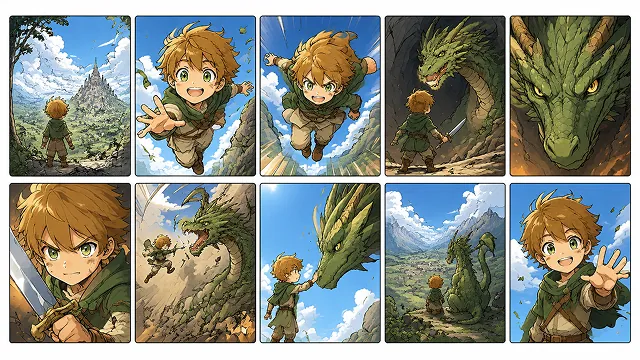
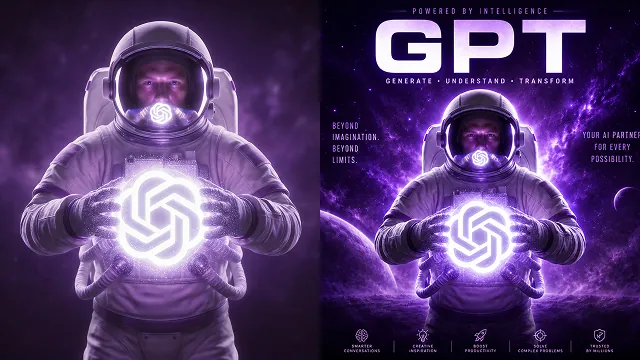
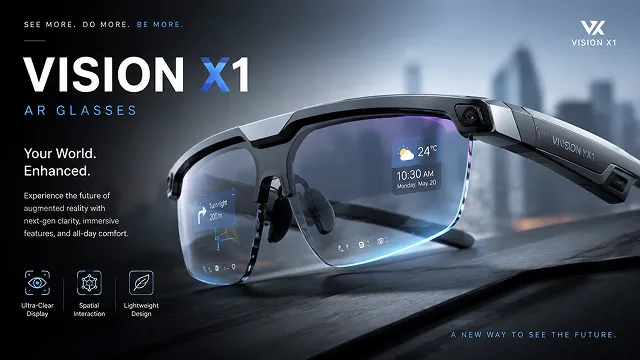
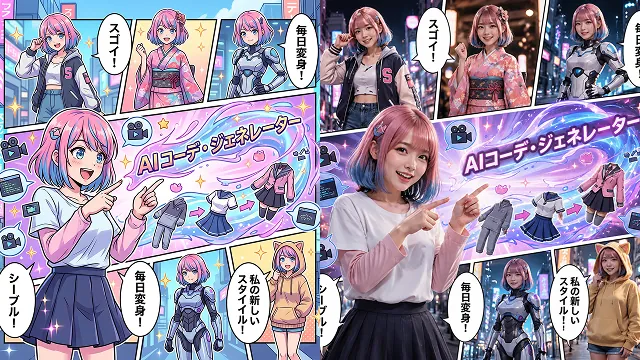
Free GPT Image 2 AI Image combines no-signup image generation, text-to-image prompting, reference image editing, strong prompt understanding, flexible aspect ratios, and practical creative output.
Start creating AI images online without registration. Enter a prompt, define your creative direction, and generate detailed visuals in a simple browser-based workflow.
Describe the subject, setting, lighting, camera angle, style, color palette, mood, typography, and composition to generate AI images that follow your creative brief.
Upload JPEG, JPG, WEBP, or PNG reference images to guide image-to-image creation, redesign existing visuals, test new styles, refine product shots, restyle portraits, or preserve key visual direction.
Create square posts, vertical portraits, mobile stories, product banners, widescreen scenes, thumbnails, posters, and campaign visuals for social, marketing, design, and presentation work.
Free GPT Image 2 AI Image helps creators, marketers, designers, educators, ecommerce teams, and product builders turn ideas into usable visual assets faster with simple prompts and reference-image control.
Use GPT Image 2 image generation with no signup required, making it easy to test prompts, compare styles, explore image editing, and create quick visual drafts.
Guide the image with natural language details for layout, object placement, text style, atmosphere, lighting, materials, camera angle, brand direction, and artistic style.
Start from a text prompt or upload reference images to adjust style, rebuild scenes, refine compositions, create image variations, and explore new creative directions.
Create visuals for social media, ecommerce concepts, ads, posters, storyboards, education slides, brand experiments, product mockups, thumbnails, and presentation materials.
Free GPT Image 2 AI Image supports fast online image generation and editing for marketing, ecommerce, social media, education, design, personal creativity, and content production.
Create Instagram posts, TikTok covers, YouTube thumbnails, Pinterest graphics, profile visuals, short-form video covers, campaign images, and platform-ready social assets.
Generate product scenes, lifestyle mockups, promotional posters, packaging concepts, ecommerce visuals, product showcase images, and ad variations before full production.
Upload reference images to test new backgrounds, adjust style, redesign scenes, create variations, change visual direction, or reinterpret existing photos and graphics.
Turn abstract ideas into clear illustrations, slide graphics, diagrams, lesson visuals, learning resources, concept artwork, and explanatory images for teaching and communication.
Find memes, crazy edits, inspiring art, and user shares made with Free GPT Image 2 on Twitter and beyond.
Country posters made with GPT Image 2 on @Flovaai. Prompt ⤵️
Top famous luxury fashion brands infographics posters made with GPT Image 2 Prompt ⤵️
Made mine in multi-panel style 🔥 Enhanced the prompt using Mage.Space Prompt Help and generated using GPT-Image 2 #aiart #aitool #magespace #lalisa


把自己变成真人小手办这件事 再加一点故障风英文排版 突然就有种杂志棚拍 + AI 玩具图鉴的感觉了 STATIC MUSE / PIXEL FEVER 信号坏了,但氛围对了 用 gpt-image2 试了一下 效果比想象中还像真的棚拍成片


GPT Image 2 prompt: Food Action Six Panel Texture Collage Reusable visual prompt for [3:4 six close-up panels, shallow depth,...] with clear composition and editable variables. Full prompt: vogueai.net/prompt/food-ac…


Gpt image 2 on ChatGpt Prompt: Create a 9:16 editorial typography poster from a single human-centered lifestyle moment. Use oversized typography as the main composition structure. Let the person, movement, city space, or everyday scene appear inside the letters, pass through


Generate or edit an AI image with Free GPT Image 2 in three simple steps.


