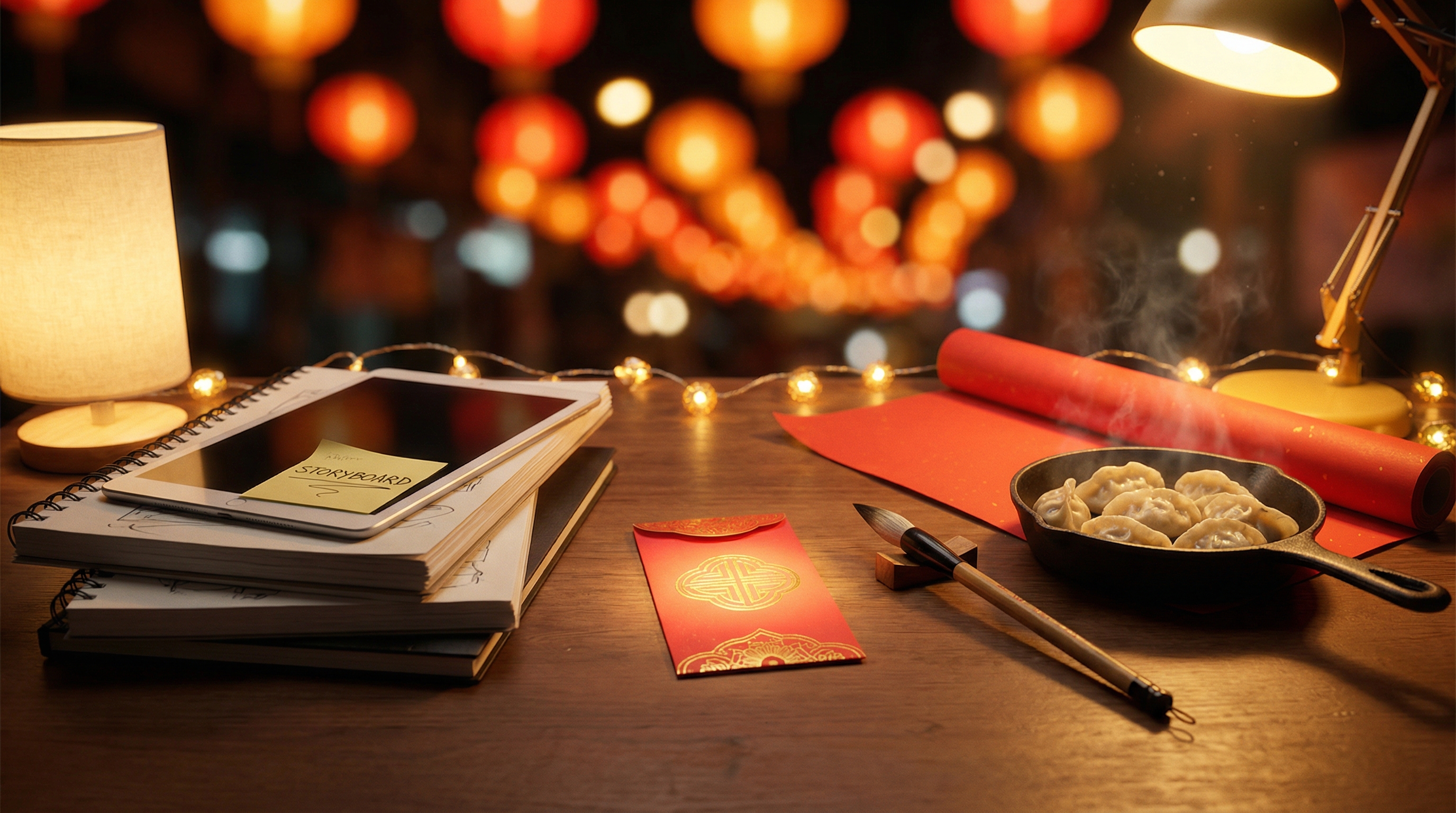
A practical, creator-friendly tutorial for making Lunar New Year short-form videos using VideoWeb AI’s AI Video Generator (Text-to-Video), AI Video Generator (Image-to-Video), AI Talking Avatar, and AI Image Generator.
Quick rule: If you’re generating a video from text only (no start image), go to Text-to-Video. If you’re animating a start frame or any image, go to Image-to-Video.
If you’ve ever stared at a blank prompt box like, “Okay… where do I even start?” — you’re in the right place. This guide is designed to feel like a friendly walkthrough: pick an idea, build one strong frame, animate it, then polish it into a loopable clip that actually looks intentional.
1) What this guide will help you make
By the end, you’ll have a repeatable “one hub → many Lunar New Year videos” workflow that you can reuse every year (or anytime you want festive, cozy, celebratory vibes).
You’ll be able to create:
-
5 proven Lunar New Year short-form formats (TikTok/Reels/Shorts-ready)
-
A repeatable prompt framework (image prompt → video prompt → captions → sound)
-
Ready-to-copy prompt packs for “studio-inspired” looks:
- family-friendly 3D animation vibe
- cozy watercolor anime vibe
- hand-drawn whimsical storybook vibe
- ink-wash / calligraphy cinematic vibe
- realistic cinematic (travel home / street market)
The big idea: you don’t need 50 perfect prompts. You need one consistent character description + one clean start frame + one motion prompt that doesn’t fight itself. That combo alone can carry a whole week of content.
2) Tool stack inside VideoWeb AI (where each tool fits)
Think of this like a simple production pipeline:
- Make a great still frame → 2) Animate it → 3) Add voice/captions/music
Once you get used to this, you’ll stop feeling like you’re “guessing,” and more like you’re actually directing shots.
2.1 Core tools you’ll use
-
AI Video Generator (Text-to-Video)
- Your “from scratch” option. Type your prompt and let the model generate the scene + motion without needing a start image.
-
AI Video Generator (Image-to-Video)
- Your “motion engine.” Upload a start frame (or any image), then prompt movement + camera + mood.
-
- Your “New Year Face Card.” Turn a portrait into a short greeting video.
-
- Your “frame factory.” Create start frames, key visuals, thumbnails, and “before/after” pairs.
2.2 Picking the right video model (fast decision guide)
Inside AI Video Generator (Image-to-Video), you’ll typically choose from these three most often:
-
Wan 2.6 — best overall default for most Lunar New Year formats (strong hit-rate motion + flexible creativity)
-
VEO 3.1 — most prompt-faithful (best when props/actions must match your script; also great for audio-ready workflows)
-
Kling 2.6 (Turbo/Pro) — cinematic emotion + character motion
- Turbo = quick tests (fast iteration)
- Pro = final export polish (when you’re happy and ready to post)
Optional specialist picks (nice-to-know if you want “one hub for everything”):
- Sora 2 / Sora 2 Pro — long-form continuity / hero-shot storytelling
- PixVerse 5.5 — fast, social-ready volume
- Hailuo 2.3 — dynamic physics / action-heavy scenes
- Vidu Q1 / Vidu 2.0 — cheap drafts / quick concept validation
2.3 Picking the right image model (frame model map)
Inside AI Image Generator, these models cover different “lanes.”
- Nano Banana Pro AI — fastest “looks good immediately” default (shareable results, thumbnails)
- flux.1.1 pro — best everyday balance for production batches (stable, predictable)
- Seedream 4.5 — stylized art direction (mood, illustration vibes, expressive lighting)
- Flux Kontext Pro — reference-guided consistency (keep a character/product recognizable)
- Flux Kontext Max — maximum continuity (series work where identity lock is non-negotiable)
- flux.1.1 pro ultra — premium final-render polish once the prompt is stable
- Seedream 4.0 — value stylization lane for cheaper drafts/alternates
- flux.1 schnell — rapid ideation + prompt testing (iterate first, then upgrade)
Quick rule: draft fast → lock style/identity → upgrade for polish.
3) Quick start workflow (the repeatable pipeline)
This is the pipeline you’ll reuse for every idea in this guide. If you only follow one section, follow this one.
3.1 Decide Your Goals and Prepare Your Prompts 🎬
Start by choosing what kind of video you want to make:
- Character animation (cute ACG moments)
- Home transformation (before/after festival mode)
- POV prop (red envelope, lantern, firecracker)
- Food montage (ASMR dinner shots)
Then pick a video model based on your goal:
- Wan 2.6 → best overall default (realistic motion + flexible creativity)
- VEO 3.1 → most prompt-faithful (script accuracy, details must match)
- Kling 2.6 → mood + character-driven motion (Turbo test → Pro final)
Creator tip: If you’re unsure, start with Wan 2.6. It’s the “safe first try” that gets you moving quickly.
3.2 (Optional) Generate a strong start frame with AI Image Generator 🖼️
A strong start frame solves most issues before they even happen.
- Use Nano Banana Pro AI when you want “clean, pretty, shareable” fast
- Use Seedream 4.5 when you want a more art-directed mood
- Export at 9:16 if you’re posting to Shorts/Reels/TikTok
What makes a good start frame?
- the face is clear (if it’s a character)
- the hands aren’t doing anything complicated
- the background isn’t chaotic
- the composition has “room” for movement (like a little negative space)
Tips: Once you have the perfect image for the start frame, click on the thumbnail and an image detail window will pop up. And on the side bar, you can see the "Image to Video" icon as well as "Image to Image". Click on "Image to Video", and then you jump to AI Video Generator (Image-to-Video).
3.3 Generate your video (with or without a start image) 🎞️
- No image? Start in AI Video Generator (Text-to-Video) and describe the scene + motion directly.
- Have an image or want a consistent character? Use AI Video Generator (Image-to-Video) — it’s usually easier to control style and identity.
If you’re using Image-to-Video:
- Upload your Start Frame
- Add a motion-focused prompt (action + camera + mood)
- Keep prompts concise but specific
- Add stability constraints (no morphing / no flicker)
A good motion prompt feels like directions to a camera crew:
- what the subject is doing
- how the camera moves
- what the scene should feel like
- what must NOT change
3.4 Final polish ✨
This is where your clip stops looking like “AI footage” and starts feeling like a real short.
- Add captions (big + readable)
- Add sound (music / fireworks pop / room ambience): Many newer AI video models can output audio already — but you can also generate fresh background music anytime with AI Music.
- Cut to 5–10 seconds per clip (loop-friendly)
- End with a looping moment (return to start pose / similar framing)
If you can make the ending match the beginning visually, your loop becomes effortless — and watch time usually jumps.
4) Prompt framework (copy/paste formula)
If you only remember one thing: image prompt builds the world, video prompt adds the movement.
4.1 Image prompt formula (for frames)
Subject + Outfit/props + Setting + Lighting + Color palette + Style + Composition
Think “what’s in the shot, and how should it look?”
4.2 Video prompt formula (for motion)
Action + camera movement + micro-details + mood + duration + stability constraints
Think “what changes over time, and what must stay stable?”
4.3 Stability / consistency constraints to include
Use one or more of these in your video prompt:
- “same character identity, consistent face, consistent outfit, no sudden morphing”
- “no extra fingers, no distorted text, no flicker”
- “keep background stable, avoid drastic scene changes”
4.4 Negative prompt essentials (optional)
Add this at the end when you see quality issues:
- “blurry, low-res, jitter, flicker, warped hands, duplicated limbs, unreadable text, watermark, logo”
4.5 Tokens explained (swap before you paste)
These tokens appear in templates — replace them with your own details.
- {CHARACTER_DESC} = a short, consistent description of who the character is. For example: “an ACG teen hero with short black hair and a red scarf” / “a cozy chibi cat mage” / “a realistic young adult in a wool coat.” If you’re making fan art of a known character, you can also use their name. And if you’re animating from an uploaded image or uploading it for reference, you can simply write “the character in the image” to keep identity consistent.
- {OUTFIT} = “red-and-gold festival outfit” / “modern streetwear with a red jacket”
- {SETTING} = “a cozy apartment living room” / “a bustling lantern market street”
- {LIGHTING} = “warm tungsten indoor light” / “neon street reflections”
- {STYLE} = “family-friendly 3D animation vibe” / “cozy watercolor anime vibe” / “realistic cinematic”
- {CAMERA} = “slow push-in” / “gentle handheld drift” / “slow pan”
How to use:
- Frame prompt: “{CHARACTER_DESC}, wearing {OUTFIT}, in {SETTING}, {LIGHTING}, {STYLE}, cinematic composition…”
- Video prompt: “{CHARACTER_DESC} performs [action], {CAMERA}, stable identity, no flicker…”
Tip: Keep {CHARACTER_DESC} identical across shots if you want a consistent series. Even small changes can cause “face drift.”
5) Style packs (studio-inspired looks)
These are descriptive and ethical style directions. Use “vibe language” instead of directly copying any specific brand.
5.1 Family-friendly 3D animation vibe (bright, clean, warm)
Visual cues: soft global illumination, smooth shading, big expressive eyes, colorful lantern bokeh.
Best with: Wan 2.6 / Kling 2.6 (Pro for final export)
5.2 Cozy watercolor anime vibe (gentle, nostalgic) 🎨
Visual cues: watercolor edges, soft gradients, warm indoor light, subtle film grain.
Best with: Kling 2.6
5.3 Hand-drawn whimsical storybook vibe
Visual cues: bold linework, painterly backgrounds, warm highlights, lively expressions.
Best with: Kling 2.6
5.4 Ink-wash / calligraphy cinematic vibe
Visual cues: ink diffusion, rice paper texture, minimal palette + red accents.
Best with: VEO 3.1 (controlled details) / Wan 2.6 (flexible realism)
5.5 Realistic cinematic (street markets / travel home)
Visual cues: shallow depth of field, practical lights, handheld camera, neon reflections.
Best with: Wan 2.6 (realism-first) / VEO 3.1 (prompt-first) / Kling 2.6 (mood-first)
6) Lunar New Year Fan Art Scenes (Start Frame → End Frame Shorts)
These prompts are designed for Lunar New Year themed fan art video creation — the kind of short, satisfying clips where an ACG character (or a photoreal person) is doing something festive: decorating a room, cooking dumplings, writing New Year phrases, and so on.
Recommended approach (for the best results):
- Generate a Start Frame and an End Frame (same character, same room angle, same outfit).
- Animate Start → End with a motion prompt.
- The result feels more “directed” and loopable, because the model has clear visual anchors.
You can do this in either style lane:
- Anime/ACG styles: cozy watercolor anime, hand-drawn storybook, bright 3D animation vibe
- Photorealistic: realistic cinematic (street lights, natural skin, shallow depth of field)
6.1 Recommended setup
-
Aspect ratio: 9:16 (shorts), optional 16:9 (mini-movie)
-
Clip duration: 5–8s per scene (easy to loop), stitch into 20–40s if you want a mini-episode
-
Model picks:
- Wan 2.6 for safest “first try” motion (good stability)
- Kling 2.6 for character emotion + cinematic animation feeling (Turbo test → Pro export)
- VEO 3.1 for prompt-faithful scenes (when props/actions must match your exact plan)
6.2 Style switch (anime vs photoreal)
To keep the same scene but change the look, only swap your {STYLE} line:
- Anime-style option: “Quality: High Detail, Vibrant Colors, Crisp Lines, Masterpiece, Rendered in Anime Studio; Style: Anime, Cel Shading;”
- Photorealistic option: “realistic cinematic, natural skin texture, practical lighting, shallow depth of field”
Everything else (character, setting, composition) should stay consistent.
6.3 Scenario A — Room Decoration (lanterns + couplets)
Start Frame prompt (for AI Image Generator):
- “{CHARACTER_DESC} in {SETTING}, holding red lantern string, room is partly decorated with a few red-and-gold accents, spring couplets nearby but not fully placed, {LIGHTING}, clean composition, highly detailed, festive but not finished yet; {STYLE}”
Example (anime/ACG style, tokens swapped):
- “an ACG teen hero with short black hair and a red scarf in a cozy apartment living room, holding a red lantern string, room is partly decorated with a few red-and-gold accents, spring couplets nearby but not fully placed, warm tungsten indoor light, clean composition, highly detailed, festive but not finished yet; Quality: High Detail, Vibrant Colors, Crisp Lines, Masterpiece, Rendered in Anime Studio; Style: Anime, Cel Shading”
End Frame prompt (same camera angle + same character/outfit):
- “{CHARACTER_DESC} in the same {SETTING} and same camera angle, lanterns now fully hung, couplets neatly placed on the door, warm festive glow, red-and-gold decorations complete, {LIGHTING}, {STYLE}, clean composition, highly detailed, cozy celebration mood”
Example (anime/ACG style, tokens swapped):
- “an ACG teen hero with short black hair and a red scarf in the same cozy apartment living room and same camera angle, lanterns now fully hung, couplets neatly placed on the door, warm festive glow, red-and-gold decorations complete, warm tungsten indoor light, clean composition, highly detailed, cozy celebration mood; Quality: High Detail, Vibrant Colors, Crisp Lines, Masterpiece, Rendered in Anime Studio; Style: Anime, Cel Shading”
Motion prompt (for** **AI Video Generator (Image-to-Video)):
- “{CHARACTER_DESC} gently reaches up and finishes hanging the lanterns, small lantern sway, subtle warm bokeh, {CAMERA}, smooth motion, same character identity and outfit, background stable, no sudden morphing, no flicker”
Example (tokens swapped):
- “an ACG teen hero with short black hair and a red scarf gently reaches up and finishes hanging the lanterns, small lantern sway, subtle warm bokeh, slow push-in, smooth motion, same character identity and outfit, background stable, no sudden morphing, no flicker”
Loop tip: In the last second, let the character pause in a similar pose to the start frame (it makes the loop feel seamless).
6.4 Scenario B — Cooking Fried Gyoza (cozy kitchen moment)
Start Frame prompt:
- “{SETTING} kitchen counter, {CHARACTER_DESC} frying gyoza in a nonstick pan, light oil sizzling, gentle steam rising, chopsticks or a spatula nearby, warm indoor light, tidy composition, {STYLE}, close-up or medium shot, realistic crispy texture on the gyoza”
Example (anime/ACG style, tokens swapped):
- “a cozy apartment kitchen counter, an ACG teen hero with short black hair and a red scarf frying gyoza in a nonstick pan, light oil sizzling, gentle steam rising, chopsticks nearby, warm tungsten indoor light, tidy composition, Quality: High Detail, Vibrant Colors, Crisp Lines, Masterpiece, Rendered in Anime Studio; Style: Anime, Cel Shading, close-up shot, realistic crispy texture on the gyoza”
End Frame prompt (same angle):
- “same {SETTING} and same camera angle, fried gyoza neatly plated with golden-brown crispy bottoms visible, small dipping sauce dish beside (soy + vinegar), {CHARACTER_DESC} hands finishing the plating, gentle steam, warm cozy mood, {STYLE}, food detail crisp”
Example (tokens swapped):
- “same cozy apartment kitchen and same camera angle, fried gyoza neatly plated with golden-brown crispy bottoms visible, small dipping sauce dish beside, the character in the image hands finishing the plating, gentle steam, warm cozy mood, Quality: High Detail, Vibrant Colors, Crisp Lines, Masterpiece, Rendered in Anime Studio; Style: Anime, Cel Shading, food detail crisp”
Motion prompt:
- “hands gently slide or flip the gyoza, oil sizzles softly, tiny steam movement, subtle camera pan or slow push-in, keep food shape stable, keep hands natural, no extra fingers, no flicker, background stable”
Example (tokens swapped):
- “hands gently flip the gyoza, oil sizzles softly, tiny steam movement, slow pan left-to-right, keep food shape stable, keep hands natural, no extra fingers, no flicker, background stable”
Editing tip: This scene is perfect for a soft “kitchen ASMR” sound layer (sizzle, steam, light kitchen ambience).
6.5 Scenario C — Writing Lunar New Year Phrases (clean + readable)
This scene works best when it feels like the character is actually writing — then proudly shows the finished phrase to the camera. It’s also where text can warp, so we’ll design Start/End frames that keep the writing big, simple, and readable.
Start Frame prompt (character is writing):
- “{CHARACTER_DESC} seated at a table in {SETTING}, holding a calligraphy brush and writing on red paper, ink texture visible, rice paper grain, festive desk props (ink stone, brush rest, small lantern), dramatic side lighting, shallow depth of field, {STYLE}, keep hands natural, keep paper flat and readable”
Example (anime/ACG style, tokens swapped):
- “an ACG teen hero with short black hair and a red scarf seated at a table in a cozy apartment living room, holding a calligraphy brush and actively writing on red paper, ink texture visible, rice paper grain, festive desk props (ink stone, brush rest, small lantern), dramatic side lighting, shallow depth of field, Quality: High Detail, Vibrant Colors, Crisp Lines, Masterpiece, Rendered in Anime Studio; Style: Anime, Cel Shading, keep hands natural, keep paper flat and readable”
End Frame prompt (character shows the finished phrase to camera):
- “same {SETTING} and same camera angle, {CHARACTER_DESC} smiles and holds the finished red paper up toward the camera, showing a large clear symbol or short phrase (recommended: ‘福’ / ‘招财’ / ‘平安’/恭喜發財), crisp readable brush strokes, red paper fills the center of frame, {STYLE}, keep text sharp and not warped”
Example (tokens swapped):
- “same cozy apartment living room and same camera angle, the character in the image smiles and holds the finished red paper up toward the camera, showing a large clear ‘恭喜發財’, crisp readable brush strokes, red paper fills the center of frame, Quality: high Detail, Vibrant Colors, Crisp Lines, Masterpiece, Rendered in Anime Studio; Style: Anime, Cel Shading, keep text sharp and not warped”
Motion prompt (write → lift → present to camera):
- “{CHARACTER_DESC} finishes the last brush stroke, pauses, then lifts the red paper and presents it toward the camera, slight paper movement, gentle lantern bokeh, {CAMERA}, smooth motion, stable identity and outfit, keep hands natural, keep the written characters readable, no warping, no flicker, background stable”
Example (tokens swapped):
- “an ACG teen hero with short black hair and a red scarf finishes the last brush stroke, pauses, then lifts the red paper and presents it toward the camera, slight paper movement, gentle lantern bokeh, slow push-in, smooth motion, stable identity and outfit, keep hands natural, keep the written characters readable, no warping, no flicker, background stable”
Readability tip: In-scene writing works best when it’s one big character (“福”) or a very short phrase (2 characters like “平安”, “招财”). If you want longer lines like “新年快乐 / 恭喜发财”, use the paper reveal for one symbol and add the full line as captions in editing.
6.6 Mini-episode storyboard (optional)
If you want to turn these into a mini-movie that feels planned (even if it’s simple), stitch 4–6 clips:
- Room decoration (Start → End)
- Writing “福” (close-up)
- Dumpling cooking (steam + folding)
- Table reveal (final festive setup)
- Bonus: lantern bokeh / fireworks bokeh closing shot
Keep the same character + same style pack across the whole sequence, and it’ll instantly feel like a “series.”
7) New Year Face Card with AI Talking Avatar
A “face card” greeting is the easiest high-retention Lunar New Year format: one person, one line, one blessing.
It works because it feels personal — like a quick message you’d actually send to someone.
7.1 What to prepare
- A clean portrait image (generated in AI Image Generator or have your selfie uploaded)
- A short script (5–12 seconds)
- Voice choice + subtitle style
7.2 Script templates (8 examples)
Copy, paste, tweak — keep it short and friendly:
- “Happy Lunar New Year! Wishing you luck, peace, and lots of good food.”
- “New year, new energy—may your goals arrive fast and strong.”
- “May your red envelopes be heavy and your worries be light.”
- “Wishing you health, harmony, and warm meals with the people you love.”
- “May the new year bring you calm days and exciting wins.”
- “New year reset—let’s make this one count.”
- “May your lanterns glow bright and your path feel clear.”
- “Thank you for supporting me this year—see you in the new one!”
7.3 Portrait prompt packs (for Face Card images)
A) Polished studio portrait (Nano Banana Pro)
- “{CHARACTER_DESC} portrait, clean studio lighting, soft highlights, sharp eyes, smooth skin shading, neutral background with subtle warm tone, professional headshot composition”
B) Cinematic portrait with lantern bokeh (Seedream 4.5)
- “{CHARACTER_DESC} cinematic portrait, red lantern bokeh behind, warm glow, shallow depth of field, soft film grain, festive mood, high detail”
C) ACG portrait (Kling-friendly start frame)
- “{CHARACTER_DESC} ACG portrait, clean line art, warm indoor lighting, red-and-gold accent color palette, simple background, sharp facial features, centered composition”
7.4 Talking Avatar tips ✅
- Keep the script short; avoid tongue-twisters
- Use one on-screen blessing line (big, readable)
- Don’t rely on tiny text inside the image—add subtitles in the editor instead
8) Before/After: House → Festival Mode
This format is pure satisfaction: your real room instantly goes from “normal day” to “full Lunar New Year mode.”
In this version, we’ll assume you already have a real house photo (your living room/bedroom/desk/storefront) and you’ll use it as the Start Frame in AI Video Generator (Image-to-Video). So you don’t need to generate BEFORE/AFTER images — you just upload your real room image and use a strong “transformation” motion prompt.
8.1 Ready-to-use video prompt ideas (paste into Image-to-Video)
Quick tip: Replace “living room” with your actual space (bedroom / desk / storefront), and add 1–2 decoration items you want (lanterns, couplets, paper-cuts, table centerpiece).
Prompt 1 — Snap transition (classic viral)
- “Transform the same real living room into Lunar New Year festival mode in one snap: red lanterns appear overhead, spring couplets on the door, gold accents, warm fairy lights, subtle festive glow. Start with the original room, then a quick snap transition adds decorations instantly. Keep the room layout identical, keep walls/furniture geometry stable, no object melting, no warping, no flicker. Camera locked-off tripod look, smooth result, 4–6 seconds.”
Prompt 2 — Light sweep makeover (clean + magical)
- “A warm golden light sweep passes across the real room from left to right, and as it passes, the space becomes fully decorated for Lunar New Year: red lanterns, couplets, paper-cut window decals, warm cozy lighting, festive glow. Keep the same camera angle and room layout, preserve furniture shape, no morphing, no flicker. Subtle slow dolly forward, cinematic warmth, 5–7 seconds.”
Prompt 3 — Whip-pan reveal (fast + energetic)
- “Quick whip-pan motion blur to the right, then snap back to the same framing and the real room is now fully decorated in Lunar New Year style: lanterns, red-and-gold accents, warm lights, festive cozy atmosphere. Keep the same room geometry and layout, no furniture shifting, stable walls and floor, no flicker, no warped edges. Duration 5–6 seconds.”
8.2 Add-on variations (swap the space + props)
Use the same prompts above, but swap the scene keywords:
- Bedroom makeover: “bedroom, bed headboard area, bedside lamp warm glow, lantern string above the bed”
- Office desk makeover: “desk setup, monitor and keyboard stay fixed, red desk ornament, mini lantern, couplet strip on wall”
- Storefront makeover: “store entrance, glass door, couplets on both sides, lanterns in the window, warm interior glow”
9) Red Envelope POV → “Teleport to Wealth World”
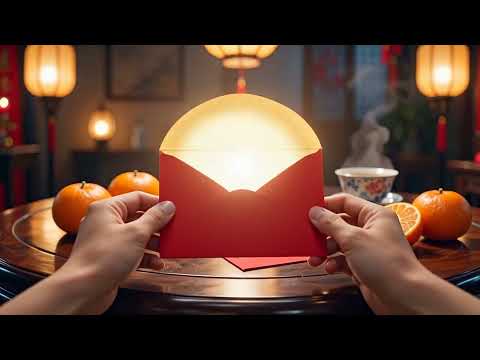
Here are ready-to-use video prompt examples (no start frame / end frame needed). Just paste one into AI Video Generator (Text-to-Video), set your duration to around 6–8 seconds, and you’ll get a complete POV mini-scene: open hongbao → glow → portal → rich fantasy world.
Tip: If you do have an image you want to animate, you can run the same prompts in AI Video Generator (Image-to-Video) — but the prompts below are written to work perfectly from text-only.
Prompt set — Realistic cinematic (clean + luxury)
Prompt 1 — Gold portal vault (smooth + elegant)
- “POV first-person hands holding a red Chinese envelope (hongbao) over a festive table with tangerines and tea, warm lantern lighting, realistic cinematic, shallow depth of field. The hands slowly open the envelope and a soft golden light spills out. The glow expands into a circular portal. Camera does a slow push-in through the portal into a luxurious gold vault filled with gold bars and sparkling coins floating gently in the air, glossy reflections, premium cinematic lighting. Smooth motion, natural hands, no extra fingers, stable scene, no flicker, no warped text, no logos.”
Prompt 2 — Billionaire penthouse teleport (modern rich vibe)
- “POV hands open a red envelope, warm golden glow pours out, portal forms and pulls the camera forward. Transition into a modern billionaire penthouse with a skyline view, gold light particles drifting, luxury marble and glass, cinematic depth of field, realistic lighting. Gentle handheld drift, high detail, smooth transition, keep hands realistic, no duplicated limbs, no flicker, no unreadable text.”
Prompt 3 — Treasure hall (imperial richness, still photoreal)
- “First-person POV opens a red hongbao; golden light blooms into a portal. Camera dives through into an imperial treasure hall: jade-and-gold ornaments, lantern glow, piles of gold ingots, floating sparkles, rich warm highlights, realistic cinematic look, shallow depth of field. Keep background stable, keep motion smooth, no morphing, no flicker, no warped hands, no watermark.”
10) LNY Dinner ASMR Montage
This is the “high retention, low explanation” format: steam, sizzling, chopsticks, clinks.
It feels warm and real, even if the footage is stylized — because food + sound cues do the emotional heavy lifting.
10.1 Montage structure
- 6 clips × 1–1.5 seconds each
- Alternate: wide → close-up → macro
10.2 Shot list prompt ideas
- “steam rising from hotpot”
- “dumplings on a plate, chopsticks picking one up”
- “fish dish with glossy sauce, slow camera glide”
- “tea pouring, macro droplets”
- “tangerines and peanuts on the table”
- “lantern reflection in a glass”
10.3 Sample frame prompt (Seedream 4.5)
- “macro close-up of dumpling being dipped in sauce, warm tungsten light, shallow depth of field, cinematic food photography, realistic textures”
10.4 Sample video prompt
- “slow macro camera move, steam motion, natural highlights, keep food shape stable, no flicker, no warping”
Practical Tutorial Sections
11) Choosing the right image model for frames (VideoWeb AI Image Generator model map)
Here’s a quick, human-friendly way to choose without overthinking:
- Want it pretty fast? → Nano Banana Pro AI
- Want stable batch production? → flux.1.1 pro
- Want strong art direction? → Seedream 4.5
- Need the character/product to stay the same across many shots? → Flux Kontext Pro → Flux Kontext Max
- Just testing prompts cheaply? → flux.1 schnell
- Your prompt is already perfect and you want “final render” polish? → flux.1.1 pro ultra
- Need a cheaper stylized lane for alternates? → Seedream 4.0
12) Settings checklist for consistent results
A few “boring” settings decisions now can save you a ton of frustration later.
12.1 Aspect ratios (pick one per series)
- 9:16 — TikTok / Reels / Shorts (recommended)
- 1:1 — square feeds
- 16:9 — YouTube / cinematic mini-movie cut
12.2 Resolution recommendations
- Fast iteration: 720p (quicker tests)
- Final export: higher resolution (once prompts are stable)
12.3 Duration
- 5s clips are naturally loopable
- 5–10s clips are ideal for most Lunar New Year formats
- Stitch into 20–40s for mini-movie sequences
13) Common problems + quick fixes
Flicker / jitter
What it looks like: the whole image feels like it’s vibrating, or tiny details keep changing.
Fix: simplify prompt, reduce scene changes, avoid too many competing actions.
Face drift / identity changes
What it looks like: the character “becomes someone else” mid-clip, or facial features subtly morph.
Fix: add “consistent identity” constraints, use a stronger start frame, keep {CHARACTER_DESC} identical.
Hand distortions
What it looks like: extra fingers, weird joints, fingers blending.
Fix: keep finger motion minimal, use props, cut to objects (lanterns/food/red envelopes) instead of complex gestures.
Text warping
What it looks like: characters wobble, letters melt, strokes become unreadable.
Fix: keep text minimal (symbols), add captions in editing instead of relying on in-scene text.
14) Prompt library (copy/paste bank)
Use these as plug-and-play building blocks. Swap tokens as needed.
14.1 Decorations
- “red lanterns, spring couplets on the door, gold accents, festive glow, cozy atmosphere”
- “paper-cut window decorations, warm indoor light, red as accent color, tidy composition”
14.2 Markets & streets
- “bustling lantern market street, neon reflections, shallow depth of field, cinematic crowd bokeh”
- “street vendor stall with red decorations, warm practical lights, handheld camera feel”
14.3 Cooking & food
- “steam rising, warm tungsten kitchen light, close-up hands preparing dumplings, realistic textures”
- “hotpot bubbling, macro droplets, glossy highlights, cozy dinner ambience”
14.4 Fireworks & bokeh
- “fireworks bokeh in the distance, soft glow, festive night mood, gentle camera drift”
- “lantern bokeh, warm highlights, dreamy atmosphere, shallow depth of field”
14.5 Greetings & blessings
- “simple blessing line: 福 / 🧧 / ✨, clean centered composition, readable symbol”
- “smiling portrait, warm light, festive red accents, friendly expression”
14.6 Cozy indoor lighting
- “warm tungsten indoor light, soft shadows, cozy atmosphere, subtle film grain”
- “golden hour window light, gentle highlights, calm and warm mood”
15) Wrap-up + suggested publishing strategy
If you want fast results and a clean series aesthetic, do this:
15.1 Post like a mini-series
- 1 idea/day for 7 days leading up to Lunar New Year
- Use the same character or the same home setting to make it feel like a connected story
15.2 Simple weekly plan
- Day 1: Face Card greeting
- Day 2: Red envelope POV
- Day 3: Home before/after transformation
- Day 4: Dumpling clip
- Day 5: Market establishing shot
- Day 6: Cooking montage
- Day 7: Mini-movie compilation
15.3 Create everything inside VideoWeb AI
When you’re ready, pick one style pack, build one strong character description, and run the pipeline.
That’s the secret to a series that looks consistent and feels planned — even if you made it in one afternoon.











