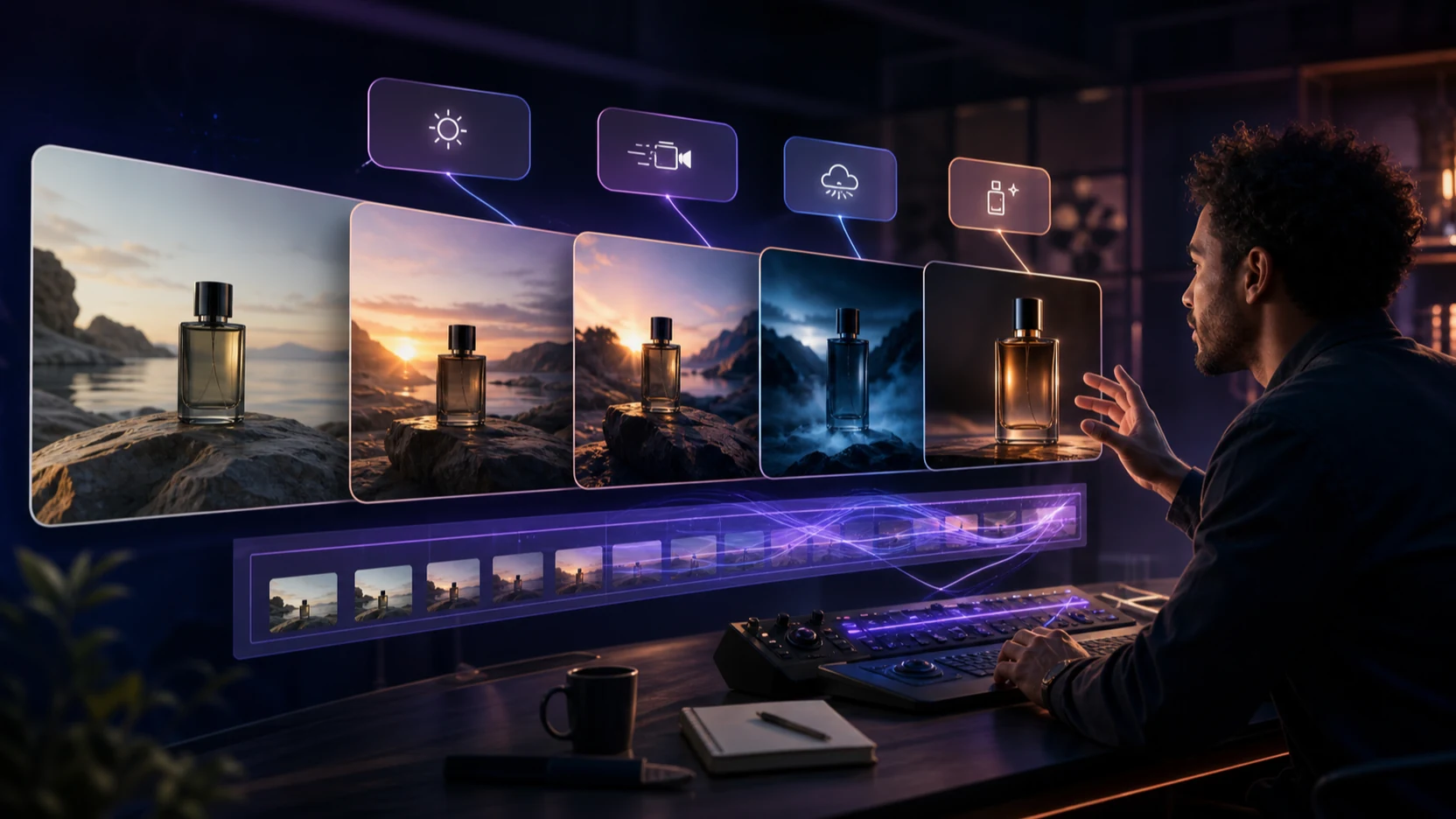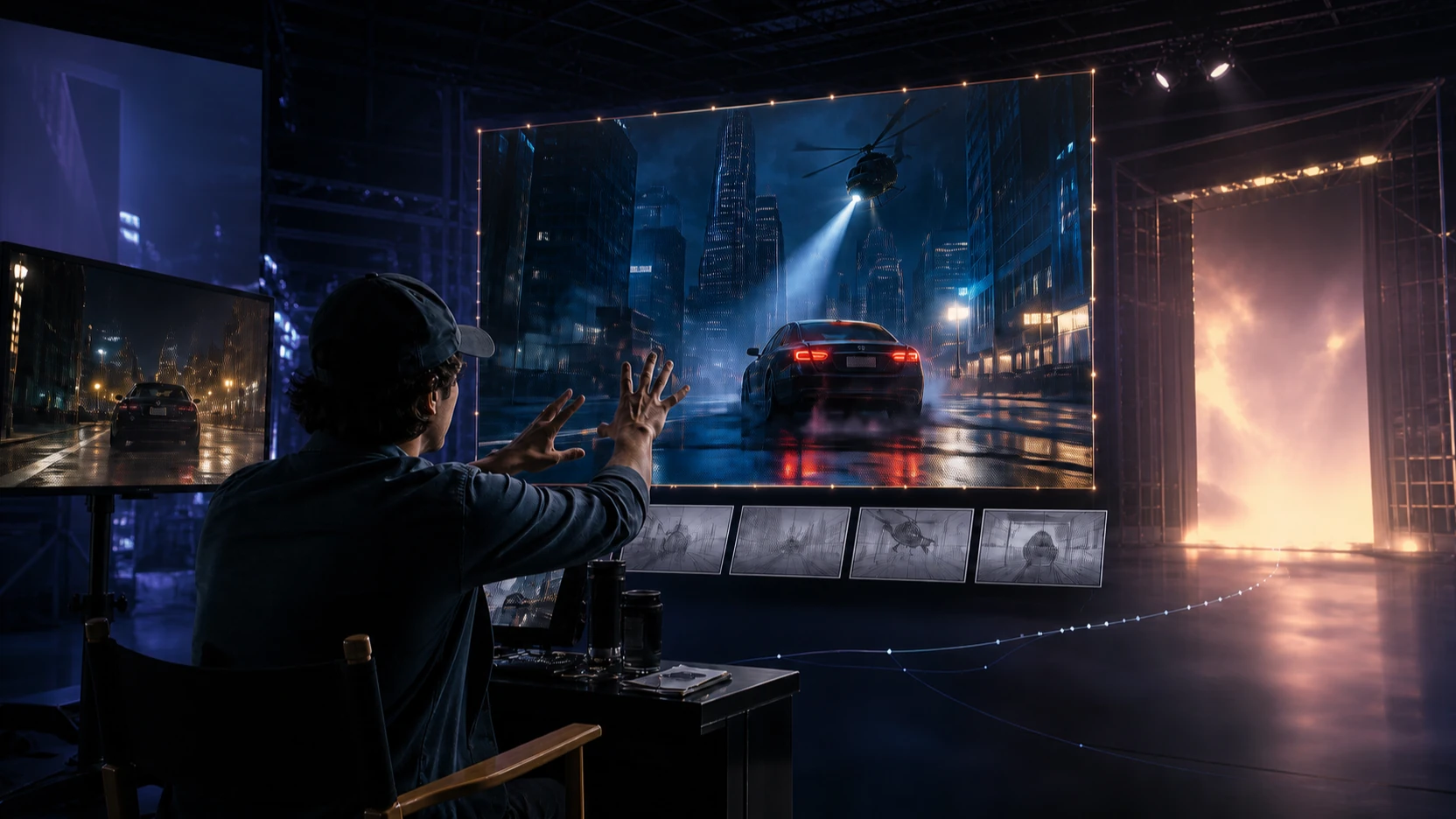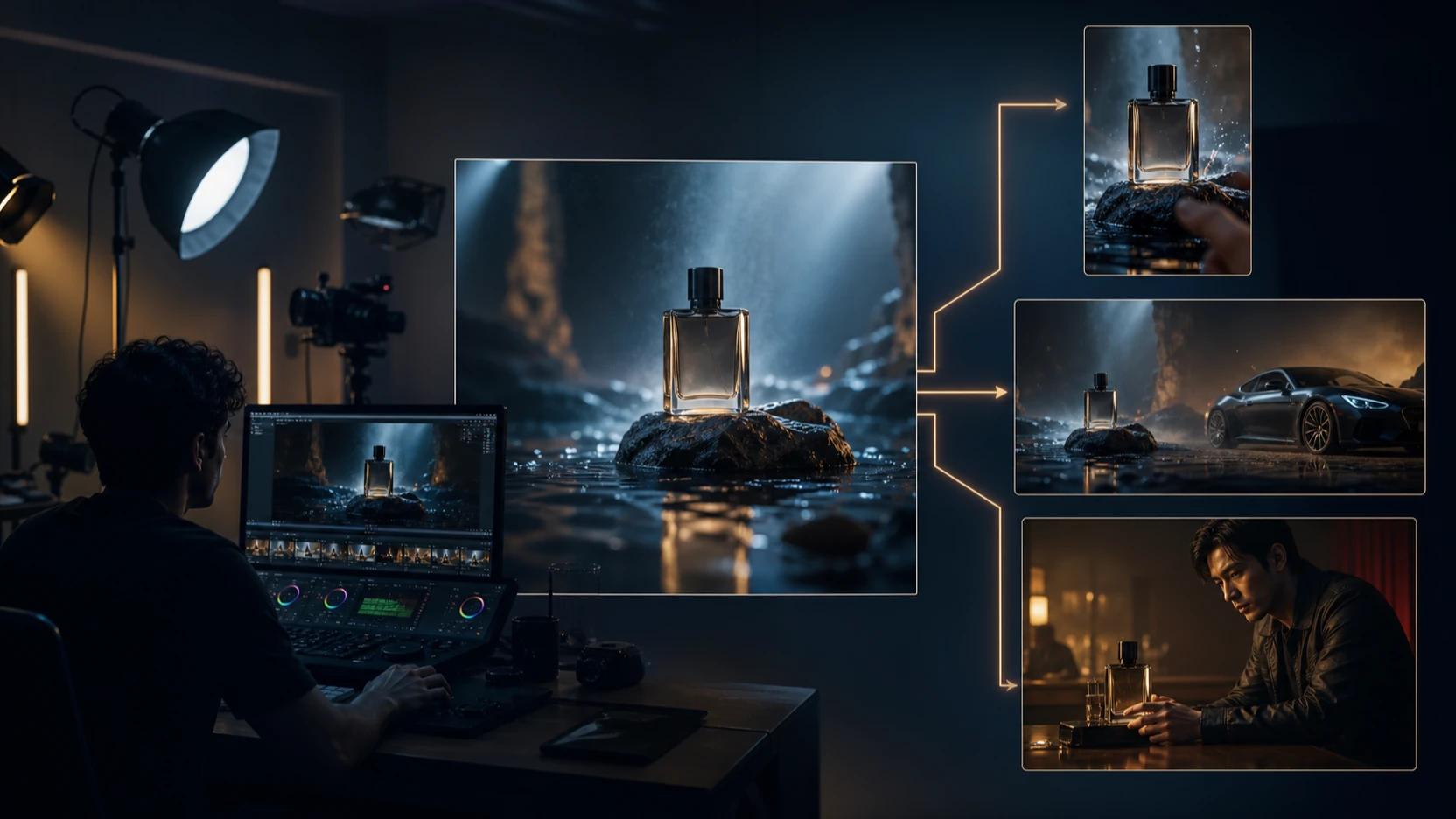

Grok Imagine 1.5 vs Seedance 2.0 を比較しているなら、おそらく単なる技術的な質問をしているわけではありません。知りたいのは、どのAI動画モデルが使えるクリップをより速く作れるのか、どちらが音をよりうまく扱えるのか、どちらがより多くのコントロールを与えてくれるのか、そして最初にクレジットを使う価値があるのはどちらなのか、ということです。
実用的な答えは、テストを始めるには十分なくらい明確です。強い元画像が1枚あり、ネイティブ音声、セリフ、環境音、音楽、または効果音付きの高速な画像から動画へのクリップが欲しいなら、VideoWeb AI の Grok Imagine 1.5 を使ってください。より深いマルチモーダル参照、開始フレームの制御、より意図的なカメラ演出、そしてキャラクター、商品、シーン、音にまたがるより良い一貫性の設計が必要なら、VideoWeb AI の Seedance 2.0 を使ってください。
だからといって、どちらか一方のモデルが普遍的に優れているわけではありません。現時点では、それぞれが異なるクリエイティブ習慣に合っているという意味です。Grok Imagine 1.5 は、1枚画像アニメーションとSNS向け瞬間クリップのための高速ドラフトモデルのように感じられます。Seedance 2.0 は、テキスト、画像、動画参照、音声参照でシーンを導きたいクリエイター向けの、より広範な制作モデルのように感じられます。
最終的な結論を公開する前に、実際のモデル提供状況、VideoWeb のクレジット費用、尺、解像度、ネイティブ音声の挙動、ダウンロード、透かしルール、プライバシー、商用利用条件を確認してください。以下の比較では、品質を普遍的な順位付けとしてではなく、同じ画像、同じプロンプト、同じ尺、同じアスペクト比、同じ解像度でクリエイターが検証すべきものとして扱います。
Grok Imagine 1.5 と Seedance 2.0 の共通点
両モデルは、同じ大きな検索意図の中にあります。つまり、クリエイターは、従来の撮影なしでアイデア、画像、商品、キャラクター、シーンを短いクリップに変換できる AI動画ジェネレーター を求めています。どちらも、短尺広告、UGCドラフト、商品ビジュアル、シネマティックなテスト、クリエイター向けクリップ、SNS動画に役立ちます。また、AI動画の品質は入力画像、プロンプトの明確さ、設定、再試行回数に大きく依存するため、どちらも実務的なレビューが必要です。
比較するうえで有用なのは、「どのモデルが最高か?」ではなく、「どのモデルがこのワークフローに合っているか?」という問い方です。
Grok Imagine 1.5 は、xAI によって、モーション、物理挙動、同期音声、より明瞭なスピーチ、そして高速生成に焦点を当てた画像から動画へのモデルとして説明されています。VideoWeb の Grok Imagine 1.5 AI Video Generator ページでは、アップロード画像、プロンプトによる動きの指示、ネイティブ音声、セリフ、環境音、効果音、そして短いSNS向けクリップを中心に紹介されています。
Seedance 2.0 は、ByteDance によって、テキスト、画像、音声、動画入力をサポートする統合マルチモーダル音声動画モデルとして説明されています。VideoWeb の Seedance 2.0 AI Video Generator ページでは、マルチモーダル参照、動画の一貫性、制御可能な編集、映像と音声の協調、参照主導の生成を中心に位置付けられています。
公平に比較するには、統制されたテストを行ってください。
| テスト変数 | 同一に保つもの |
|---|---|
| 元入力 | 同じ画像、または同じ参照セット |
| プロンプト | モデル固有の設定変更以外は同じ文言 |
| 尺 | 対応範囲内で同じ目標尺 |
| アスペクト比 | 16:9 や 9:16 など同じ比率 |
| 解像度 | 可能な範囲で同じ解像度帯 |
| 出力目的 | 同じ用途:広告、UGCクリップ、商品動画、物語シーン、または音楽クリップ |
| 評価基準 | モーション、音、一貫性、プロンプト遵守、再試行回数、使用可能な結果あたりのコスト |
これは重要です。なぜなら、あるプロンプトで勝つモデルが、別のプロンプトでは負けることがあるからです。香水商品のリビール、話す頭部中心のUGCクリップ、物理挙動の重いスポーツショット、複数ショットの物語は、それぞれシステムの異なる部分に負荷をかけます。

Grok Imagine 1.5:ネイティブ音声付きの高速画像から動画
Grok Imagine 1.5 AI Video Generator は、ワークフローが1枚の強い画像から始まる場合に、最初に試すべきより良い選択です。商品写真、ポートレート、キャラクターフレーム、料理画像、ファッション画像、またはキャンペーンビジュアルをアップロードし、その被写体がどう動くべきか、カメラがどう振る舞うべきか、どんな音が入るべきかを記述します。
この1枚画像ワークフローこそが、Grok Imagine 1.5 が短尺クリエイターにとって特に興味深い理由です。マーケターは、洗練された商品画像から始めて、6秒のフックを依頼できます。UGC広告制作者は、クリエイターのポートレートから始めて、短いセリフを試せます。ミーム制作者は、表情豊かな静止画1枚から始めて、動き、リアクションのタイミング、環境音、または効果音のきっかけを加えられます。
VideoWeb では、現在の Grok Imagine 1.5 ページで次の点が強調されています。
- アップロードした開始画像からの画像から動画生成
- 同じワークフロー内でのネイティブ音声生成
- セリフ、環境音、BGM、効果音
- 動き、カメラ、音声、スタイルのためのプロンプト制御
- 480p と 720p の設定
- 1秒から15秒までの尺オプション表示
- 現在表示されているクレジット費用は 1,050 クレジット
これらの詳細は計画に役立ちますが、プラットフォーム設定は変わる可能性があるため、公開直前に確認すべきです。xAI の公式APIの挙動、速度、設定が VideoWeb AI 上で同一であると想定しないでください。
Grok Imagine 1.5 が最も強いのは、クリエイティブブリーフが短く具体的なときです。
- この商品を、ゆっくりしたカメラ移動と繊細なサウンドデザインでアニメートする。
- このポートレートを、リアルな室内環境音付きの短い縦型UGCセリフにする。
- この料理画像に、自然な湯気、動き、静かなカフェ音を加える。
- フル参照パックを作らずに、1枚画像から高速なSNS用フックを作る。
注意深くテストが必要なのは、複雑な一貫性です。Grok Imagine 1.5 を、Seedance 2.0 と同等の完全なマルチモーダル参照システムとして扱わないでください。公式の位置付けは開始画像、プロンプト、尺、解像度、音声動画生成に中心を置いているため、1枚画像でクリップを成立させられる場面で使うべきです。

Seedance 2.0:マルチモーダル参照と監督レベルの制御
Seedance 2.0 AI Video Generator は、動画が参照素材に依存している場合に、最初に試すべきより強力な選択です。ByteDance の公式 Seedance 2.0 overview では、テキスト、画像、音声、動画入力を持つ統合マルチモーダル音声動画アーキテクチャとして説明されています。また、モーションの安定性、音声と映像の同時生成、参照主導の作成、演技、照明、影、カメラ移動に対する監督レベルの制御も強調されています。
VideoWeb では、Seedance 2.0 のページは現在、画像、動画、音声、テキストをサポートするクリエイティブ制作向けのマルチモーダル動画ジェネレーターとしてモデルを紹介しています。また、参照主導の生成、動画の一貫性、制御可能な編集、生成から拡張へのワークフロー、自然な音声映像シナジーも強調されています。ページには現在 300 クレジットの費用が表示されており、レビュー時点では、ライブ確認を前提として、VideoWeb 上で Seedance 2.0 のほうがより高い価値に見えます。
Seedance 2.0 は、1つのプロンプトだけでは足りないプロジェクトに向いています。
- 商品動画で、ボトル形状、ラベル領域、素材、照明を安定して保つ必要がある。
- キャラクターシーンで、複数ショットにわたり同じ顔、衣装、天候、ロケーションが必要である。
- 音楽動画ドラフトで、ジェスチャー、光の脈動、カメラ移動を音声参照に追従させたい。
- ブランドフィルムで、カメラ、影、雰囲気、テンポをより意図的に制御したい。
- UGC広告で、バリエーション間の演技指示、商品ハンドリング、映像的一貫性が必要である。
最大の利点は、Seedance 2.0 が「常によりシネマティック」だと想定すべきということではありません。それでは範囲が広すぎます。利点は、プロジェクトに参照、一貫性、音声映像の設計が必要なとき、Seedance はクリエイターに生成を演出するための手段をより多く与えてくれることです。
ブリーフが参照素材に依存するなら VideoWeb Reference-to-Video を使ってください。1枚の開始画像で十分なら VideoWeb Image-to-Video を使ってください。コンセプトがシーン記述から始まるなら VideoWeb Text-to-Video を使ってください。

実用比較:速度、音、参照、コスト、一貫性
以下は、クレジットを使う前にほとんどのチームが使うべき、クリエイター視点の比較です。
| カテゴリ | Grok Imagine 1.5 | Seedance 2.0 |
|---|---|---|
| 最適な開始点 | 強い1枚画像 | テキスト、画像、動画、音声参照 |
| 最適なワークフロー | 高速な画像から動画のドラフト | 演出されたマルチモーダル制作 |
| ネイティブ音声 | 最初に試す強い理由になる | 参照と音声映像演出を計画したときにより強い |
| セリフ付きクリップ | 短いSNS向け瞬間に適合 | 演技指示に参照が必要なときにより適合 |
| 商品動画 | 高速なリビールと動きのテストに良い | 一貫性、形状保持、計画的なバリエーションにより良い |
| UGC広告 | 話す頭部や商品フックの高速ドラフトに良い | より制御されたUGCバリエーションと演技設計に良い |
| 音楽動画 | 音付きの素早い映像モーメントに有用 | 音声参照とビート同期演出により適合 |
| 複数ショットの物語 | 慎重にテストすべき | 一貫性が重要なときにより適合 |
| プロンプトの難易度 | シンプルなプロンプトでもうまく機能しやすい | より構造化されたプロンプトと参照で力を発揮 |
| 現在の VideoWeb 表示クレジット | 1,050 クレジット | 300 クレジット |
| 暫定的な価値 | 現在表示ではテストあたりのコストが高い | 現在表示ではより高い価値、要ライブ確認 |
暫定的な推奨は次のとおりです。
- 高速な1枚画像アニメーションに最適: Grok Imagine 1.5
- ネイティブ音声付きSNSクリップに最適: Grok Imagine 1.5
- マルチモーダル参照に最適: Seedance 2.0
- 演出されたシネマティックシーケンスに最適: Seedance 2.0
- 複雑なキャラクターと商品の一貫性に最適: Seedance 2.0
- 現在表示されている VideoWeb クレジット基準で最も高い価値: Seedance 2.0、ただしライブ確認前提
- 全体として最適なアプローチ: 高速ドラフトには Grok、制御された制作には Seedance をテストする
代理店やECチームにとって、より賢いテスト指標は生成あたりのコストではなく、使用可能な出力あたりのコストです。Grok が1回で使える6秒フックを生成するなら、表示上クレジット費用が高くても見合うかもしれません。Seedance は準備に手間がかかっても、再試行をまたいで商品、キャラクター、シーンをよりよく保持できるなら、実制作ではより安くなる可能性があります。

商品広告、UGC、物理挙動、ストーリーシーンのテストプロンプト
両モデルに対して、共通の比較フォーマットを使ってください。
アップロードした画像を使って [duration] 秒の [aspect ratio] 動画を作成してください。被写体: [subject]。動作: [one clear action]。環境: [setting]。カメラ: [shot and movement]。照明: [lighting]。動きと物理挙動: [specific behavior]。音声: [dialogue, ambience, music, and effects]。[face, clothing, product shape, labels, or environment] を保持してください。[identity drift, warped objects, extra limbs, unintended cuts, or unstable text] を避けてください。
Grok Imagine 1.5 と Seedance 2.0 の両方で、同じプロンプト、同じ元画像、同じ尺、同じアスペクト比、同じ解像度を使ってください。そのうえで、動きのリアリズム、顔の安定性、商品の形状一貫性、プロンプト遵守、セリフの明瞭さ、リップシンク、環境音、カメラ移動、高速アクション、物体相互作用、複数ショットの一貫性、参照忠実度、生成時間、クレジット費用、再試行回数を比較してください。
これらのテストプロンプトをコピーしてください。
-
アップロードした商品画像を6秒のラグジュアリー広告にアニメートしてください。ボトルの正確な形状、ラベル、素材、色を保持してください。ゆっくりした周回カメラ、黒い反射石、柔らかな霧、金色のリムライト、繊細なガラス音を使用してください。 -
アップロードしたクリエイターのポートレートを縦型UGC動画にアニメートしてください。クリエイターが [product] を持ち上げ、「[dialogue]」というセリフを話し、自然に微笑みます。手持ちスマホ風の構図、リアルな室内環境音、正確なリップシンクを使用してください。 -
アップロードした全身画像からシネマティックなファッションクリップを作成してください。モデルが前に歩き、コートが風に自然に反応します。低いトラッキングカメラ、曇天の照明、リアルな足音、安定した顔の同一性を使用してください。 -
木製のカフェテーブルの上にある熱いコーヒーカップをアニメートしてください。湯気が立ちのぼり、日光が表面を横切って動きます。マクロ撮影、リアルな液体の動き、静かなカフェ環境音、シーンカットなしを使用してください。 -
高速な物理テストを作成してください。架空のアスリートが濡れた芝生の上を走りながらボールをキャッチします。横方向のトラッキングショット、正確な手と物体の接触、説得力のある慣性、同期した衝突音、手足の重複なしを使用してください。 -
アップロードしたキャラクター画像と音声参照を使って、短い音楽動画パフォーマンスを作成してください。ジェスチャー、カメラ移動、光の脈動、シーントランジションをビートに同期させてください。キャラクターの顔と衣装を保持してください。 -
3ショットの物語を作成してください。旅人が見捨てられた灯台に近づき、扉から中に入り、灯りが点灯するのを見届けます。すべてのショットで同じキャラクター、衣装、天候、建築を保持してください。 -
6秒の縦型商品フックを作成してください。[product] の極端なクローズアップから始め、手がそれを持ち上げると同時に引いていき、最後にライフスタイルの環境を見せてください。同期した効果音を1つ含め、パッケージを正確に維持してください。
商品プロンプトでは、必ず形状、ラベル領域、素材、色、パッケージの安定性を指定してください。人物プロンプトでは、顔の同一性、体の比率、衣装、表情、手の挙動を指定してください。音声プロンプトでは、セリフ、環境音、音楽、効果音を分けて指定し、モデルにより明確な指示対象を与えてください。

最適なユースケース:SNSクリップ、商品動画、音楽動画、シネマティックドラフト
TikTok、Reels、Shorts、そして短いUGC広告では、クリップがネイティブ音に依存する場合、Grok Imagine 1.5 が最初に試すべきモデルです。商品を持つクリエイター、6秒の商品フック、ミームリアクション、セリフ、または環境音主導の短いシーンは、いずれも Grok の高速1枚画像ワークフローに合います。
EC、商品マーケティング、キャンペーンテストでは、両方を実行してください。Grok は高速フックのテストに役立ちますが、より意図的なショットの中で商品を安定して保つ必要がある場合は Seedance 2.0 のほうが優れている可能性があります。商品ラベル、シルエット、キャップ、持ち手、生地の質感、またはパッケージ色が大きく変わってしまうと、そのクリップは広告レビューにはあまり使えません。
音楽動画クリエイターにとっては、クリエイティブが音声参照、同期したジェスチャー、照明の脈動、パフォーマンスの一貫性に依存するなら、Seedance 2.0 がより強い最初のテストです。Grok も、音付きの高速な画像から動画クリップには依然として有用であり、とくに目的が演出されたパフォーマンスではなく、短い視覚的な瞬間である場合に向いています。
AI映画制作者や代理店にとっては、複数ショットのシーン、キャラクターの一貫性、参照主導のムード、意図的なカメラ移動では、Seedance 2.0 がより安全な最初のテストです。Grok は、静止フレームにSNS動画としての可能性があるかを素早く見たいときの、迅速なコンセプトアニメーションに向いています。
大規模にテストするチーム向けに、シンプルなマトリクスを作るとよいでしょう。
| ユースケース | 最初にテスト | 理由 |
|---|---|---|
| 1枚画像のSNSフック | Grok Imagine 1.5 | 高速な画像から動画 + ネイティブ音 |
| 話す頭部のUGCセリフ | Grok Imagine 1.5 | セリフと室内環境音が中心 |
| 商品ヒーロー広告 | 両方 | Grok は速度、Seedance は商品の一貫性 |
| 複数ショットの物語 | Seedance 2.0 | 参照と一貫性が重要 |
| 音楽動画ドラフト | Seedance 2.0 | 音声参照とパフォーマンス制御が重要 |
| ECのバリエーション検証 | Seedance 2.0 | 形状と映像的一貫性が決定的なことが多い |
| 高速ミームクリップ | Grok Imagine 1.5 | 表情豊かな1枚画像で成立する |
VideoWeb AI で最も実用的なワークフローは、永遠にどちらか1つを選ぶことではありません。高速な音声動画ドラフトが必要なら Grok から始めてください。より強い参照制御、より慎重な演出、またはより本格的な制作テストに値するアイデアになったら Seedance に移行してください。

最終推奨:最初にどのモデルをテストすべきか?
あなたの問いが「この1枚の画像を、音付きの高速SNSクリップにアニメートできるか?」であるなら、まず Grok Imagine 1.5 を試してください。高速な画像から動画の実験、ネイティブ音声フック、セリフテスト、環境音、効果音、そして素早いクリエイタークリップにとって、より自然な選択です。
あなたの問いが「参照素材でこのシーンを制御し、被写体を安定して保てるか?」であるなら、まず Seedance 2.0 を試してください。マルチモーダル参照、計画されたカメラ移動、開始フレームワークフロー、キャラクターの一貫性、商品の一貫性、音楽動画の演出、そしてより意図的なシネマティックドラフトにより適しています。
どちらのモデルを評価する前にも、以下の最終チェックリストを使ってください。
- 両モデルの現在の VideoWeb クレジット費用を確認する。
- 尺、解像度、アスペクト比、元画像を揃える。
- 両モデルで同じコアプロンプトを使う。
- 音声は映像品質と分けてレビューする。
- 顔、手、商品ラベル、衣装、物体形状を確認する。
- 使用可能な出力を1つ得るまでに何回再試行が必要か数える。
- ダウンロード形式、透かしの有無、プライバシー、商用利用条件を比較する。
- 公式モデル機能がサードパーティプラットフォーム経由で同一に提供されていると想定しない。
ほとんどのクリエイターにとって、最良の答えは2モデルのワークフローです。つまり、ネイティブ音声付きの高速な1枚画像アニメーションには Grok Imagine 1.5、その後、より深いマルチモーダル制御と本格的な制作テストには Seedance 2.0 を使うことです。これにより、勢いが必要なときにはスピードを、アイデアが本格化したときにはコントロールを得られます。
次にテストすべきおすすめの VideoWeb ページ: AI Video Generator, Image-to-Video Generator, Text-to-Video Generator, Reference-to-Video Generator, AI UGC Video Generator, and AI Music Video Generator.